I do wonder why they require that… there has to be some reason.
I did not see IDP as an already enabled method of logging into Kinetic Cloud, I was also told that I would have to open a support ticket to enable IdP in my environment. Now it is possible that once IdP is enabled it doesn’t need to be re-enabled after each pass during my conversion, as AAD appears to. I don’t know the answer to that since I didn’t go that route.
In addition, wouldn’t you also need to create users somewhere in Epicor Identity or EpicWeb for all of those that you wish to link to Kinetic, or O365?
I must have followed part of the IdP setup path when I was starting all of this because when I login to EpicWeb or Epicare using my Epicor Identity, I do see this…
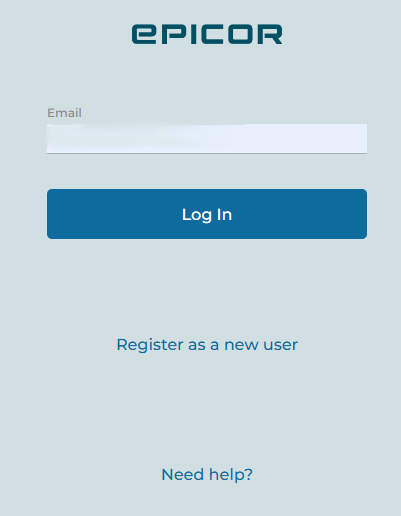
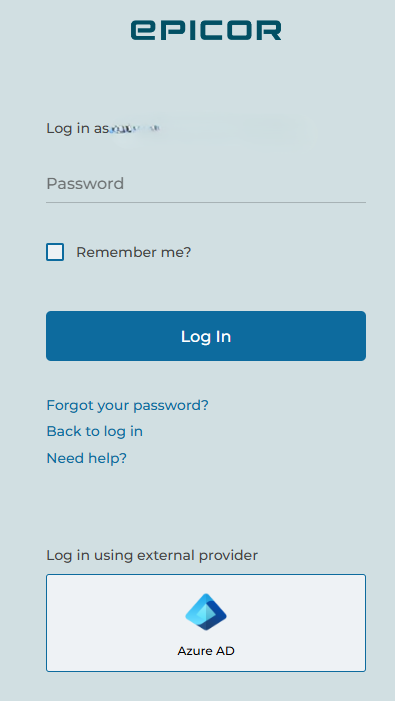
I’m going to work with what I have setup now and see how things go. If we feel that moving to IdP in the future is an easier way for login or we have issues with AAD then I’ll revisit this.
Maybe I should submit an Epicor Idea to have that Tenant ID requirement removed and defaulted just like it does for Basic login.
All new Cloud environments that I’ve seen in recent years have IdP enabled out of the box, and you’re correct it doesn’t lose that between refreshes or upgrades.
Yes users would need to be created in IdP but the system does that itself from User Account Maintenance within Kinetic, when you select Export to IDP from the actions menu.
I think also that IDP and AAD on the app server config are mutually exclusive - so the fact you’ve asked for AAD to be setup, does mean you won’t currently be seeing IDP.
Good luck, if you need any more info on this method do ask as I’m sure it will benefit others too.
So I have AAD setup on my Live instance since I had it configured in the DB to point to the applications and Azure Tenant ID… However I did not set that up in my Pilot environment so they did not enable AAD there. When I visit that URL this is all I see. I have no other options other than Basic login. This is what my Live login prompt also looked like prior to asking for AAD to be enabled. So judging off that login screen that means IdP was not enabled out of the box.
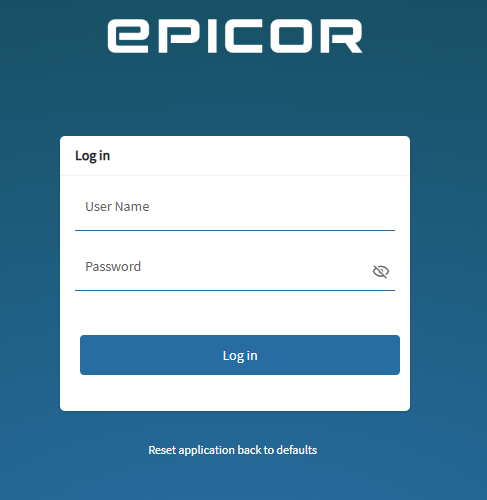
Its already been rejected because “security”
That makes no sense… Make it so you have to give out your Epicor Account number to every user who needs to login, because that’s secure… An assembler should not need to know that number lol
Hence security in quotes.
You get that screen when you nav directly to
https://yourcompanyname-live.epicorsaas.com/Apps/Erp/Home ?
I’m curious because I honestly don’t know the AAD Cloud experience (w/o IdP).
Seems dumb, my tenant can be derived from the url.
Yeah this is the same support team that said even with AAD enabled and SSO required checked off you can still use basic LOL
Yes, and Yes… I agree 100%
Even more dumb, the first time you launch the client you have to put in the tenant ID too. Like the client is literally installed on your desktop with a custom configuration file that is for your specific app server. And you still have to enter it.
That’s ok tho, they’re killing the client in May, oh wait no, now it’s July?.. 
Just plain lazy. There’s surely no technical reason it must be like this.
Guess I’ll put testing this on the back burner. If they’re injecting a non-standard tenant text box, that’s not seamless AAD. I cannot imagine Edge App windows integrated SSO on AAD-joined device can work with that. Shame.
Wouldn’t think so either.
@FTI-SeniorAdmin when did you go live on Cloud? For earlier customers of ours that went to Cloud we did have to request IdP be enabled - but now it definitely seems to be part of the standard setup.
We are not live yet, we just signed our upgrade program/contract on March 1st. We have only had our readiness calls and whatnot at the beginning of this month. We got our URL’s and login info on March 10th.
My biggest concern with all of this is the fact that we have CUI info in our DB so I can not send them a copy of our DB if our cloud login page and ID’s are not protected by MFA, that was what triggered all of this testing and setup for the logins even for just a first pass to be completed.