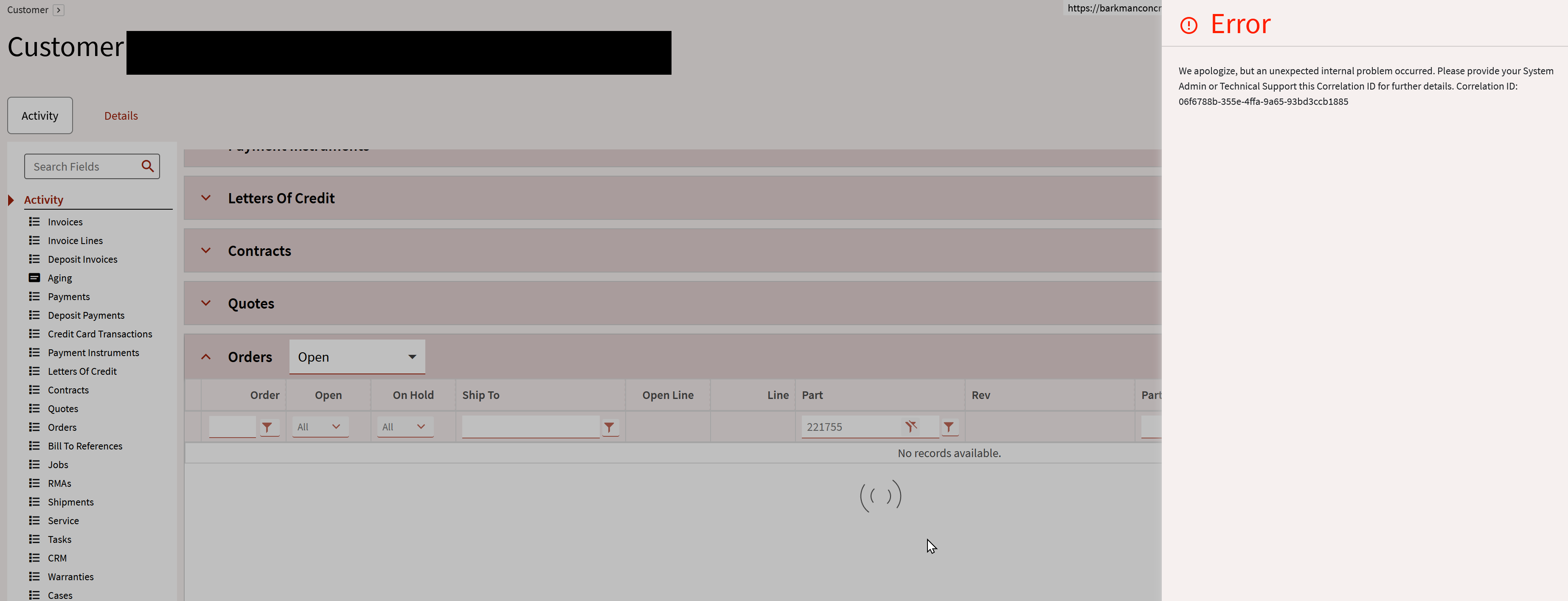
When trying to filter any screen by any column we get this error.
Only when you click ‘Download’ until you’ve gotten all results are we able to filter, is there a fix for this, are we doing something wrong? What’s the deal
Is this a new problem? It could be a bad personalization. Go to Application Studio, click the Personalization tab, search for Customer Entry with your name and delete it. Try again.
Otherwise, it may be a customization issue? You could try running the base form from Application Studio to see if it has the same issue.
Yes this works but my finger gets tired when there’s several thousand records to download.
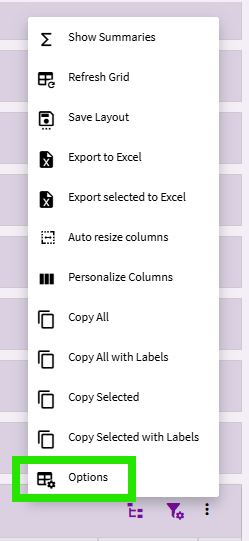
If you go into the Grid’s Options (in the grid’s overflow menu)
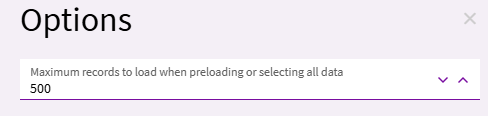
The default is probably set to 500:
You can increase the value here to 2,000 or something of that ilk. The grid will either load 2,000 initially, or, it will download 2,000 new records at a time each time you click the button.
Unfortunately downloading more records takes time… so, set it to something you can live with. If there are a lot of rows, you have to deal with the pain, I guess.
I’m assuming this is a “personalization”. So, you could need to do this for each user that wants to download more than 500 records at a time (on this particular grid).
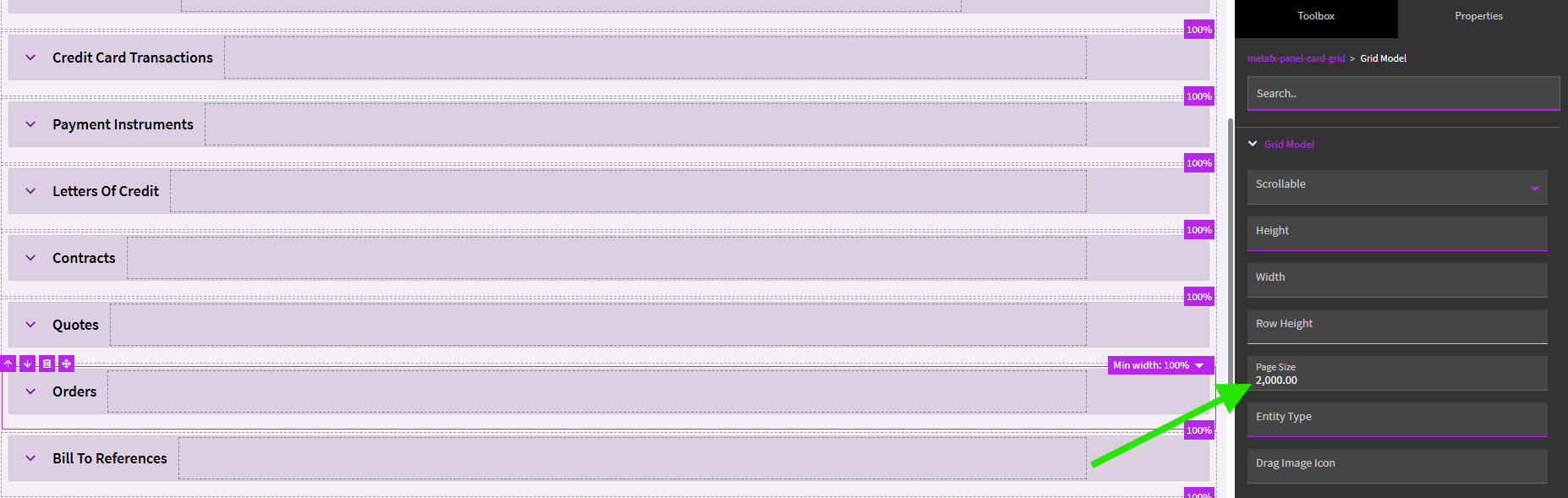
There are also settings within application studio if you want to customize. In the Grid Model settings, you can up the Page Size:
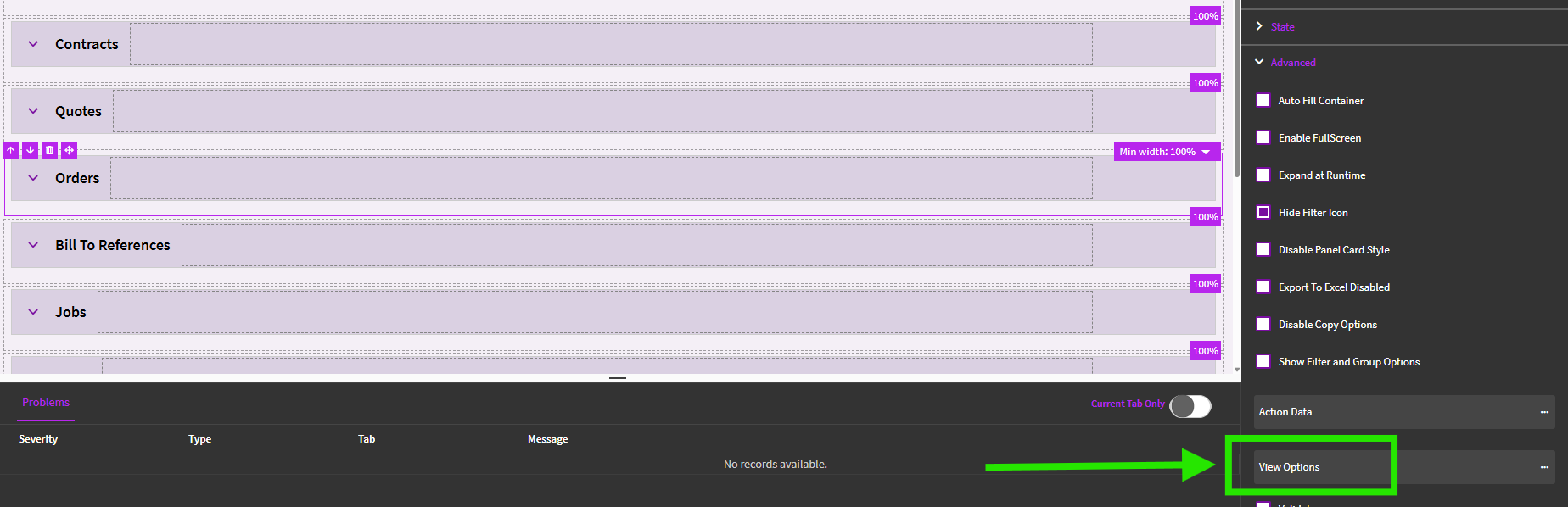
You can also do it in individual “Views” of the grid.
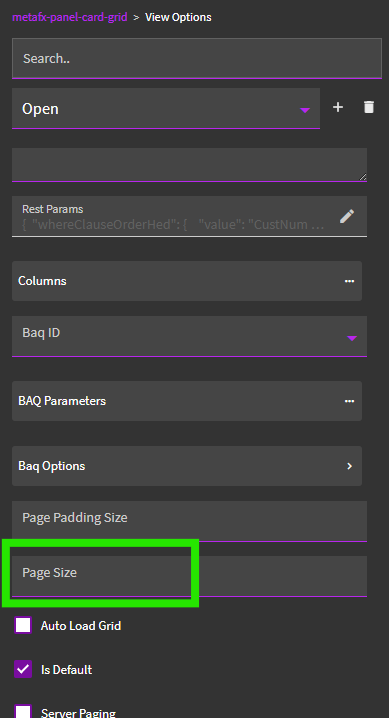
In the View Options, you can set a Page Size for each “view”. This (hopefully) enables you to automatically download more records if you’re looking at “ALL”… but stick to the default if you’re looking at the “OPEN” view.
Going this route should act as a Customization (impacts everybody) instead of a Personalization (each person needs to set their own page size on the grid).
You can also turn off server paging on the grid in application studio.