In application studio, if I have for example 3 layers on one program, and I click on the link for the third one to edit it, what loads in application studio is the first layer. No matter how many times I exit/reload/clear cache. The only way to get to the layer I want is to do change layer after the wrong layer loads.
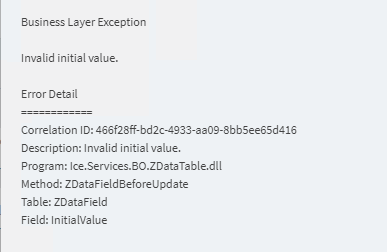
In kinetic UD column maintenance, if I add a new column, then pick data type Date, I can’t save it, the error is Invalid initial value (even though that isn’t even a field you can populate for a date field). It will let me add Date time but not Date.
Can’t print edit list if the ISO country code is not exactly 3 characters. I mean, ok, but it never caused a problem before, not sure why it has to break now.
On the bright side, there are a lot of improvements in kinetic BAQ. The intellisense and filtering capability are beautiful. I will (someday) get used to everything being moved around. Sometimes it gives an error that x rows have been loaded but in the results pane it says no records found. Which is disconcerting. Then like 10+seconds later all the records finally load.
Anyone else? What have you found in your testing?