kinggba
March 25, 2026, 10:56am
1
Hi Everyone,
I am trying to follow the tutorial here https://www.epiusers.help/t/how-to-kinetic-launch-a-form-using-app-studio/81143 by @hmwillett
I may be doing somthing wrong here.
I have created BAQ to pull this information but not sure how I can wire it to app-open.
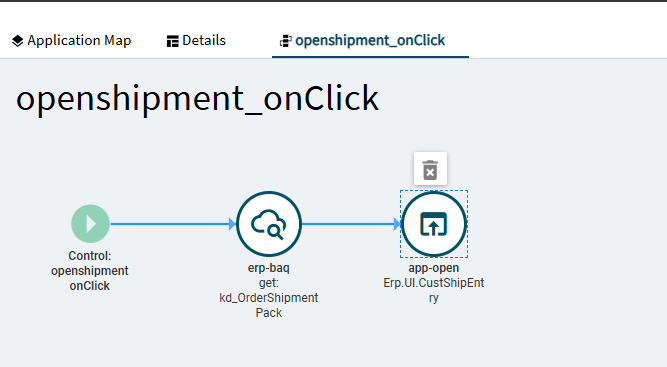
Button Flow
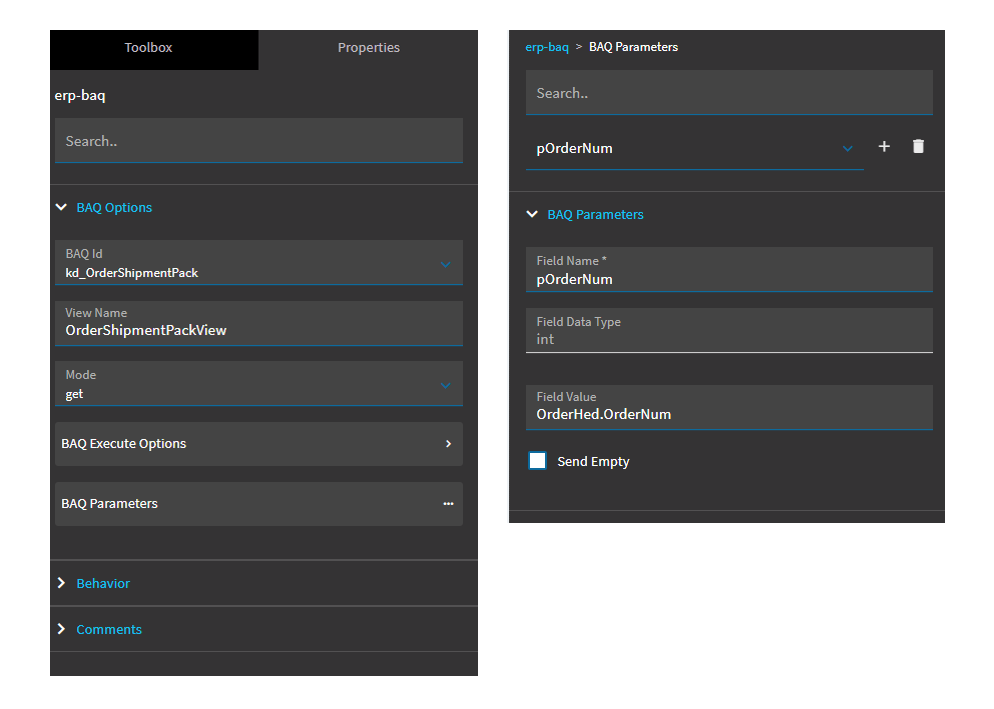
BAQ Options and Parameters
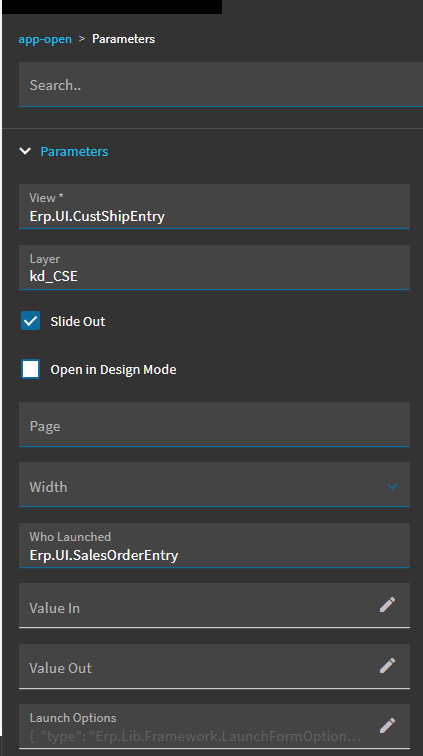
app-open parameters
In Launch Options, I tried below which didn’t work
{
But Hardcoding the PackNum worked
Any help please
jbooker
March 25, 2026, 11:44am
2
Try
{
	"options": {
		"valueIn": "{OrderShipmentPackView.ShipDtl_PackNum}"
	}
}
dcamlin
March 25, 2026, 11:53am
3
I had this typed up and then got a phone call and got distracted… but I came to the same conclusion and agree with @jbooker …
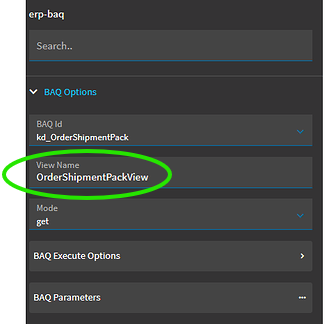
Based on your BAQ event, the results of your BAQ should be getting pushed into this dataview:
So, I assume your launch options should be:
{
"type": "Erp.Lib.Framework.LaunchFormOptions",
"options": {
"valueIn": "{OrderShipmentPackView.ShipDtl_PackNum}"
}
}
jbooker
March 25, 2026, 11:54am
4
PS - watch out for curly quotes in copy-paste on here
kinggba
March 25, 2026, 1:20pm
5
Worked Like Magic. Thank you
jbooker
March 25, 2026, 1:23pm
6
@dcamlin 's reply should be solution. he helpfully explained the reasoning. I just sniped.
dcamlin
March 25, 2026, 1:32pm
7
No way… you replied first
Just glad its working. Reminds me of that time that…