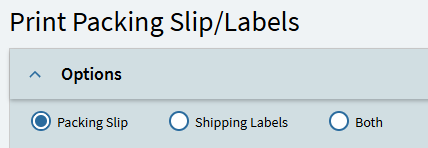
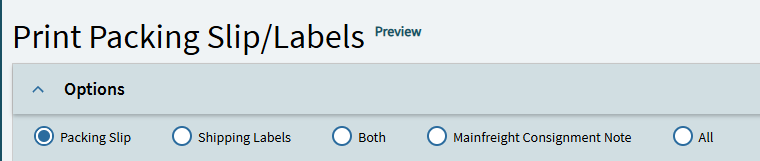
My only obstacle is that I couldn’t find the function/BPM/Event that tells the system what to do with each ReportParam.PrintingOptions input.
I could always make a routing setup to achieve the same effect, or tell my users to select another style for the consignment note - But that’s not nearly as elegant or I wouldn’t be learning as much, wouldn’t I?
If anybody has any ideas on how this works, I’d love to hear your thoughts.
Hello @Nico If you looked at the events for the print preview (and the print) you can follow it through to see it uses a submit to agent to generate the report. The act of submitting to agent adds a task into the systask and systaskparams table. Form there system task agent takes the pending task and processes it setting the task to active on the way through, executing the relevant program using the details from the systaskparams table to execute the report.
There may be a better explanation how that works, but that’s how I think of it working.
So perhaps you could manipulate the parameters, or inspect the Systask when a row gets added for the packing slip and check the systaskparams if there is an additional parameter for the mainfreight report and fire off another submit to agent. The ALL option would have to simulate the Both option to get things to print in first place.
One other thing to investigate is the actual pack slip report. If you look at the report location you will see the Packing Slip and the label noted there . If perhaps the other report uses the same modified RDD, you could add the RDL to the list, then perhaps the both option may fire all three and you change the both label to the ALL label. I have never tested this, but it came to mind.
I also notice there is a ReportParam DataView you may be able to add a row to that to pass through the additional options.