How do i stop this auto population of the ship by date. The auto populating is pointless because it just copies the need by date which 99% of the time is an unrealistic ship by date.
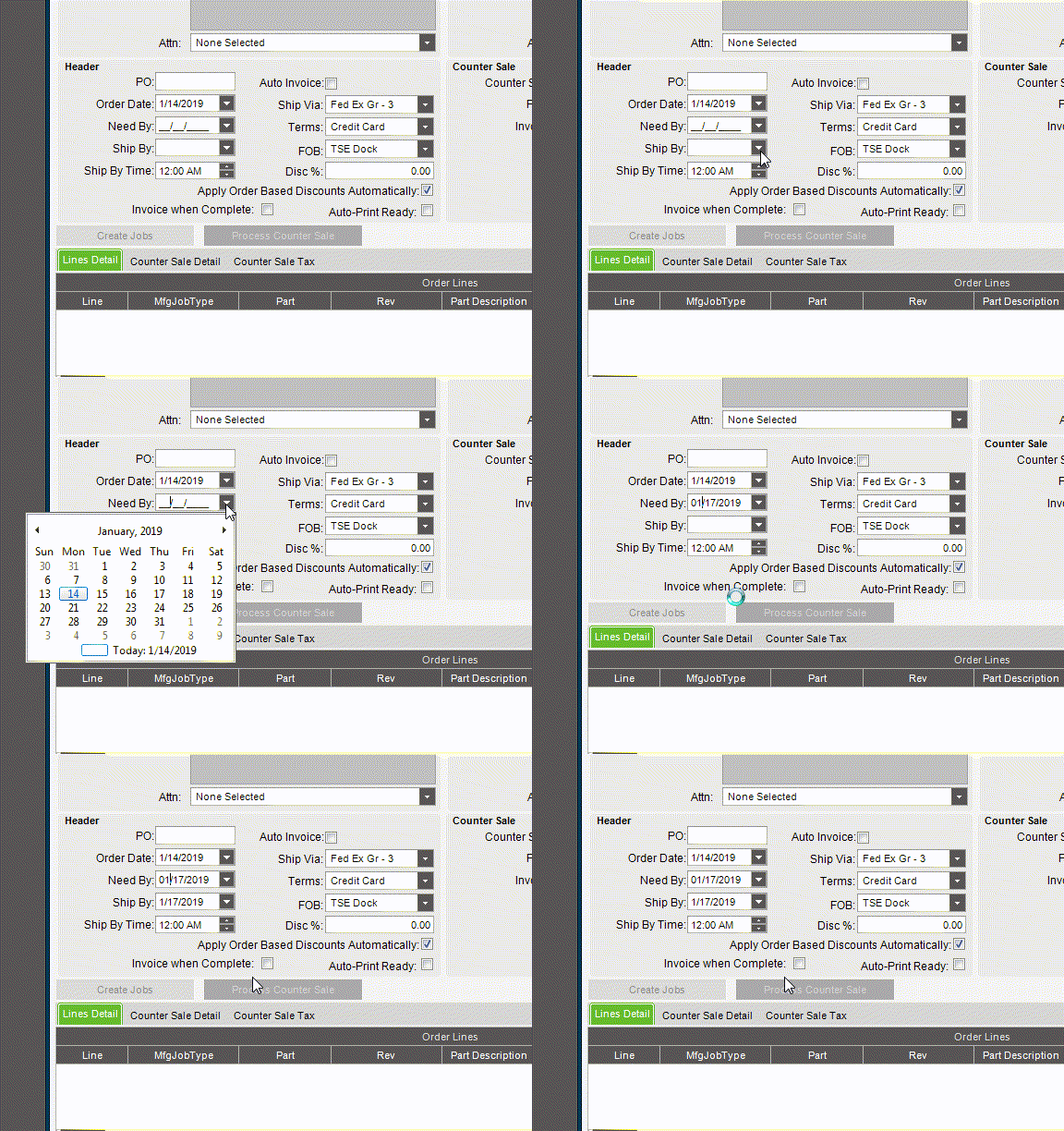
How do i stop this auto population of the ship by date. The auto populating is pointless because it just copies the need by date which 99% of the time is an unrealistic ship by date.
The solution is probably going to be a BPM, did you do a trace? There is probably an after field change BO that fires, you should be able to clear it out again after with a post process BPM. You might have to get creative to prevent unintended clearing of that field though.
As far as I know that’s standard functionality. Like @Banderson said, a BPM might be able to intercept it, but it’s a bit frustrating that it’s not a configuration setting instead.
A lot of that has to to with the specific business though. The people at our business get confused if there is more than one date, so everything is all the same date (yes I know it’s dumb). But it works well for us. It would be easier to create that type of automation to make it match than it is to remove it though.
What we use it for is to force a valid ship date. We catch the AfterFieldChange event in OrderEntry of NeedByDate. Then we look at the customer Daysofdelivery setting and add days to take into account the week-ends and holidays (via the Calendar ) to dermine a valid shipping date saved in RequestDate) so the customer would receive the goods as requested…on time!
Pierre
I am able to edit a BO?
no, but if you can find which one it is (if it using server BO), you can add a BPM to it get it to change the values passed. That’s basically what BPM’s are for.
I’ve done it with change part number on the transfer part screen, because Epicor doesn’t think it should recognize contract bins, and shows 0 when there is parts in the Bin. (they’ve told me I shouldn’t use the transfer screen with contract bins, but can’t tell me what I should use…)
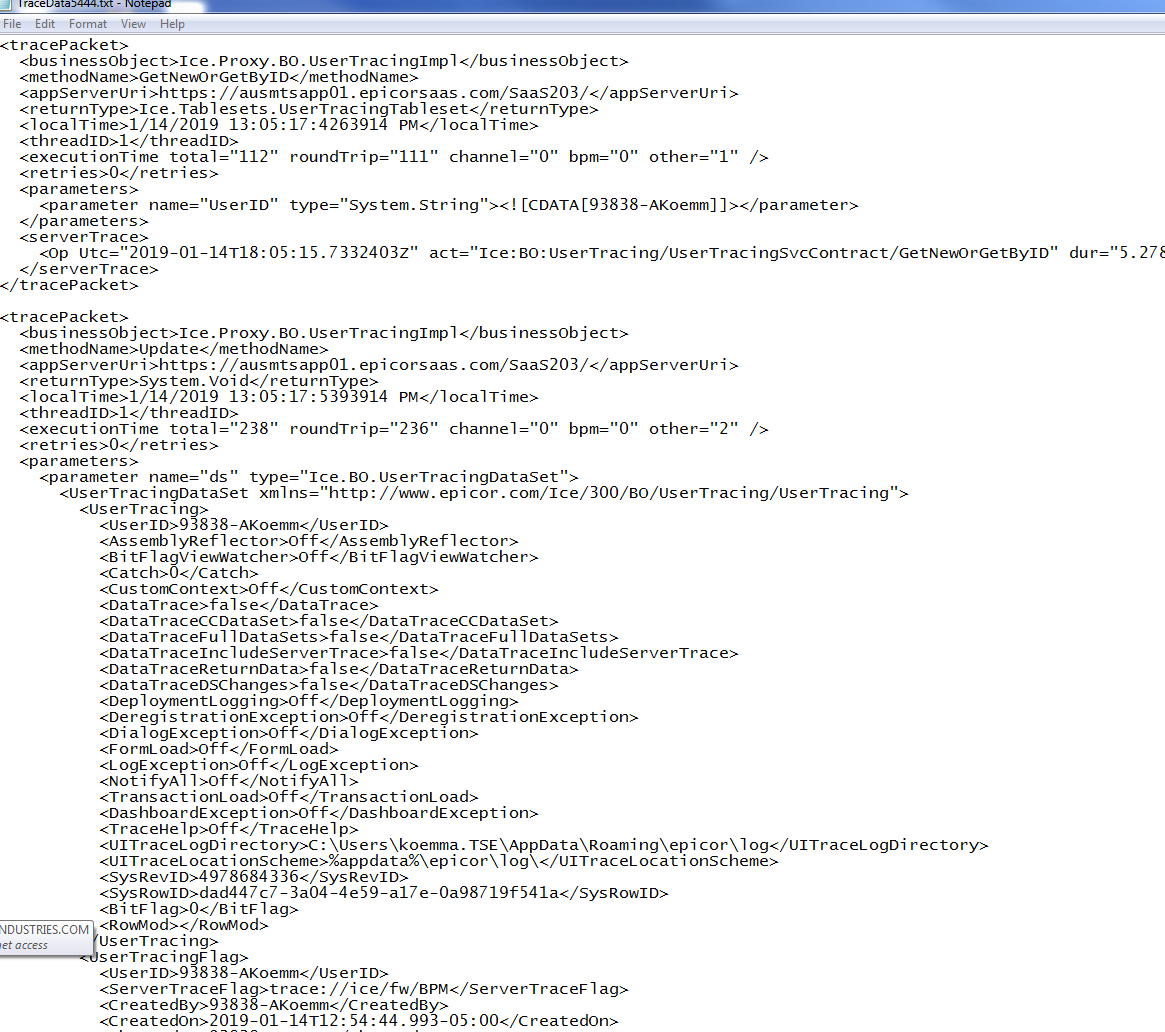
I did a trace for when i selected the need by date. I am no sure how to find BO that is doing this.
Ice.Proxy.BO.UserTracingImpl GetNewOrGetByID https://ausmtsapp01.epicorsaas.com/SaaS203/ Ice.Tablesets.UserTracingTableset 1/14/2019 12:55:40:3143914 PM 1 0 Ice.Proxy.BO.UserTracingImpl Update https://ausmtsapp01.epicorsaas.com/SaaS203/ System.Void 1/14/2019 12:55:40:4263914 PM 1 0 93838-AKoemm Off Off 0 Off false false false false false false Off Off Off Off Off Off Off Off Off C:\Users\koemma.TSE\AppData\Roaming\epicor\log %appdata%\epicor\log\ 4978684336 dad447c7-3a04-4e59-a17e-0a98719f541a 0 93838-AKoemm trace://ice/fw/BPM 93838-AKoemm 2019-01-14T12:54:44.993-05:00 93838-AKoemm 2019-01-14T12:55:40.4263914-05:00 5028465266 f3cb49d8-db3f-43a5-ab4c-82e8ea0f3540 0 93838-AKoemm trace://ice/fw/DynamicQuery 93838-AKoemm 2019-01-14T12:54:44.993-05:00 93838-AKoemm 2019-01-14T12:55:40.4263914-05:00 5028465267 9df2a511-72fd-44ba-b0ba-be79f4cefa92 0 93838-AKoemm trace://system/fw/trigger 93838-AKoemm 2019-01-14T12:54:44.993-05:00 93838-AKoemm 2019-01-14T12:55:40.4263914-05:00 5028465269 4db1b94e-425f-4751-b9b5-d72dbc41d7d6 0 Ice.Proxy.BO.UserTracingImpl GetNewOrGetByID https://ausmtsapp01.epicorsaas.com/SaaS203/ Ice.Tablesets.UserTracingTableset 1/14/2019 12:55:40:5553914 PM 1 0 Ice.Proxy.BO.UserTracingImpl Update https://ausmtsapp01.epicorsaas.com/SaaS203/ System.Void 1/14/2019 12:55:40:6953914 PM 1 0 93838-AKoemm Off Off 0 Off false false false false false false Off Off Off Off Off Off Off Off Off C:\Users\koemma.TSE\AppData\Roaming\epicor\log %appdata%\epicor\log\ 4978684336 dad447c7-3a04-4e59-a17e-0a98719f541a 0 93838-AKoemm trace://ice/fw/BPM 93838-AKoemm 2019-01-14T12:54:44.993-05:00 93838-AKoemm 2019-01-14T12:55:40.6953914-05:00 5028466218 f3cb49d8-db3f-43a5-ab4c-82e8ea0f3540 0 93838-AKoemm trace://ice/fw/DynamicQuery 93838-AKoemm 2019-01-14T12:54:44.993-05:00 93838-AKoemm 2019-01-14T12:55:40.6953914-05:00 5028466219 9df2a511-72fd-44ba-b0ba-be79f4cefa92 0 93838-AKoemm trace://system/fw/trigger 93838-AKoemm 2019-01-14T12:54:44.993-05:00 93838-AKoemm 2019-01-14T12:55:40.6953914-05:00 5028466220 4db1b94e-425f-4751-b9b5-d72dbc41d7d6 0 Ice.Proxy.BO.UserTracingImpl GetNewOrGetByID https://ausmtsapp01.epicorsaas.com/SaaS203/ Ice.Tablesets.UserTracingTableset 1/14/2019 12:55:40:8173914 PM 1 0 Ice.Proxy.BO.UserTracingImpl Update https://ausmtsapp01.epicorsaas.com/SaaS203/ System.Void 1/14/2019 12:55:40:9453914 PM 1 0 93838-AKoemm Off Off 0 Off false false false false false false Off Off Off Off Off Off Off Off Off C:\Users\koemma.TSE\AppData\Roaming\epicor\log %appdata%\epicor\log\ 4978684336 dad447c7-3a04-4e59-a17e-0a98719f541a 0 93838-AKoemm trace://ice/fw/BPM 93838-AKoemm 2019-01-14T12:54:44.993-05:00 93838-AKoemm 2019-01-14T12:55:40.9453914-05:00 5028466245 f3cb49d8-db3f-43a5-ab4c-82e8ea0f3540 0 93838-AKoemm trace://ice/fw/DynamicQuery 93838-AKoemm 2019-01-14T12:54:44.993-05:00 93838-AKoemm 2019-01-14T12:55:40.9453914-05:00 5028466246 9df2a511-72fd-44ba-b0ba-be79f4cefa92 0 93838-AKoemm trace://system/fw/trigger 93838-AKoemm 2019-01-14T12:54:44.993-05:00 93838-AKoemm 2019-01-14T12:55:40.9453914-05:00 5028466247 4db1b94e-425f-4751-b9b5-d72dbc41d7d6 0here is a better view:
TraceData5444.txt (15.9 KB)
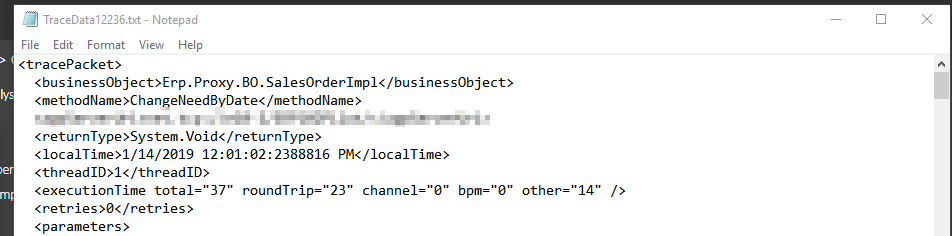
one thing you can do to help is have everything set up and staged until right before you change the date, then clear your trace, set the date, and immediately open it after that. When you do that, the first BO to show in the trace is ChangeNeedByDate on the SalesOrderImpl BO. As shown below. That’s the BO that you will need to target. For some reason, your trace doesn’t show that BO, so I’m not sure what you did there.
edit actually, the only thing showing in your trace, is that you turned on tracing 
what are your tracing options set to?
Make sure you apply first, and then clear. Applying the tracing options actually shows up.
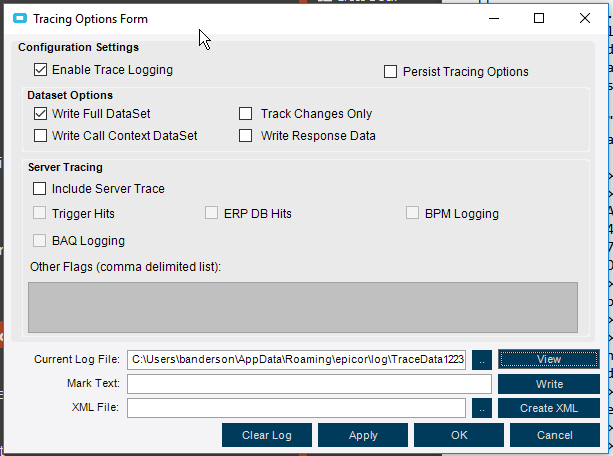
That is odd.  I don’t know why they would be different.
Anyone else have any ideas why traces would show up differently like that?
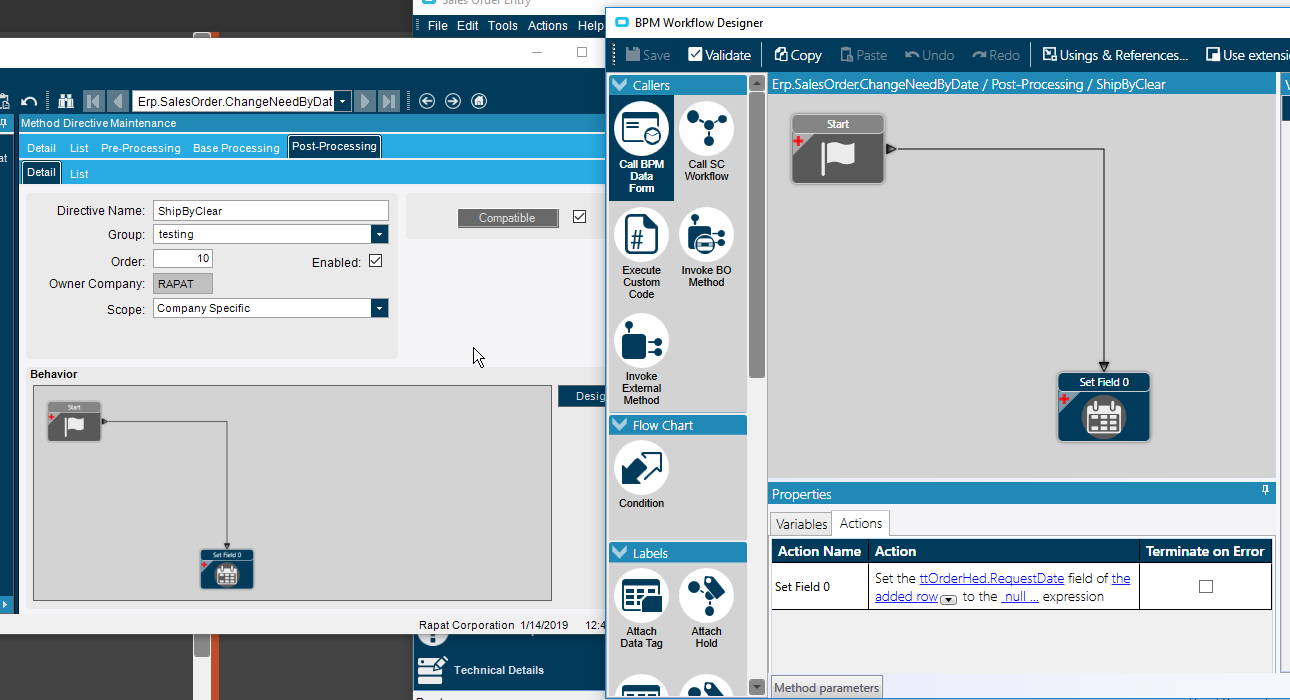
So this works as a BPM and clears the field when it’s a new one. I would definitely do some more testing though, and think about adding some more robust criteria to it. I would also probably look at adding something to make sure that it does get filled out, as I could see a blank ship by date could be a problem, and it doesn’t look like the system is forcing the user to have something in there.
This is a related topic
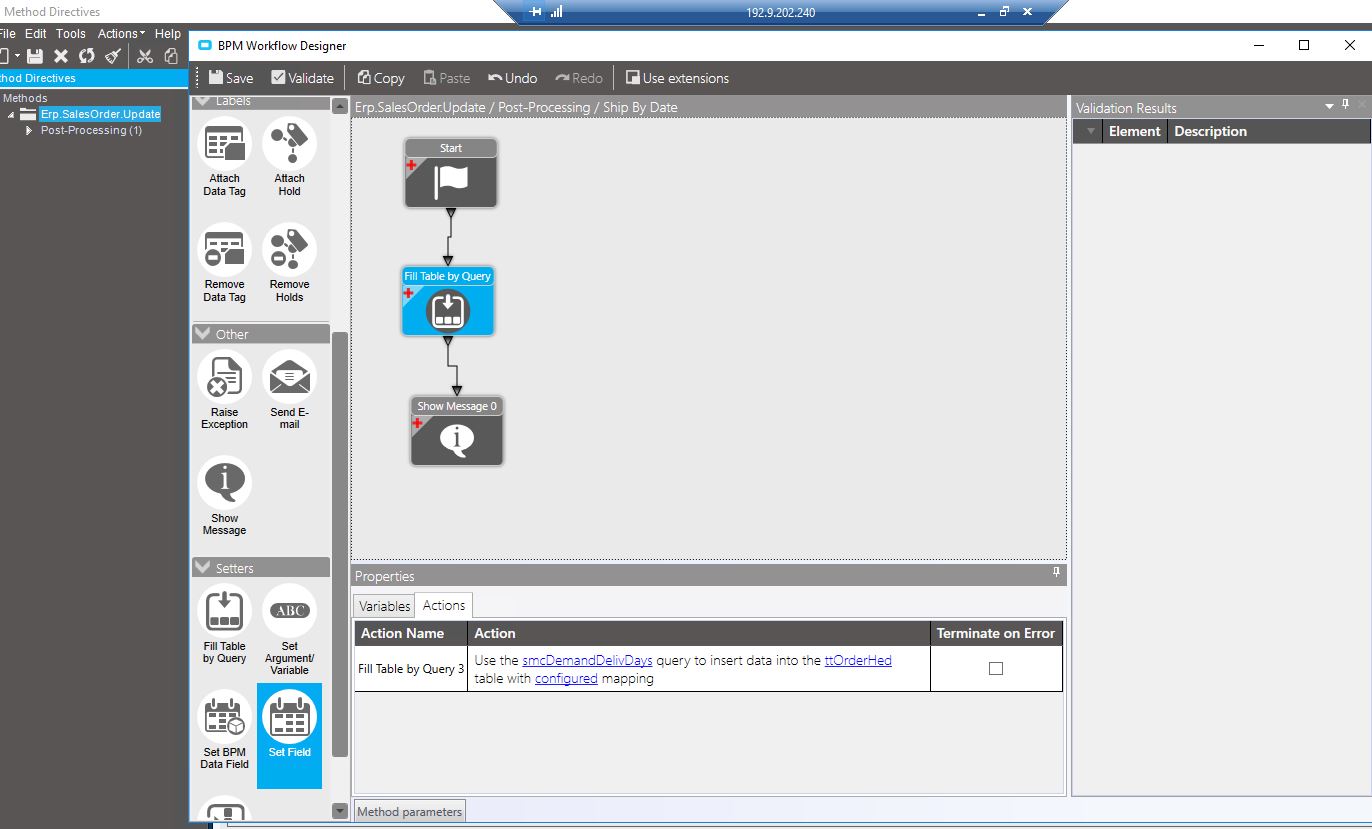
I want to populate the Ship by (OrderDtl.RequestDate) on UPDATE by taking the need date and subtracting the delivery days of the customer
Thanks!
So, here’s another way to look at it. “Need By Date” is the date the customer needs to have the stuff on their premises. “Ship By Date” is the date you have to ship it in order to have it on the customer’s premises on the Need By Date. There are fields on the Customer (and ShipTo) records where you can set these deltas.
Epicor uses the Ship By Date to determine Job Start Date, whether or not you actually use the full functionality of the scheduling module.
The question you pose would prompt me to ask, why are the sales people entering unrealistic dates?
@bcombs is just asking if she can set the dates programmatically instead of relying on the salesperson.
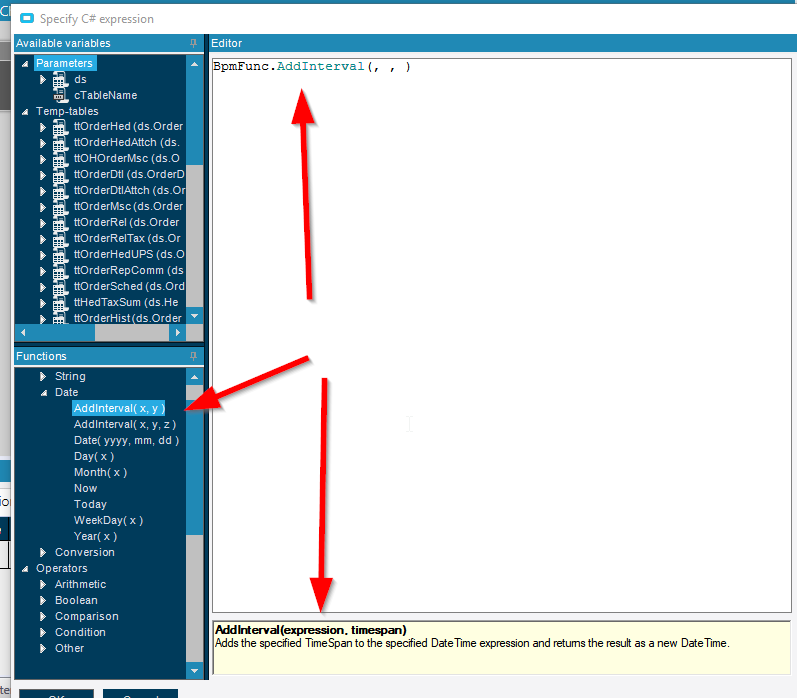
I would look at your date functions in the BPM, here is where you can use an integer field and add the interval to a date field. There are two slightly different ones in there, so you might have to do a little experimenting.
Actually looking through the help, you should be able to set up Epicor to do this without customization.
I’m not sure what steps you have to do to get it to work, as I changed what I think I needed to in configuration in our test system, and the ship by is still matching the need by. I wonder what I am missing…
edit : It looks like those days in the customer setup are only used by epicor for automatically generated demand, not orders entered in manually.
So @bcombs, I would continue with your BPM