Wonder how/if I can verify that a “Key” value for a new record in a UD table
matches some other table.value?
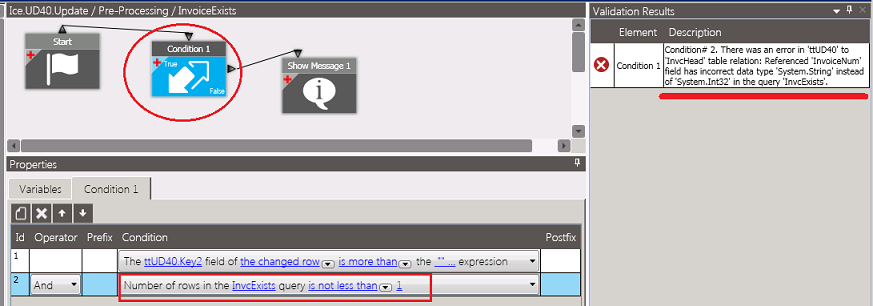
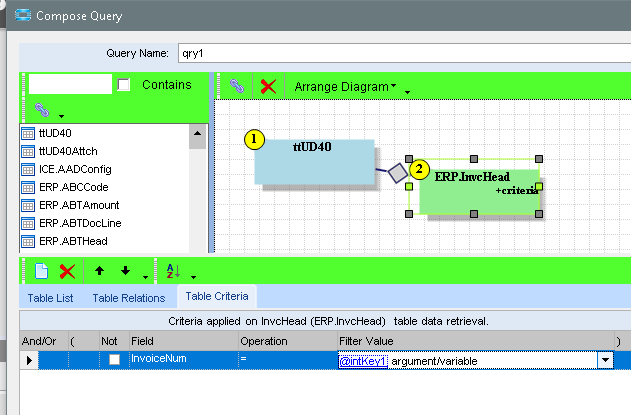
Tried using a query condition on a Method Directive for a UD Table update but…
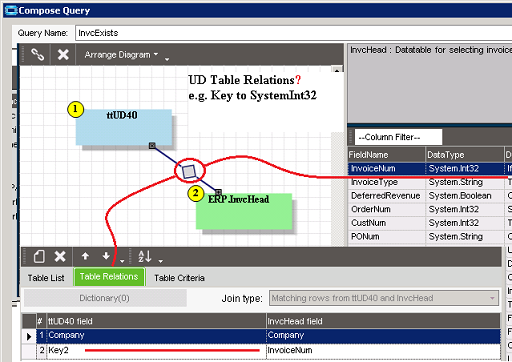
That didn’t like my Table Relations - objected to linking a Key with a System.Int32 field.
Ref screen shots
Also tried setting a variable
int intKey = Convert.ToInt32(ttUD40Row.Key2);
then… where InvcHead_Row.Company == ttUD40Row.Company && InvcHead_Row.InvoiceNum == intKey
I remember UD tables being be kind of funky anyway.
Putting aside to today… maybe tomorrow, fresh eys I will be able to spot where I’ve strayed.
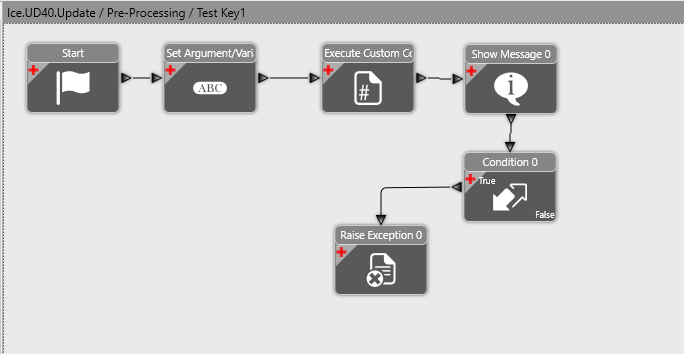
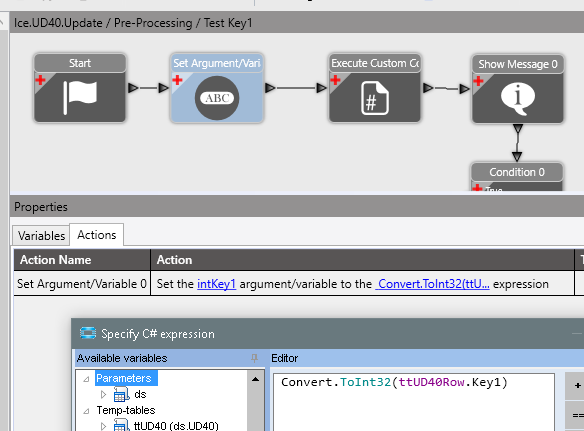
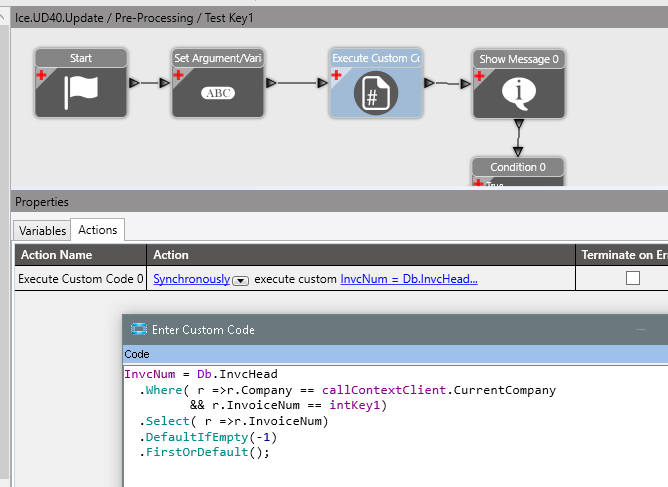
I’m just guessing at what you’re end goal is… But here’s a MD that prevents a UD40 record from being created if Key1 <> an existing InvcHead.InvoiceNum
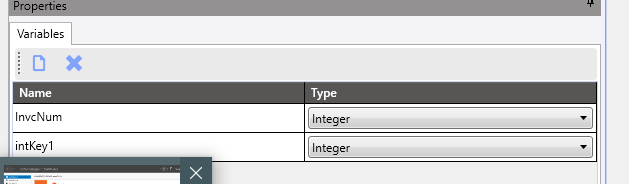
It uses two variables
intKey1 is Key1 in Integer form
InvcNum is the InvoiceNum when an invoice number matching Key1 is found. If no invoice exists, InvcNum is set to -1
The first widget converts the Key1 to an integer and stores it in intKey1
The second widget finds an invoice with InvoiceNum = Key1. If no invoice found, it sets InvcNum to -1
The Show Message was just fro my debugging and testing.
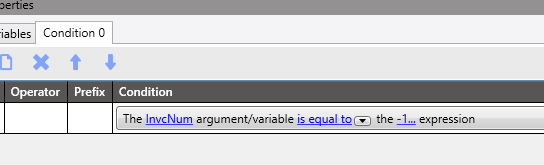
The condition widget:
Just tests the variable InvNum to make sure it is not -1.
Then I raise an exception to prevent the record from updating.
You might have only needed to add a variable and the Set Variable widget, to your original BPM.
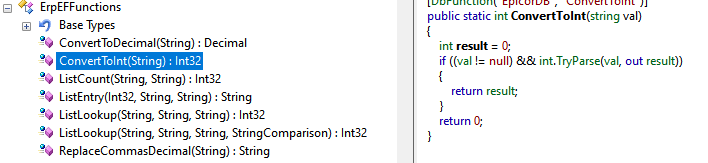
Note: Using the Convert.ToInt32(ttUD40Row.Key1) will throw an error if Key1 can’t be converted to an int. Either add to the function to trap for non-convertable values of Key1, or set the mask in UD40 form to only allow numbers. I think the Parse() function has some better functionality for converting to Int.
I think the query designer in the condition widget only allows yo to specify the column of each table (see the image in the original post). No expresions, and can’t even specify an operator. It is fixed at =. Also, the join type is fixed at INNER.