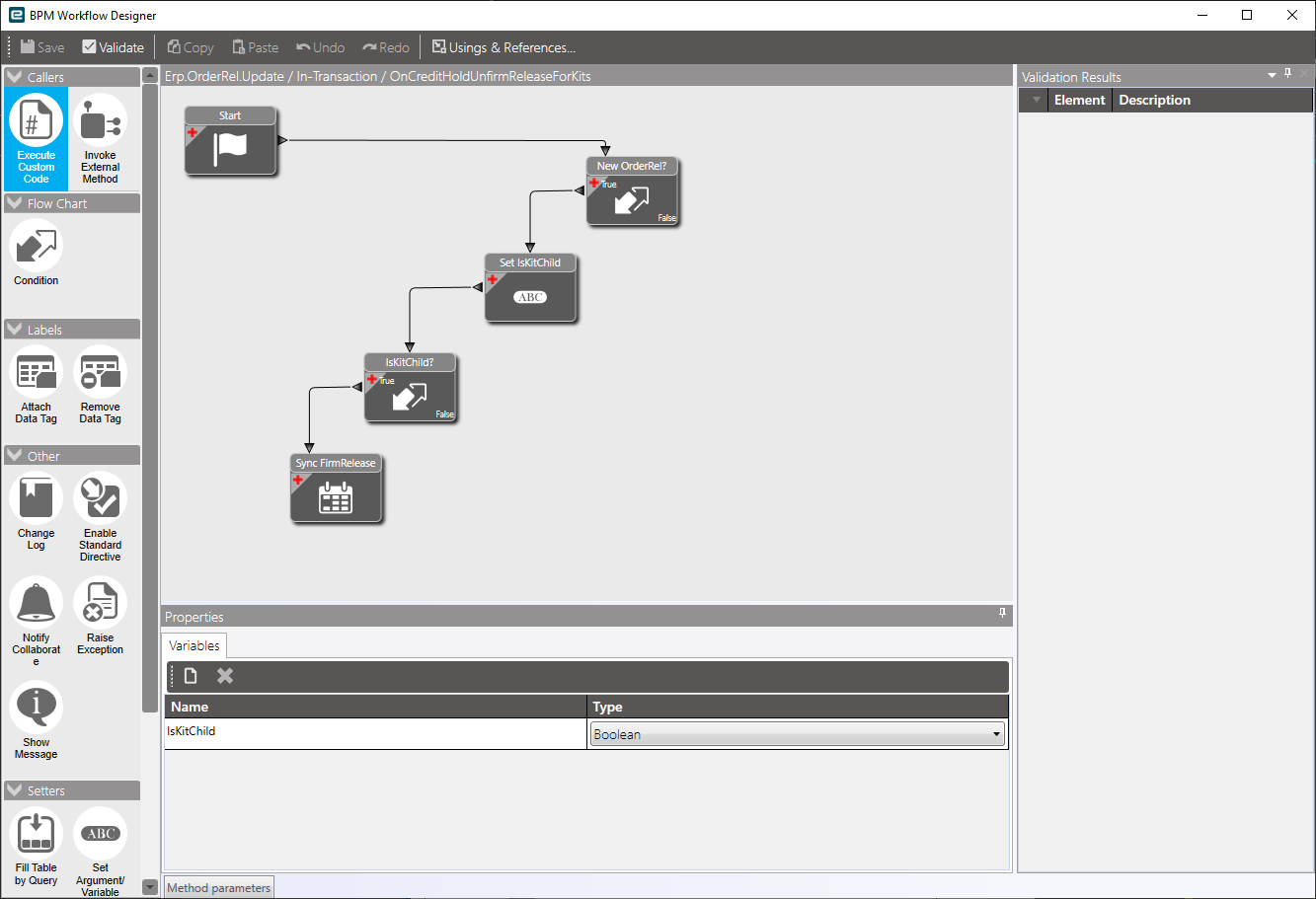
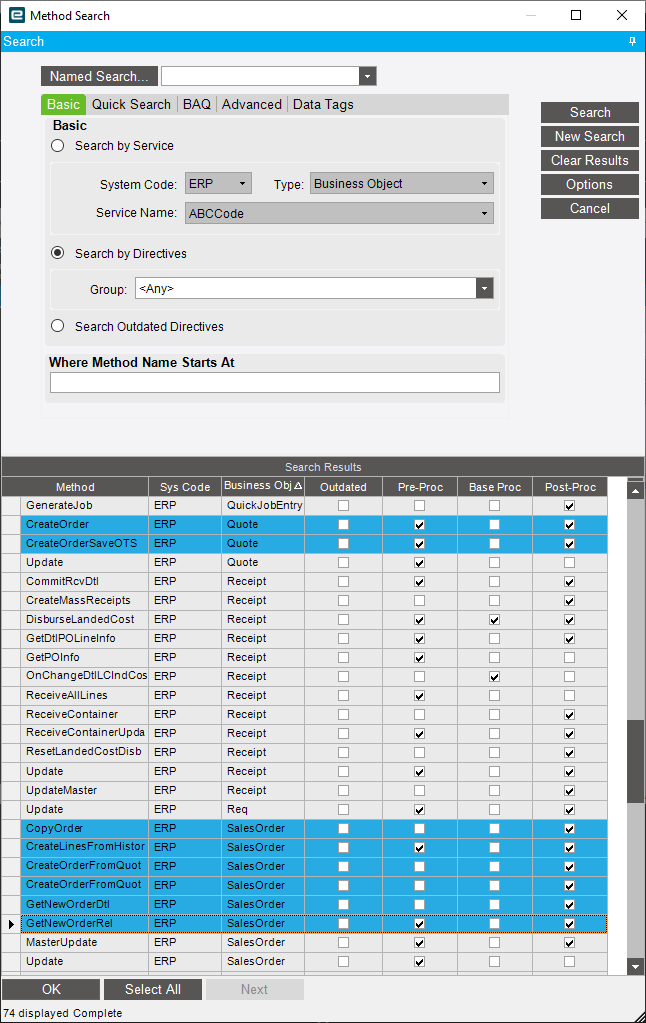
it works, the release is unfirm and a BAQ ran on the orderrel table also shows the data has been written correctly…so far so good!
the issue is when creating an order from a quote, even though the release is unfirm it still shows as a manufactuing suggestion in Planning Workbench - as far as the planning workbench goes it still shows the releases as being firm…
It appears there is a process being called named SalesOrder.ChangeOrderRelFirmRelease - i believe this process being called is what updates the table the planning workbench looks at.
i am really struggling on how to call this process to make the data correct throughout the system (unless of course i am completely looking at the wrong thing)
You would think that Epicor would call GetNewOrderRel everytime, like it should cough @timshuwy but it doesn’t… So you have to do alot of juggling
Maybe Tim knows a better way to cover all scenarios.
If I had to do it over again.. I would make a UD Column UnFirmRelease_c on OrderRel… then replace it on the UI and then I can modify the original one in Pre MasterUpdate or Data Directive… but then I would have to also handle the Row Rules that UnfirmRelease handles… Not sure.
Yea, the BPM that is changing the orderrel table so it looks unfirm also needs to adjust the PartDtl table.
Yes, I would LOVE IT if the OrderRel table worked like all others, but there are a few tables in the system that “must” have a value.. OrderRel is one of those… for every OrderDtl record, there MUST be an OrderRel, so there is a database trigger that creates the first one, and that is not visible in a pre-processing BPM for you to adjust. that means you have to do it POST processing (after the OrderRel is already created.
The same thing happens in Part… when you create a Part, and save it, the system automatically creates multiple records… partplant, partcost, etc that are REQUIRED, but you cannot access that data in a pre-processing BPM during an ADD.
As much as I hate that Epicor themselves don’t call their other BO Methods like we would… I also love that it doesn’t for flexibility reasons… In Kinetic using an EFX on an UI Event, could solve alot of this.
So instead of going down the unfirm releases method (ill be honest its WAY over my knowledge field) is there a better or simpler way to prevent MRP AND Planning workbench from picking up suggestions we are simply not ready to manufacture?
This has been an issue for us since we went live 5 years ago and over those 5 years it has cost us thousands, we have tried to put methods in place outside the system to prevent this happening but its not possible to catch them all.
I’m not following what you are saying, screenshots might help. If the ship by date is blank on the sales order release then it shouldn’t be showing up anywhere afaik. It will appear on time phase but it will drop down to the bottom and not drive anything.
Cant do screenshots until tomorrow when i get back in the office…
So if i convert a quote to an order…do not enter any dates, i can see the line as a requirement in the planning workbench the date does say the year 2x99 cant remember off the top of my head if its 2199 or another year but its way out in the future, and there are times when these still get manufactured…
But on the order if i add a date, save the order, then delete the date and save the order again, the suggestion in the planning workbench dissapears
Pretty sure ship by date is a required field when pulling a quote to an order. The fact that you are having to remove the date shows that it is getting populated during that process.
Nope, we dont need to enter anything, we can leave it blank and it will show as such when the order is created…this may be the reason why they show up in planning workbench still with a ‘phantom’ date?
And then if you go look at that same exact sales order release in sales order entry what does the ship by date show? I wonder if you have a bpm on that method putting in dates behind the scenes or something.