What is the best way to provide a user limited access within one of several companies?
Example:
Mary is doing many functions within Company A - Customer maint, shipments, AR, etc. She also needs RO access to AR only within Company B. Once she is provided access to a user group it propagates to all menu items within all companies.
What is the best way to segregate appropriate access for each company?
I believe you want a new security group. Create the group specific to Mary. By default the security group has no assignments or settings, but you can go into each menu you want that security group to access, and add that security group to the allowed list. At least, I think this is the right way to do it.
Edit: I think you also have to set the security group to the user in user maintenance.
Not seeing that in my version and once I provide access to a company, the groups they’re assigned to translate across all companies they have access to.
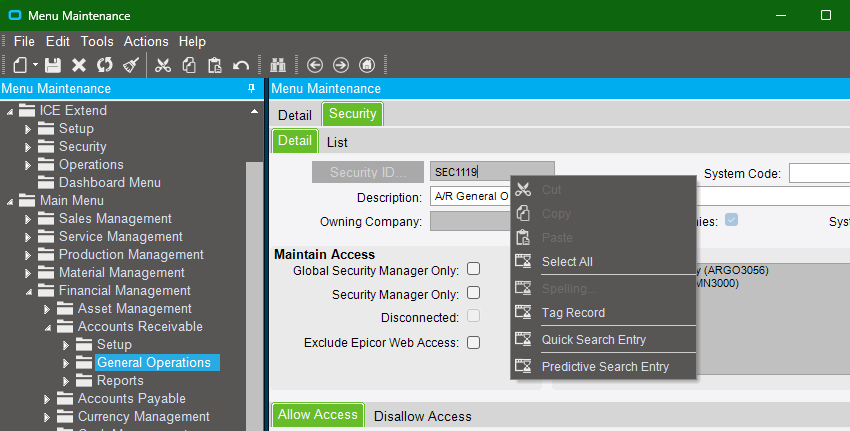
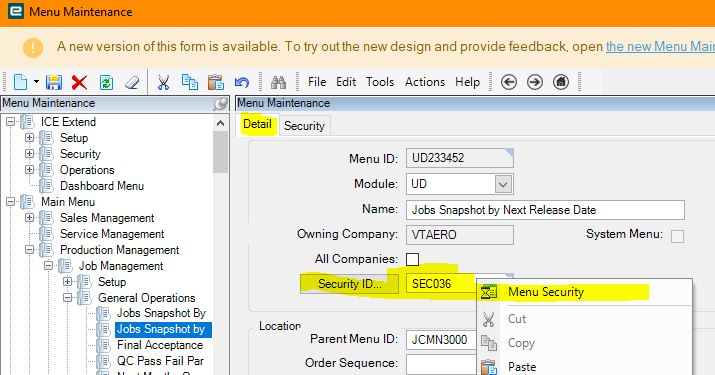
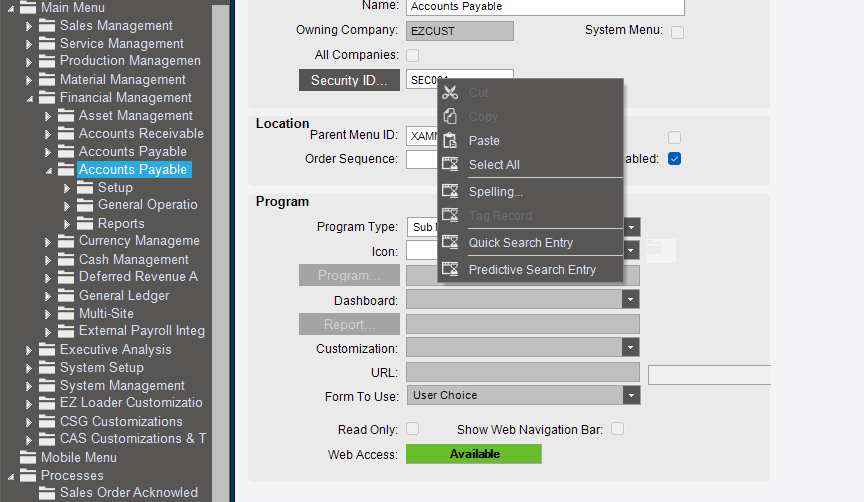
When you are in Menu Maintenance and you click on a menu item there is a security code attached to it. Right click on the security code and see if you can open the maintenance app that way.
So, my solution is:
Remove global group from user.
Duplicate the menu in the desired access company.
Duplicate the access group specific to the desired access company.
Assign access group permission to the duplicated menu.
Add group to user.
This should work as desired. Will update once complete.
You might be able to set up BPMs that don’t allow updates/changes on certain apps for certain user groups in certain companies, but I’m not sure if that makes it any easier to set up and/or manage for you.
I had this same issue; after much experimentation, I found the only way to truly segregate companies is to create a complete different set of securities for both companies (easier than it sounds). Then you can have different access in different companies with no bleed-through between companies.
Example: for SEC464, I created company1_SEC464 and company2_SEC464. I did this for all securities. I then duplicated the menu structure in each company (making the original menu unused and hidden) and applied the company1 securities to the menu in company1, and the company2 securities to company2. The DMT really makes things easier than it sounds (though it will take a lot of planning). Then I created different security groups in the different companies,and assigned the users accordingly.
This allows true segregation of access in each company.