Has anyone ever been able to change the posting rule to force the employee department for applied labor instead of department being driven by the resource group?
I’m getting somewhere with it - but still have not been able to fully achieve the end result that I want - which makes me think maybe it’s not possible.
Yes, the departments are already set up with the correct GL Control Codes and department segment values, and each employee has an assigned department.
The system is working, where the Applied Labor account picks up the department from the Resource Group once labor is entered and does dept flexing
I was looking through the posting rule, and it appears the Labor transaction is driven off the LaborDtl table, which might explain why it’s pulling the department associated with the resource. I don’t see a posting code available that references the Employee record (EmpBasic), so I’m not sure if there’s a way to have it pull the employee’s assigned department instead
If those are set up, you would have to edit the posting rule by bringing in the employee data and flexing the department based off of the one assigned to the employee. Definitely doable, but requires you to create a new revision and edit the actual contents of the rules
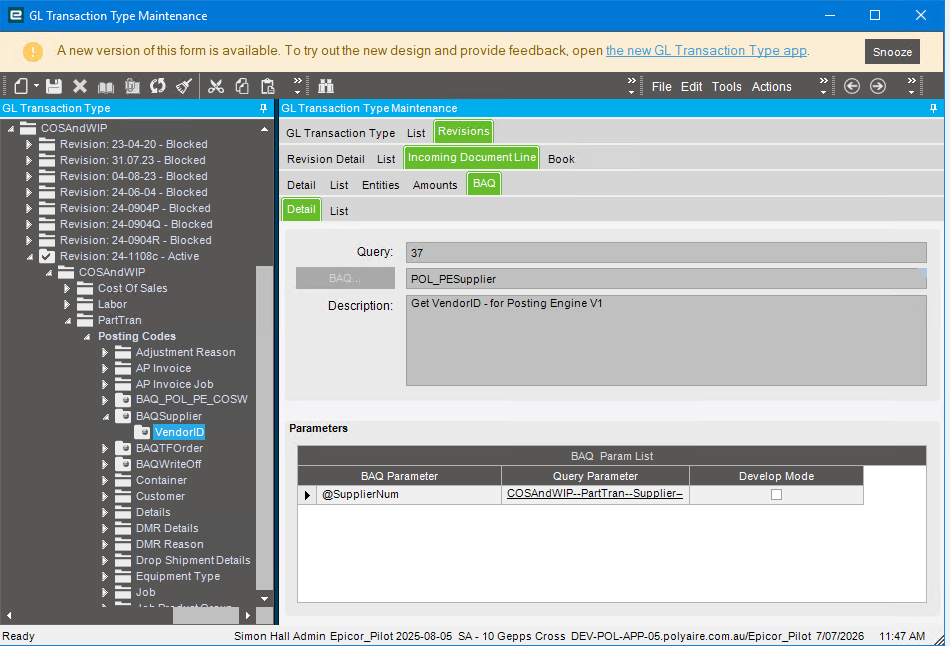
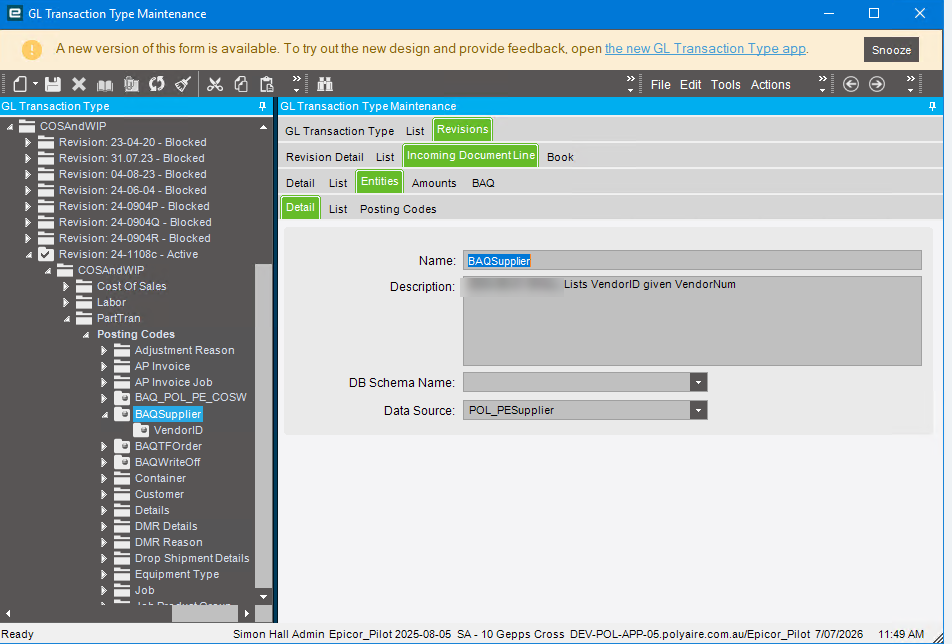
Long time ago in E9 we did it. I agree with @jkane if employee sept is not available the you could use the BAQ lookup method. Look at the posting engine tech Ref and use the PE log viewer to review /test
set the entity like this. Remember use the PE Log viewer to test. Where practical use a process that you can repeat easily. For example if you are doing COSandWIP you can run the Inventory/WIP Recon report which will simulate a Capture COS/WIP process which the PE log can capture without having to generate a whole heap of inventory transaction again. Running the edit list IIRC also does the same thing. No need to do a full posting.
 . I didn’t think about the BAQ lookup being an option (probably because I’ve never done it before!