Emails sent from Epicor via APR have a big yellow warning banner, which our customers find alarming. How are other people dealing with this?
I have heard of people setting up that banner for external emails when they come in, but I didn’t think Epicor would do that. What is the banner saying? Or is it just a yellow line?
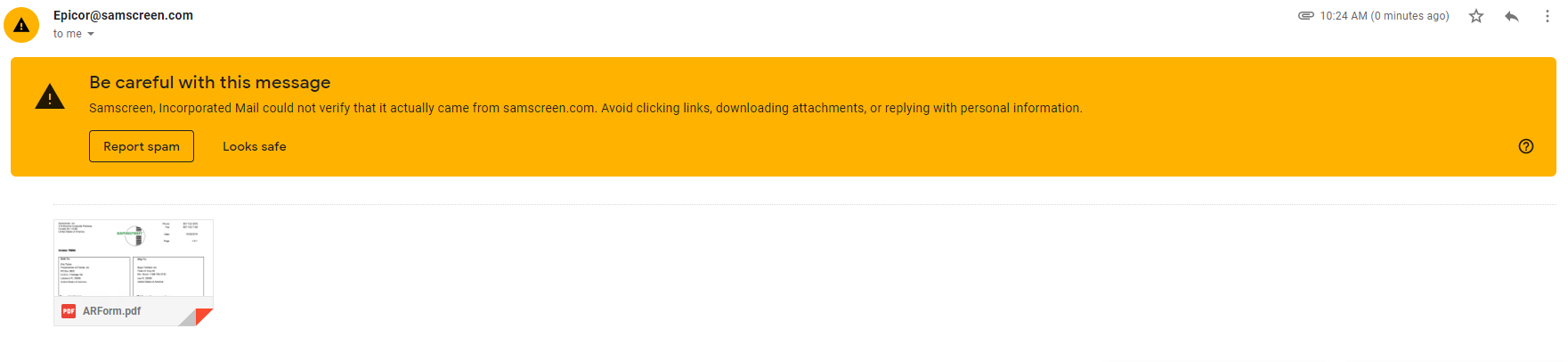
That is normal in gmail now, it is a new feature.
You have to make sure you have SMTP, DKIM, and maybe DMARC set up… I am not that technical though so maybe someone else can help.
Is it because the E10 App Server might be using a non-existing email account?
We have E10 setup to use noreply@matcor.com as the “from” address, even though no such mail account exists on our exchange server.
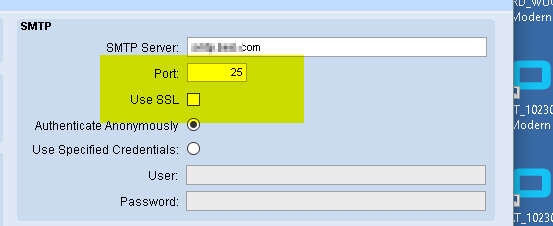
That could be, I don’t really think that is fixable though because it doesn’t have any boxes for authentication information. I could type in my email address, but it would just spoof it and not actually ask for my login details.
I’m wondering if using the old standard port 25 - and w/o SSL - could be part of it.
Do you add the public IP addresses to your SPF records on the domain? My understanding is that if GMail sees someone impersonating your domain this warning will be displayed.
That’s outside of my area. Not sure what the corporate IT people have done. All I know is that with the above settings (just the SMTP Server and Port), the emails go out ok.
Here is an article that explains it well in the context of another service that mails on users behalf. There are notes on DKIM and SPF.
The lack of SSL is more of a security between you and your email server from a network perspective. Since it’s not encrypted technically someone along whatever network path your request takes it could be intercepted. The recipient of the mail wouldn’t be able to see if you created the connection to the mail server over SSL or not in my understanding.
So we are cloud hosted via Epicor, and we use Gsuite for our email hosting.
How would I get DKIM or SPF setup such that emails from APR (advanced printing & routing) do not have this warning?
@jdewitt6029 do you have any recommendations?
I am not too familar with Gsuite but you will need to add either the sending mail server domain or ip address to your SPF record. The sending domain or IP address will be from Epicor.
`Ex. v=spf1 ip4:1.2.3.4 ip4:2.3.4.5 include:epicormailservers.com -all .
In the Epicor Cloud, i am also assuming you can route your SMTP traffic to your gsuite connector. That would be another way to go. Again, i am familar with MS365 connectors, not gsuite.
Once again, I do not have experience with Epicor Cloud or with GSuite.
Hmm, maybe this is something the cloud team will be willing to help me with. I’ll try making a ticket and report back what I get.
My ticket was closed:
As our Multi-tenant offering uses an SMTP server relay for all Multi-tenant customers, there isn’t anything that could be adjusted on our side to prevent this message. However, with our dedicated-tenant / public cloud offering, one can have their own public email server (for example, Office 365) to send email instead of the relay that we provide.


Probably some kind of API to send mail via gmail but then it would be outside the SSRS/routing system.
Wow.
Evan,
I agree with Brad and Joe here. This is a configuration that Sam Screen has to do with their DNS. If you tell DNS that sendgrid.com (which is the preferred email sender of Azure and I’m pretty sure it’s the one that Epicor is using) can send mail on SamScreen.com’s behalf, I believe this error goes away.
Only thing to be careful of is that by adding send grid to your SPF record, you are allowing anything from them to send on your domain’s behalf. That is how @jdewitt6029 is explaining it to me.
I meant to quote @Mark_Wonsil 's last post.