Is there a way to make a BAQ Report available in all companies?
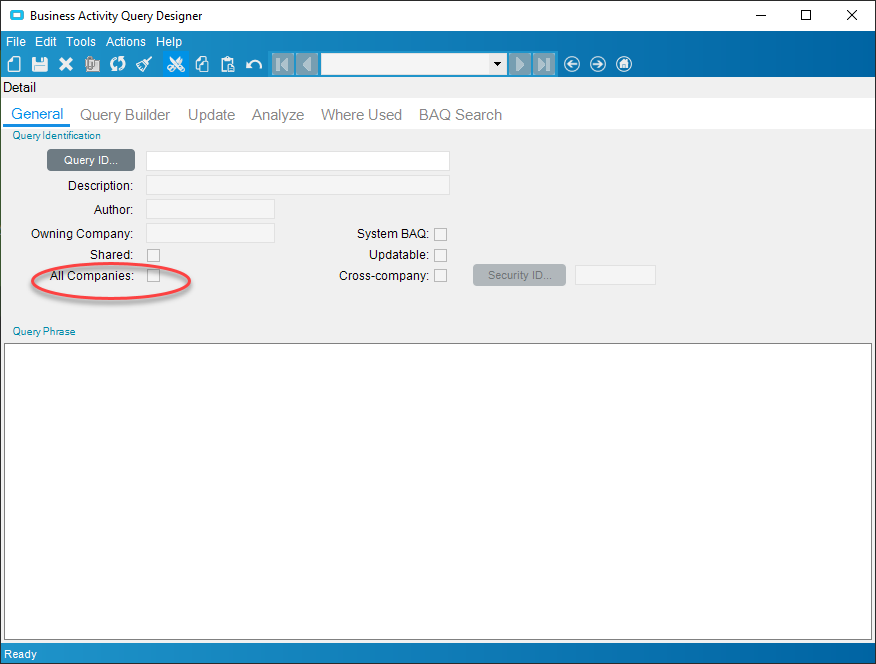
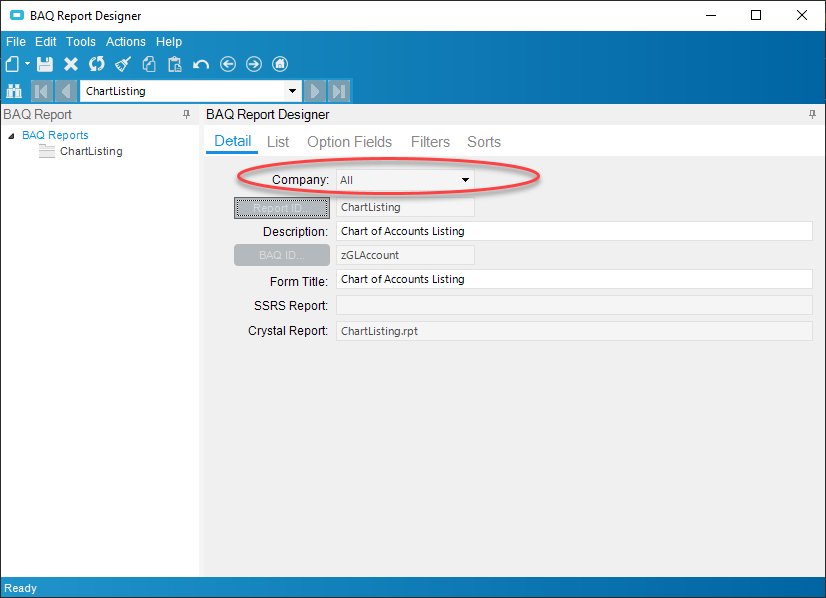
Hate to bring back an old thread, but I’m having an issue with one of my BAQS not wanting to be all company. Could this have to do with it being an import?
You’re going to have to be more specific than “an issue”. Are you getting an error message or something?
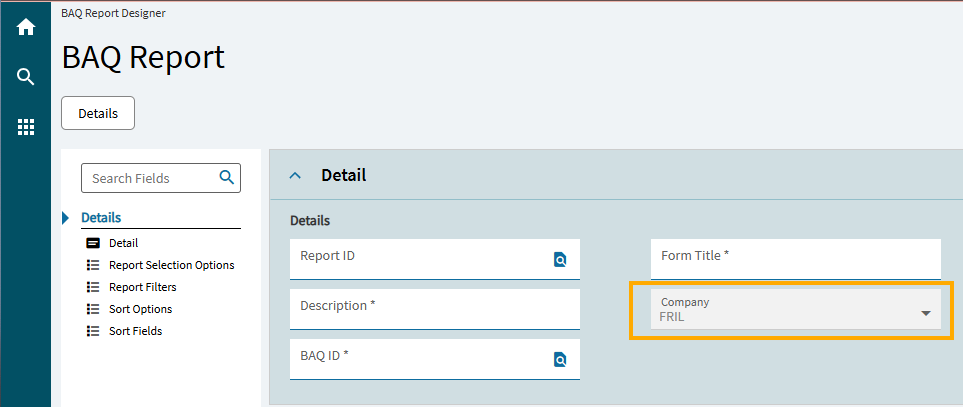
No errors. When I select new baq report it defaults to the current company I’m building it in and won’t allow for changes to be made after baq id is selected.
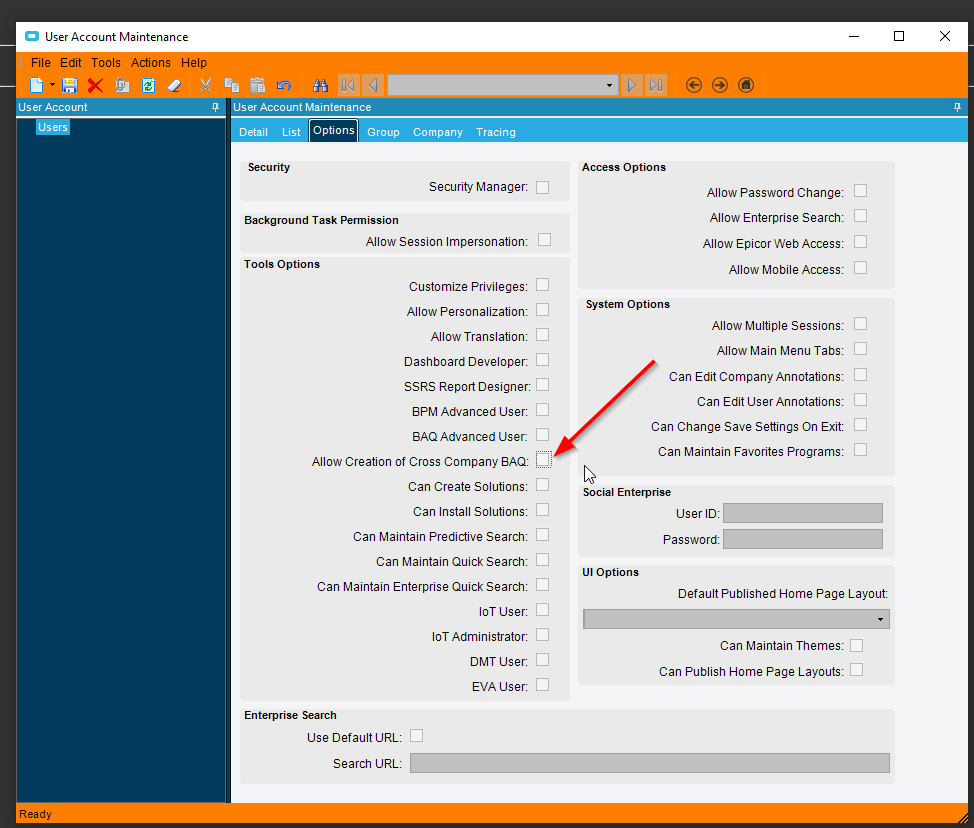
Also this thread.
Yes sir! I have that option allowed on my account.
Can you make a video of what’s happening? (I recommend screen to gif as a nice little program to make a gif/video for you)
Couldnt get screen to gif. But here are the steps I’m following.
- Baq is shared to all companies:
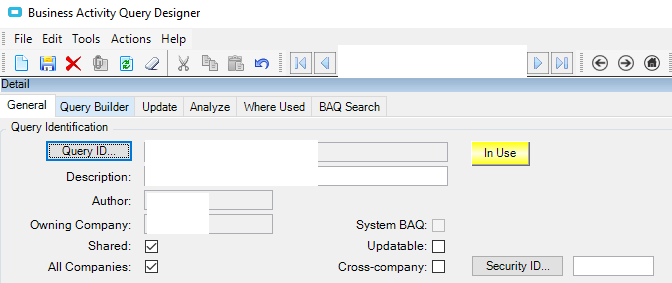
2.Create new baq report:

Note that on creation it defaults to the current company and it is not selectable:
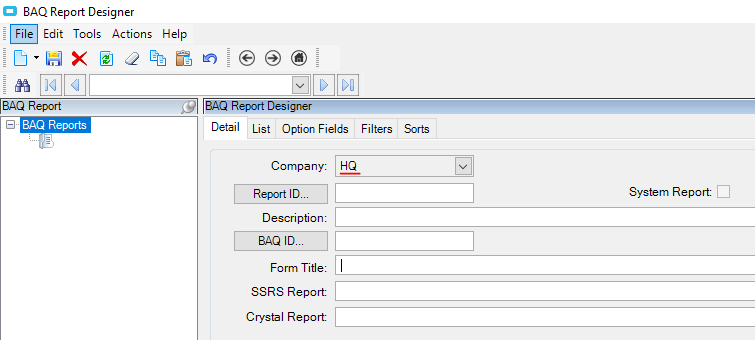
- Select baq and fill out required fields and save:
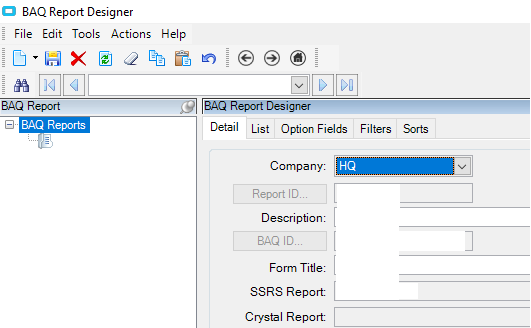
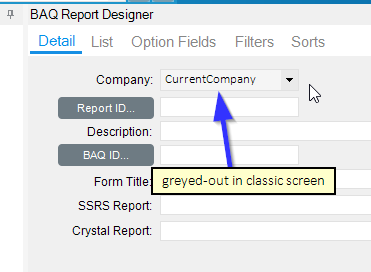
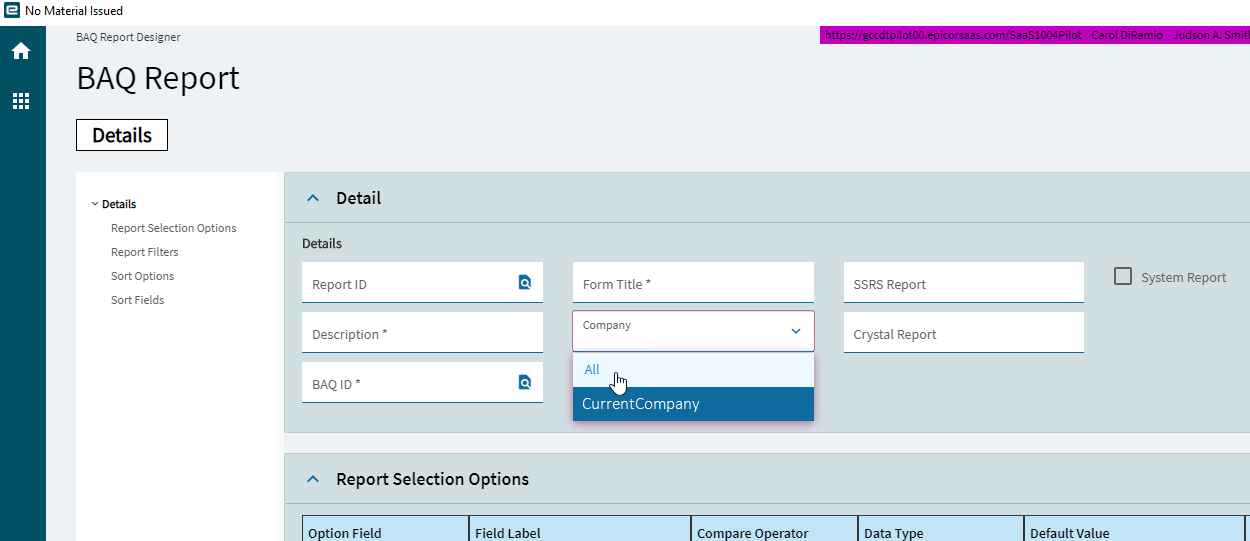
I was having issues with this and found something a little different. When I used the ‘classic view’ of BAQ Report Designer to create a new report, it is defaulting my Company to the current company, and greys it out so I can’t change it. But when I use the Kinetic view, I can select Company: All. This might be a new issue and/or a cloud issue, as we are re-implementing to cloud and we never had this issue on-premise.
Have you tried going into the Report Style and selecting the “Valid” checkbox for your other company?
DaveO
Check what @DaveOlender shared. We had problems in 2024.1 and .2 with BAQ reports not being able to set to all companies. Not ideal for us with a handful of companies. A UBAQ to set the company field = blank fixed that problem. I need to look at that for 2025.
Also, I have stopped writeing BAQ and moved to using an RDD with a BAQ for all reports and trying to replace the BAQ as I need to make updates. Much easier now and I think BAQ reports are the old way at this point.
Mr. Brian: I totally agree - I do not use the BAQ Report setup anymore. Much more flexible using the RDD method.
DaveO
Thank you so much for your input.
I found out (from AI) that there is a significant setback for Epicor SaaS users when trying to create BAQ reports across all companies simultaneously.
So it looks that it isn’t only me going nuts, it seems to be the real thing.
You are right, omitting the BAQ Report all together by going with RDD instead, works like a charm.
It wasn’t that obvious at the beginning because the BAQ Report creates a fake RDD. It’s like starting from scratch but it works.