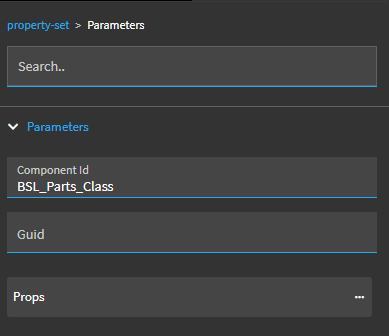
I was able to get a UserCodes combo working but how do you get it to select the value of the record you’re looking at? Like, the EpiBinding record? When I go to my Details page the combo is not selected. If I drop it down, it does select the correct item and then stays selected but I think a user would be confused because it looks blank initially.
EDIT: I was able to figure this out by documenting all the greyed out settings from the canned UserCodes Reusable dropdown but this time didn’t choose the canned one but used settings from it I needed and changed the ones I needed to change… success!
@tpogue this is great reference material!
Have you ever figured out how to filter the UD Table on a different field?
I’m trying to display values in my combo box list based on OrderDtl.PartNum of an Order line.
I don’t feel it should be that difficult. Am I missing something?
Do you want to filter the UD table records based on OrderDtl.PartNum? If so, try creating a BAQ that gives the results you need (join OrderDtl to the UD table) and then create a combo box based on the BAQ instead of the UD table.
Yes, @tpogue that does work, but why not do it the hard way?
it works in E10. Are we going backwards? Why do we need a middleman like a BAQ if we could deal straight with a Table?
Thank you for your answer and sorry for the delay.
There are lots of things we did in Classic that we can’t do in Kinetic. There are also new features in Kinetic but it often does seem like we’re stepping backwards.
This is a really helpful summary of the different ways to populate a combo box in App Studio.
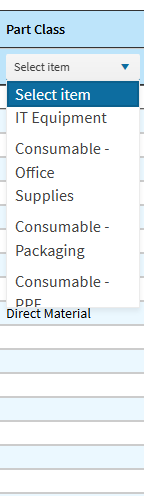
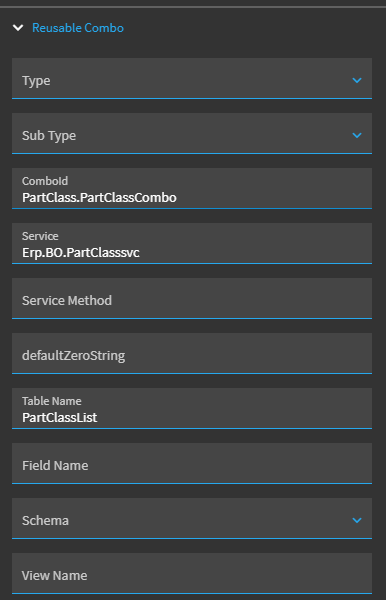
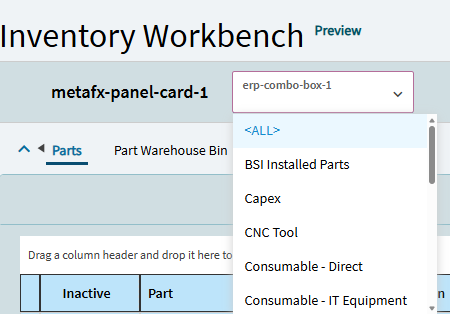
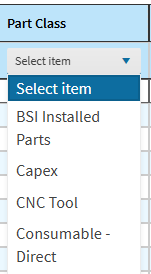
I’m working on a Kinetic Dashboard and wondering whether it is possible to add an option for ALL or NONE in the drop down list. For example, I can filter list of Parts and select a particular Part Class, but I have not been able to figure out how to add an option to filter for records where no Part Class has been set. I’m using the Reusable Combo type for this one. I have another combo box being populated using the UD table type that I would like to be able to do the same thing with.
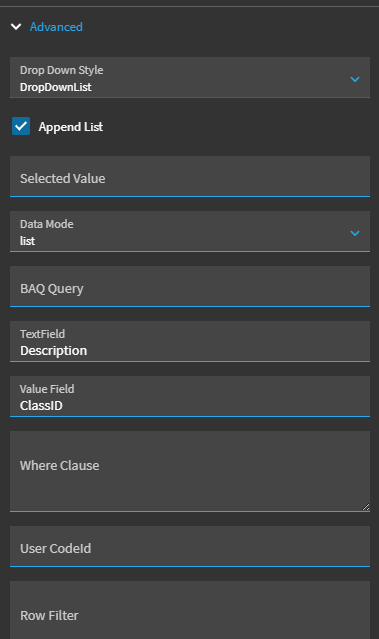
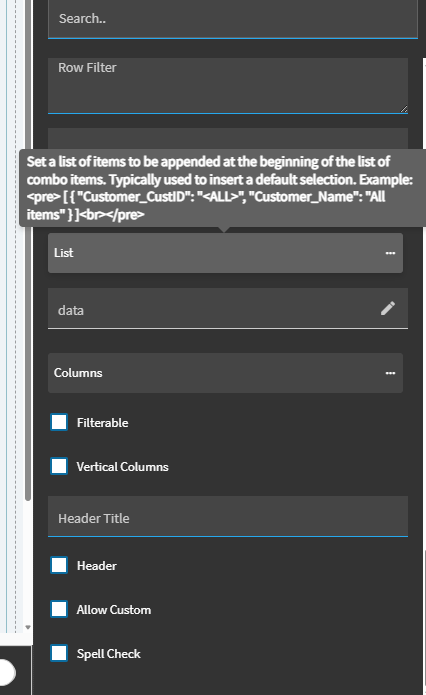
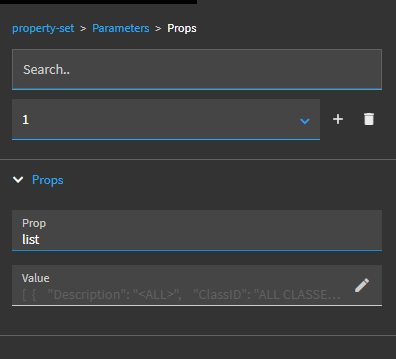
So I belive the append list configuration in AppStudio seems broken. It works for combos having Display/Value arrays but not for reusable combos that have other fields like Description/ClassID in your case.
You should be able to simply add to the list like so, but it adds a blank value to the top of the combo list.
Is there any option to apply a dynamic filter in a BAQ? For example, filtering the Part Number based on the value stored in another field.
I have tried several approaches, but so far I have not been able to achieve the expected result. Could you please advise if there is a recommended way to implement this?
Thanks for that detailed response. I have followed the steps you provided and I can get this to work for a combo box component but not for a dashboard Grid Model Column that has been setup as a combo in Erp Editor Model.
I haven’t had much success with grid Editor Models. What you’ve done looks correct. One important difference is that the control may not be rendered until the row is selected.
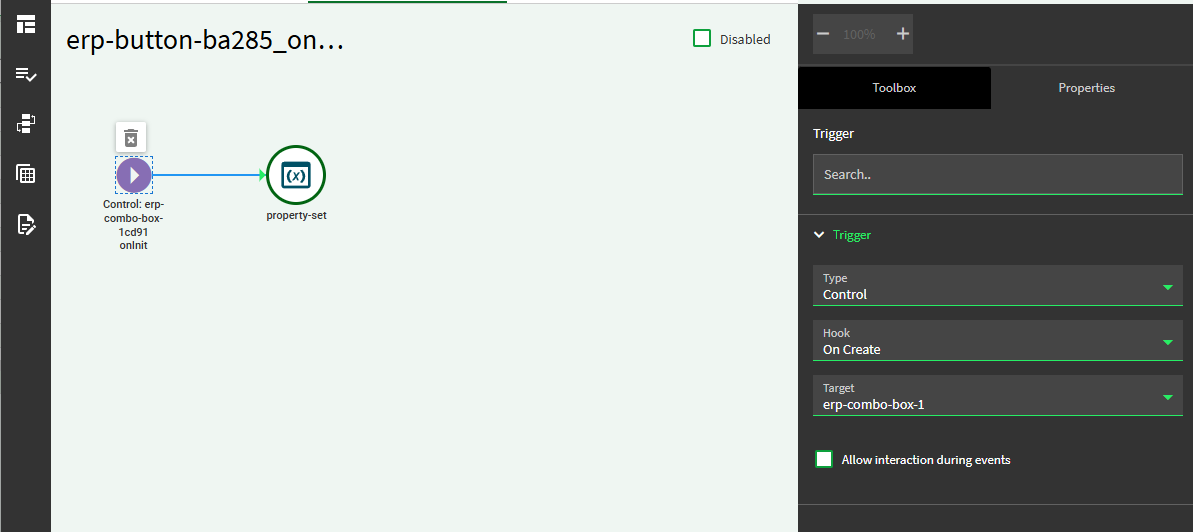
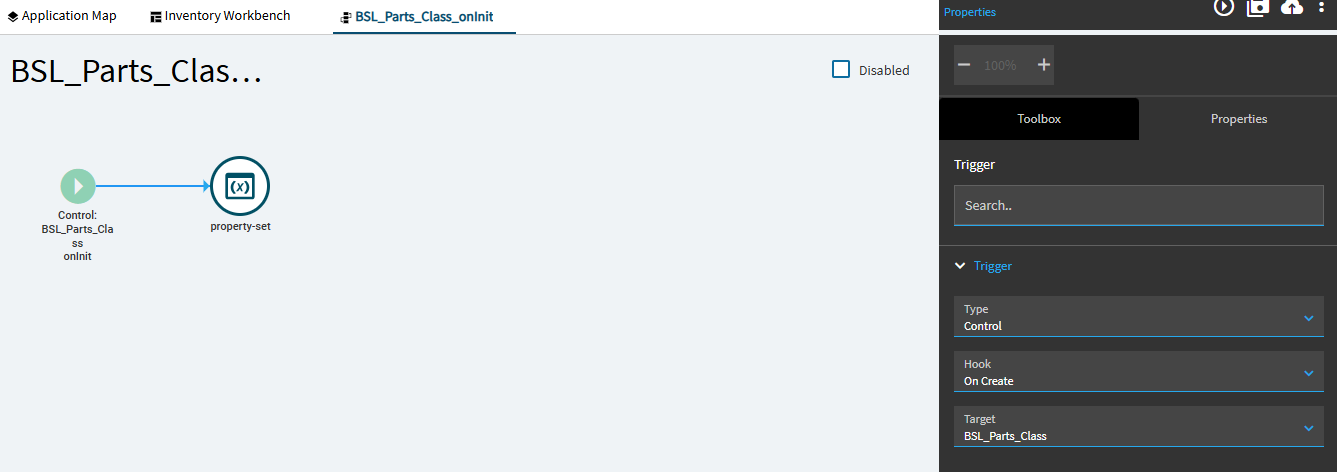
You’d think onCreate would handle this but I suppose I’d start by proving the event is indeed firing and when.
That will tell you if it makes more sense to scrap the Reusable combo and go with a BAQ which includes your ALL option.
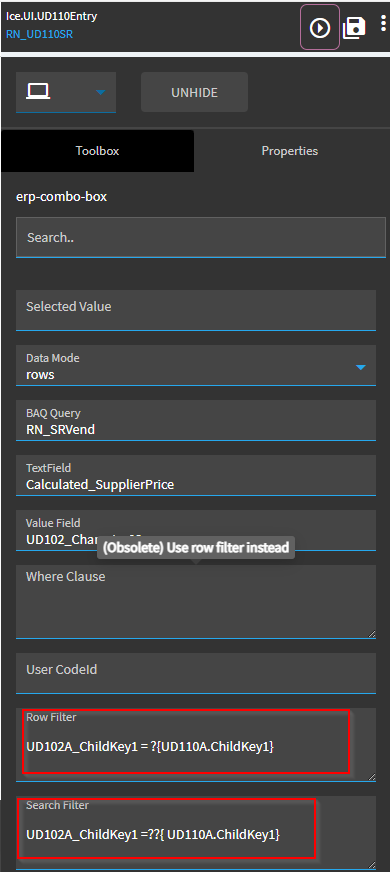
These are my settings for a combo box that displays a list of rows from UD33 filtered by different field (OrderDtl.PartNum that corresponds to UD33.Key1):
Reusable Combo settings
a) Service > Ice.BO.UD33Svc
b) Service Method > GetRows
c) Filters > Key1=’?{PartFilter}’ (PartFilter is an arbitrary name for filtering purposes only)
d) Filters Params > PartFilter=?[PartNum] (here PartNum defaults to current table which in this example is OrderDtl)
Thanks - yeah I can’t see any Events firing when you click on drop down for grid column or select a row. I think I’ll try the BAQ option and see if that works.
Thanks for the reply - I’m able to populate my drop down list for the grid column from UD table. I’m just unable to append an or option. Have you been able to append those?
I haven’t done any Dashboards in Application Studio, only converted some from the Smart Client. I guess they should work in similar fashion. If you can decipher one that’s been converted, you could apply the same ideas to your kinetic dashboard.
I’ll let you know once I cross this bridge.