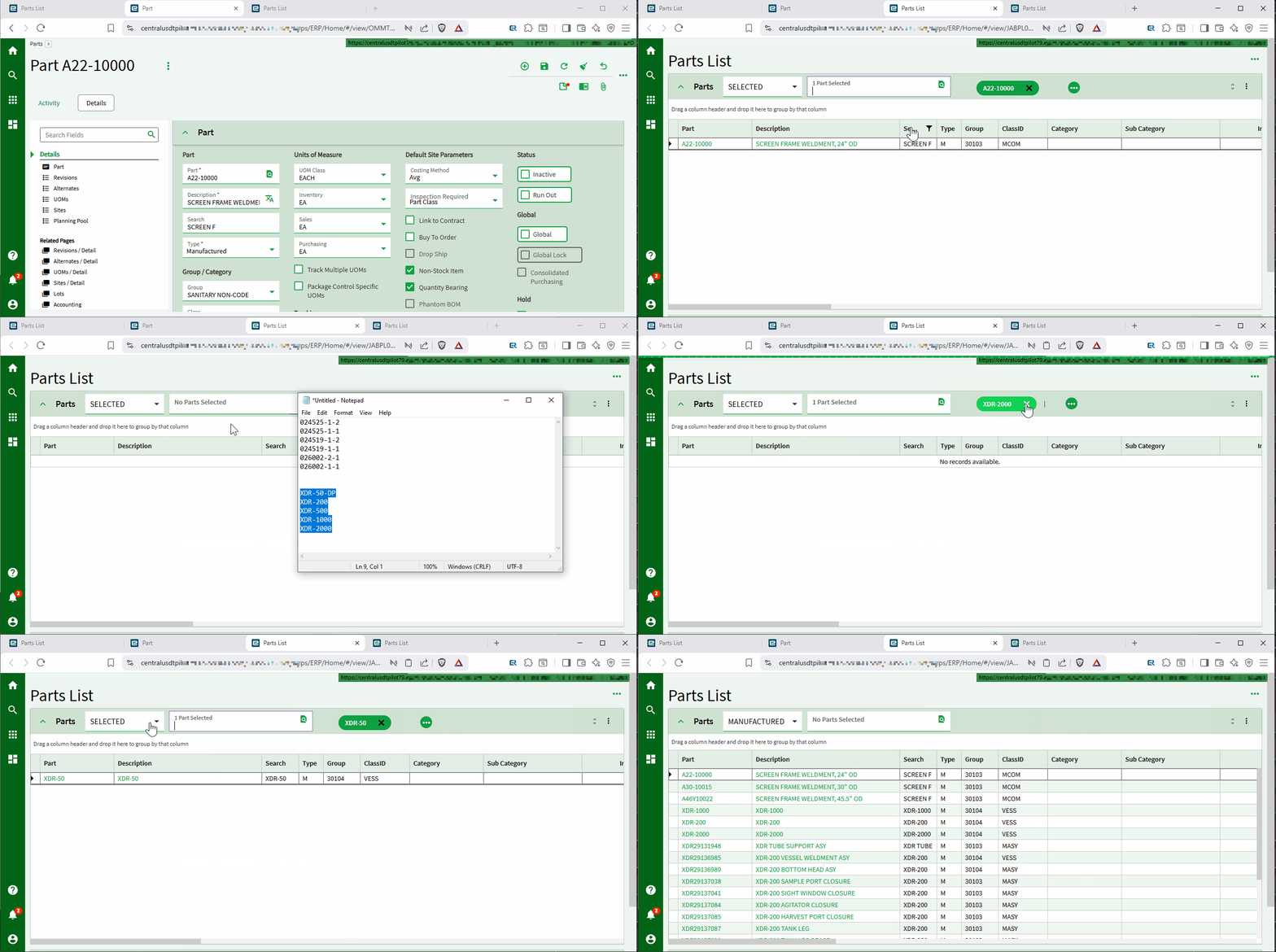
I have a custom dashboard that runs in classic. When I right click a part and go to Run Before, it pulls up a classic dashboard based on a BAQ. This all works fine in classic.
I am working to make this in Application Studio. I am using the same BAQ (no parameters), and I added a new context menu item so I can keep the classic one there for now.
I added a new application studio app using the wizard. It simply shows the results of the BAQ in a grid. The problem is that in Kinetic the dashboard doesn’t get filtered by the part number that you right-clicked on. Is there a setting someplace where I need to tell the grid to filter by the part number? It currently just shows the whole part list instead of filtering it by the part I right-clicked on.
Thank you!
Nate
In any part field. Say from Part Entry for example. I just want to pass that right-clicked part number value to the filter for the grid, or the dataview. I don’t know what I’m doing…
Never heard of it! I just want to replicate the functionality that classic has. Does a zone BAQ let you filter the BAQ by the part number you right click on? I feel like I am missing something simple to link the context menu and the part number to the dashboard that opens.
Edit: That’s kind of neat. I had never used info zones before. It is not quite what I want, but neat!
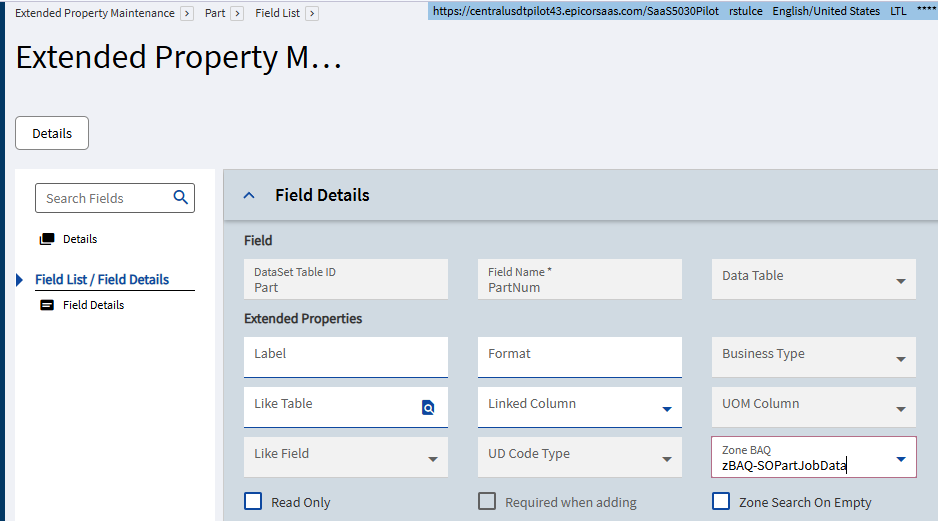
Zone BAQs are kind of a hidden gem for this kind of thing instead of a full on dashboard. Depending on how many columns you want that is. You make the BAQ include the binding field (partnum in this case) plus any other columns you want, share the save the BAQ as normal. In Extended Properties you set the zone BAQ to the BAQ:
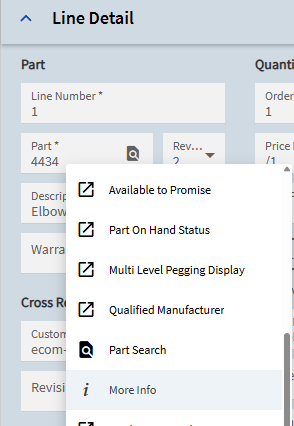
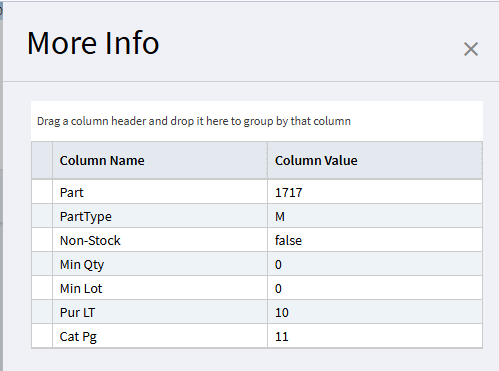
In Kinetic you right-click and go to “More Info” to open the zone BAQ and it opens a slide out. In Classic there is a little ‘tic’ mark they can hover-over.
For Kinetic you’d need to pass the part# but I’m not sure how. I’m still learning App Studio myself so hopefully someone else can fill us in on the details.
I would think I could apply a filter to the grid model > provider model > BAQ Options > Where. However, I don’t know where the part number that I right clicked on is stored.
KeyValue or something like that, I think… maybe. This all sounds familiar, but I couldn’t find anything about it specifically or that I’ve done previously.
I found KeyFields.PartNum = the value I right clicked on. But I can only see this in the PartEntry form, not in the dashboard. How can I get this value to apply as a filter to my dashboard? About to do some trial and (mostly) error.
So I have to customize (add a layer) to the part entry form? Is there a right-clicked event that I can trigger on? I dont see anything that looks like a right-click event. I think you are suggesting to find the event that is triggered when I right click the part num from part entry. Then take over that event, to somehow also pass the KeyFields.PartNum to the dashboard that gets opened with the context menu. The weird part is that I didn’t need to do any app studio stuff to get the context menu item added, so I would be surprised if I needed to use app studio to finish the job. Who am I kidding, I wouldn’t be surprised at all…
Here’s an example of passing with app-open using ValueIn property.
EDIT: Nevermind
The issue you may run into on the receiving side is that BAQ options in the gridModel/providerModel/viewOptions don’t seem to evaluate Where expressions - or any expressions for that matter. So you can’t go:
Not within the Baq options of a grid anyway, AFAIK. You’ll probably have to modify your whole dashboard to rip out and change over to a ‘vanila’, non-baq dataview, recreate grid provider, and create explicit events to load your dashboard dataview. It’s kind of messy. Easier to start over with a blank app (non-wizard) really.
Okay I did some testing and found the problem prevously mentioned was specific to WHERE IN() clause.
My approach would be to break it down:
Dashboard Prep: first get your dashboard independently filtering on TransView.PartNum, then
Handle ValueIn: pass a valueIn (automatic), receive it, and set TransView.PartNum.
something like so:
#1 - Dashboard Prep
Add a TransView dataview
add a PartNum Textbox to the grid panel header area. (optionally set isSearch=true & handle search-show, search-value-set at a later time)
epBind that input to TransView.PartNum
edit your grid.ProviderModel or ViewOptions > BaqOptions > Where List > PartNum = ‘?{TransView.PartNum}’
add event TransView.PartNum_onChange with event-next > refresh_yourView event, this is so the grid refreshes automatically when you change the value.
Test this and get it working independently. Fix up grid.columns, etc. Now your dashboard is using TransView.PartNum as criteria for your grid and is ready to handle a passed valueIn.
#2 Passing ValueIn
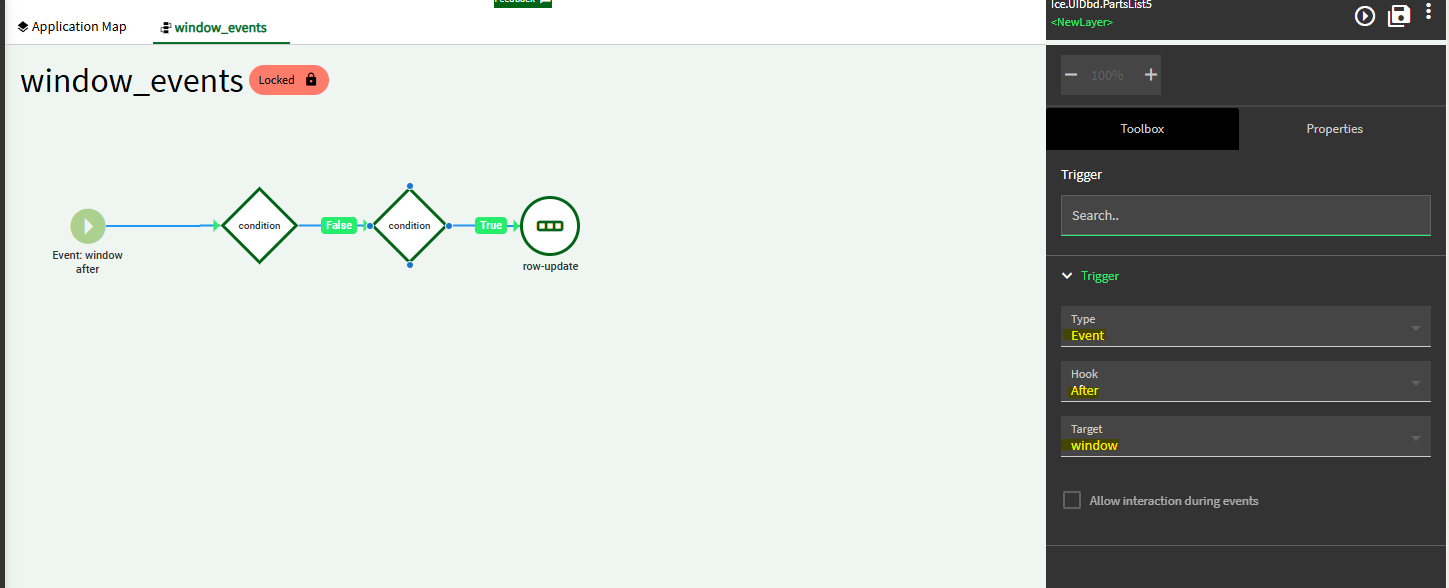
Add another event Trigger: Event > After > window
This should set TransView.PartNum and trigger your refresh event.
EDIT: The passing of ValueIn appears to be automatic from Context Menu so all you have to do is make your dashboard criteria use TransView and grab the ValueIn and set it in Transview as described above.
Weird, yes. There is something going on behind the scenes for built-in apps, that makes the passing, handling work automatically without custom events. We must track this down and figure out how to setup a custom screen to handle the same way, if possible. But that’s trail n error n more error so do it yourself with events on both side until someone figures this out.
PS- why the wizard apps dont include these events oob is beyond me. This is probably a good reason to look at setting up a dashboard template. Like the Dashboard Dragons method. I bet they are doing some of this in their template but haven’t tried it.
EDIT: The passing of ValueIn appears to be automatic from Context Menu so all you have to do is make your dashboard criteria use TransView and grab the ValueIn and set it in Transview as described in edited post above.
I am not sure I get this. Do you use a function to populate TransView.PartsSQL?
I am testing some of what you posted here in post #13. I am getting stuck after creating the part number text field, binding it, and creating the first event. When I test, the part num field is disabled. I think this normally happens with fields you bind to TransView. I am not sure how to get that part working.
Thank you for looking at this with me!
It’s a UI (client-side) function action called ‘function’ which has a method called:
It can take a tilde delimited list (such as those returned from mutli-searchResult and convert it into a SQL list campatible for WHERE IN() clause
Follow this link to see how to set it up. Basically the textbox or SearchChipComponent sets TransView.Parts then an event TransView.PArtsOnChanged execs the ui function to convert ‘partnum1~partnum2’ to ‘partnum1’,‘partnum2’ and sets then in TransView.PartsSQL which is the field your grid WHERE is filtering using.
tick the KeyField box on the textbox component. This makes it editable before rows exist in the bound dataview (that’s all it does, AFAIK)
PS - if you like the multi-search aspects of this, use a SearchChipComponent instead of textbox. As shown here.
Is this the same as DataView:TransView.PartNum rowChanged?
I can’t seem to get the first part of my dashboard to work with the text box filtering the content.