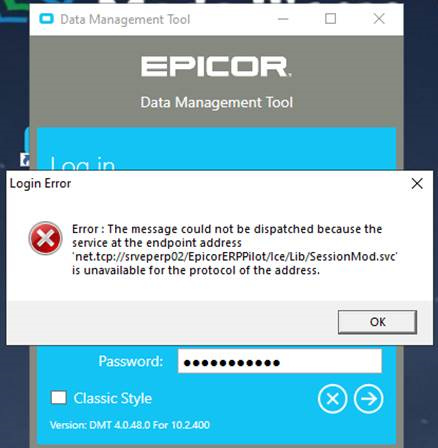
Hi,
Pilot Database
If someone could please help and advise I would be very grateful.
Thanks
Did you copy the three DMT files (exe, dll, lic) from the Live client into your Client-Pilot folder?
Did you create a new Short-Cut to launch DTM from the Client-Pilot folder?
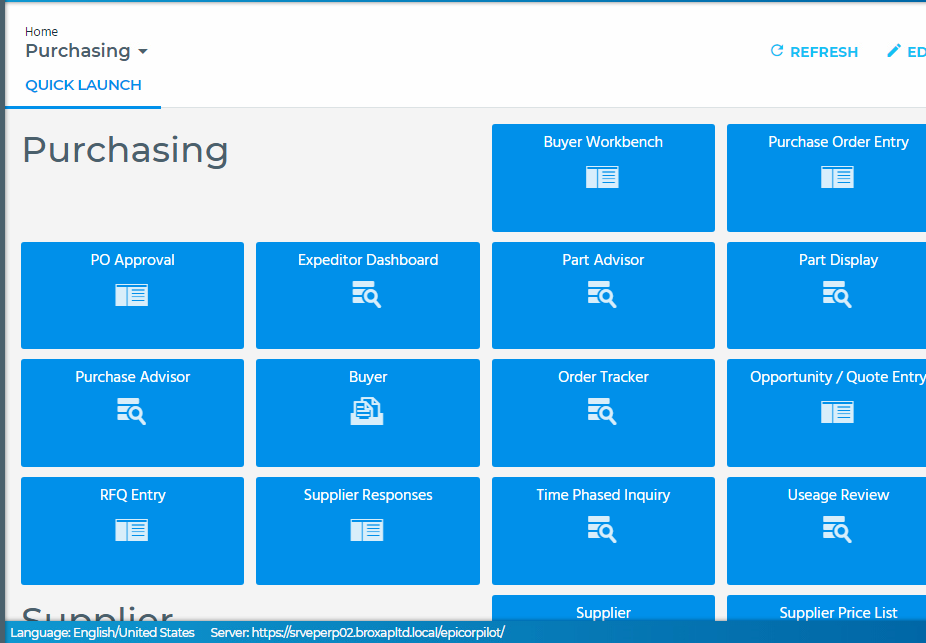
Backing up a little too, are you able to get into your Pilot environment front end?
All three files copied in each epicor database location and DTM Shortcut created on the desktop
C:\Epicor\ERP10.2Live\Client
DTM file located at above and shortcut sent to desktop
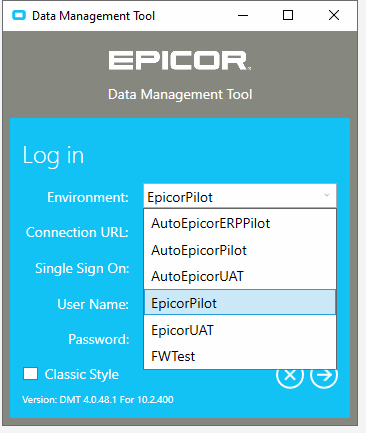
And what does your drop down on the login page look like?
I’m right in saying you are referring to the login page of the dtm and not the Epicor Pilot itself.
This is what we get for the DTM Pilot
on the Pilot environment front end via Epicor Admin Console, what endpoint binding type(s) are enabled?
ckrusen
October 30, 2019, 4:57pm
9
DMT uses the sysconfig files too. Make sure the DMT for Pilot has access to the Pilot.sysconfig file (or whatever yours is named)
ckrusen
October 30, 2019, 4:59pm
10
And FWIW - I run DMT from the App Server.
The shortcut for DMT (for our UAT environment) - that I run from my workstation - has the following:
Target: \\usdatapsxxxxx\C$\Epicor\ERP10\LocalClients\MC-UAT\DMT.exe
Start In: \\usdatapsxxxxx\C$\Epicor\ERP10\LocalClients\MC-UAT
On that app server, can you look at the event viewer to see what error is being logged when you try to use DMT for that environment?
Issue Resolved thank you for the information.
JMyers56
November 1, 2019, 4:43pm
14
@DarrenWallbanks , for eveyone else’s information, could you post the root cause and steps to resolve the issue? I’m sure everyone else would appreciate it!