I put a condition on any outbound emails to check if Is Production and check @doman to verify not external.
I also always put the Company name it’s coming from – so Pilot and Third get company names get updated to identify.
I put a condition on any outbound emails to check if Is Production and check @doman to verify not external.
I also always put the Company name it’s coming from – so Pilot and Third get company names get updated to identify.
I do the same. We also change the from email that doesn’t allow external delivery in Exchange. So in case the condition widget gets missed Exchange won’t deliver it. The from name and from email also being changed are a clear indicator where it came from.
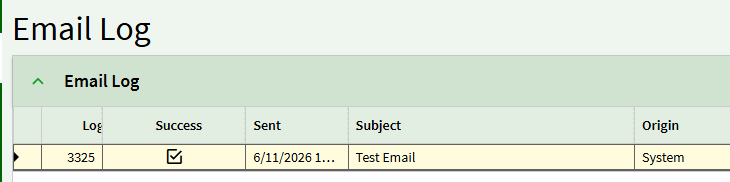
Oh yeah, apparently the email log actually works fine.
Emails just dont get sent from custom code. Awesome.
This on top of not being able to export functions from pilot to live anymore, fantastic.
Is there anybody else having issues with emails being sent from APR or BPM’s.
I can confirm that BPM’s are not sending out emails for me either.
Just checked.
Does your BPM compile with the custom code for sending?
I do not have any custom code for sending emails I just use the widget.
Ah, ok. It’s @mgordon using custom code and having issues. His widgets work.
If you haven’t opened a ticket I would open one.
I can confirm that code shows no syntax errors and even runs. I had a function that had a leftover debugging variable (email count) that properly incremented and returned the valid number of emails that should have sent. They just didn’t.
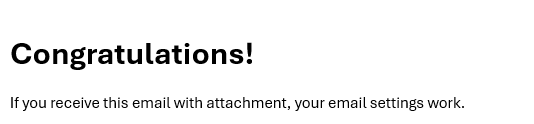
And your email settings are configured in pilot/the test email button works?
It looks like its specific to BPM’s because I did a password reset on a test account and the email was delivered to my inbox.
Going to double check my email settings but I assumed if the pw reset worked, then it should be configured correctly. I’ve also created a ticket in Epicor.
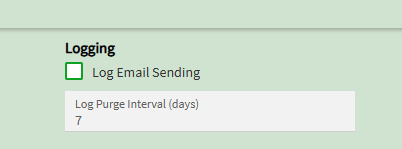
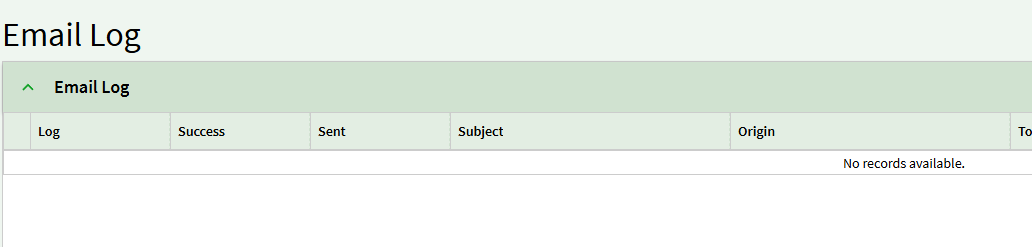
What does the email log show
Yes the test email buttons work
what does the admin log show?
And the admin log? (Server file download > Admin > look for your recent app server log > search for your bpm name)
BPM email did not work and doesn’t show up in the mail log either. I added a MSG box to ensure the BPM did fire. I also checked the server log and it shows the BPM did trigger:
<Op Utc="2026-06-11T16:57:07.0735992Z" act="Ice:BO:UD01/UD01SvcContract/Update" correlationId="cf8a9685-9807-4d9e-97c4-7bf6a2dbbfd4" dur="908.5164" cli="::ffff:10.34.11.177:59058" usr="testuser" machine="computer" pid="12" tid="28">
  <BpmCustomization Source="BO" BpMethodCode="Ice.BO.UD01.Update" Type="BO Customization" Duration="449">
    <BpmDirective Type="1" ID="8a7a9447-ca11-cf80-e211-65b3a543b77e" Name="Test Email" VisibilityScope="0" Duration="433" />
  </BpmCustomization>
</Op>

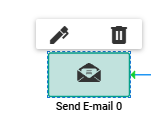
 , going to set it and test the BPM again.