I think you all would program BPMs in assembly language if it were an option.
…is it? why are you teasing us?!
Don’t let the idea take root in your mind like a virus.. its not worth your time!
I’d settle for Visual Basic. Or RPG400. Fortran? COBOL?!
Sorry…fever dream
Assembly class got me to drop programming and go to the hardward/networking route. 
Would be interesting with the modern mix of CISC and RISC processors that we run today.
Thought this was interesting… From: RISC vs CISC – Clayton Cafiero
…
Is RISC vs CISC still meaningful?
Modern processors blur the line between RISC and CISC. For example, x86 processors often translate complex instructions internally into simpler micro-operations, similar to RISC instructions. Also, over the years, RISC instruction sets have tended to grow.
Historically, RISC emphasized fewer, simpler instructions executed in a single cycle, with the compiler doing more work, whereas CISC (like x86) emphasized complex instructions (e.g., string operations, memory-to-memory arithmetic) to do more per instruction.
Today, the line is blurred. Modern CPUs (even “CISC” ones like x86) translate instructions into simpler micro-operations internally, making them RISC-like under the hood. RISC architectures (ARM, RISC-V) now have lots of optional extensions, vector instructions, and specialized operations, so they aren’t “reduced” anymore in a strict sense.
Where it still matters
- x86 uses variable-length instructions, while ARM/RISC-V use fixed or semi-fixed lengths, simplifying decode.
- x86 has to keep supporting instructions from the 1980s; newer RISC designs don’t have this challenge.
- CISC decoders are more complex, but once decoded, execution looks very similar across architectures.
For now, it is enough to understand that ARM is an example of RISC, and x86 is an example of CISC, and that there are trade-offs between complexity of design, and efficiency of operation.
Wouldn’t the assembly code for x86 is different than one for ARM? That’s what I was referring too in being, “interesting”. It’s been redacted since I took that class so my memory could be fuzzy.
For sure! But…
We’re just beginning the testing process for our final Classic upgrade. Moving from 2023.2 to 2025.2. I’m about 6 month behind where I wanted to be, but making the move from VMWare to Hyper-V took longer than expected.
Once we get live on 2025.2, then we’ll start the process of moving all our customization to Kinetic UI. Plan to stay on-premise as long as we can.
Now I’m having flashbacks to IBM AS400s and their LIC

EDIT - the trip is getting worse
SAVSYS OPTION 21
PLEEZ SEND HLEP!
So much this!

How’s your 2023.2 performance? We are looking at the same process, and yes behind…
Both actually, but yours is better.

CTRL + K is command pallete.
What does that do lol?
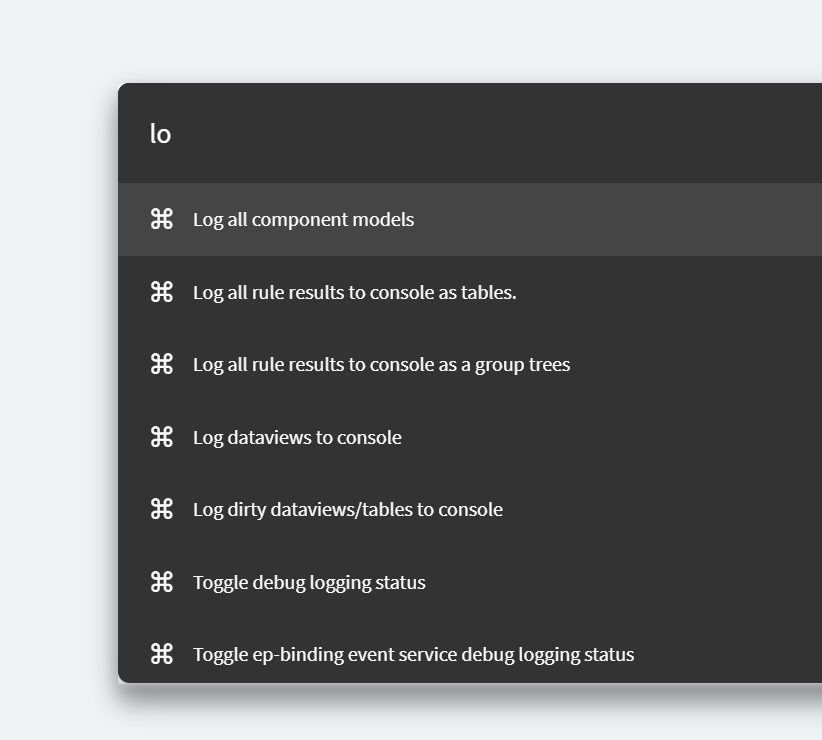
Who knew
Performance of 2023.2 has been acceptable we’ve been on it for 2 years running 2023.2.15.
I’d probably stop at Visual Cobol LOL…
Epicor devs seem to operate on an “infinite computer resource capacity” mindset. It seems they don’t understand efficiency in terms of screen loading or process clicking.
Example: when we were getting some hands-on training, we opened the Order screen (not sure the name in Kinetic) and it immediately opened like 50 or so orders of rows. Nothing we searched for just there available, click on them if you wanted to.
I asked the trainer, like, is that normal just to show all these rows right away; rows that the user doesn’t care about and they didn’t search for? He didn’t understand the question. Didn’t understand why that might be inefficient. He couldn’t grasp that collecting and presenting data the user did not ask for would be inefficient. Never questioned it, just said that’s how it is.
Perhaps in a perfect world that might make sense but now we’re using bandwidth and waiting and generating user fatigue to sort through a bunch of nonesense data. Then the search pane is hidden behind extra clicks.
IMO Epicor has no finesse for UI or UX, they believe everyone has infinite capacity computers and can process infinite amounts of data–instantly.
Thus they have accordians everywhere, important inputs hidden by extra clicks, the list goes on. Don’t get me started about the application studio color scheme (at least the one we looked at) is literally the worst most confusing coloring scheme I’ve ever seen, highlighted buttons don’t look highlighted with very little contrast and more fun accordians. The trainer didn’t understand why we were struggling. He’s like you get used it. Why? Why do you accept such garbage as normal, sir?
It’s nice that it’s in the web but that’s the only nice thing about the new version. It’s bad, and even though they probably won’t, they should feel bad about the product’s UX.
I asked the people here… when we bitched and got that dumb landing page stuff taken away, and then they bitched louder, and got it back.. what is the point?
I still don’t get it.