shobdy
July 15, 2026, 6:58pm
1
Hello,
I have a DIV (div-row-Warranty-Info) with 4 fields in it.
I am trying to hide the entire DIV if the company does not match KSI.
Has anybody been successful doing this?
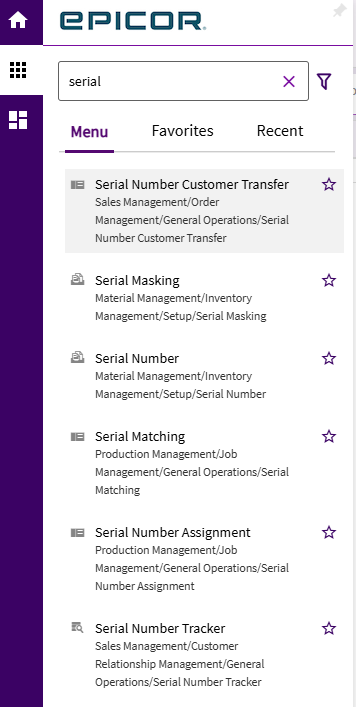
The screen in question is Serial Number Maintenance, details screen.
Any help is appreciated!
dcamlin
July 15, 2026, 7:06pm
2
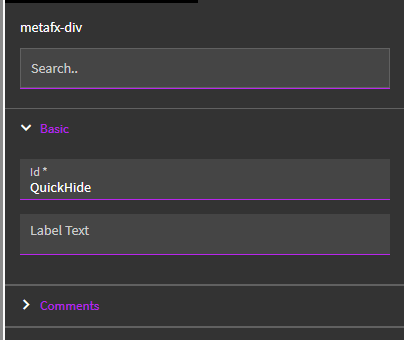
Either give your DIV a custom ID… or at least take note of the one it has:
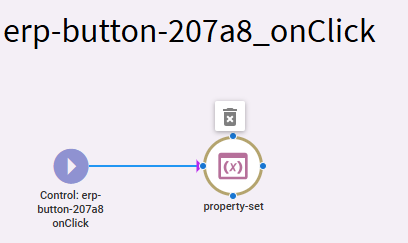
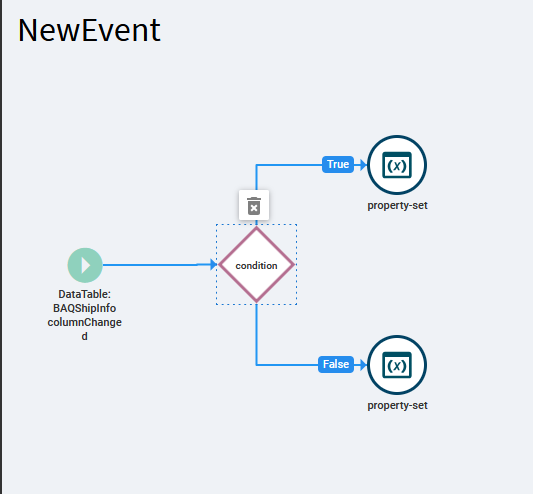
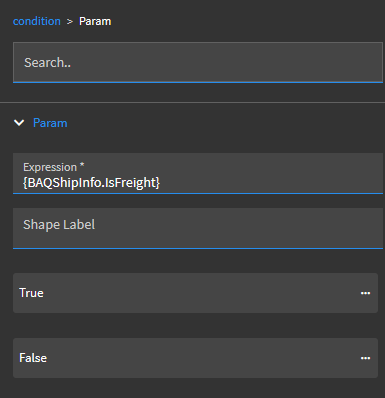
Then, using an event… need to figure out your trigger.. but, use a condition to check your KSI… then off the true or false branch (whichever makes sense)… use a property-set action.
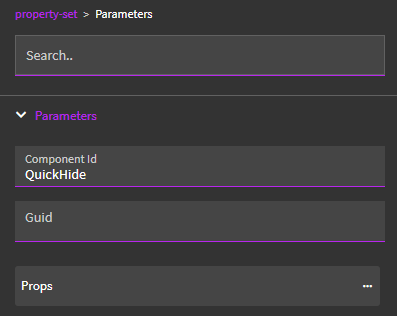
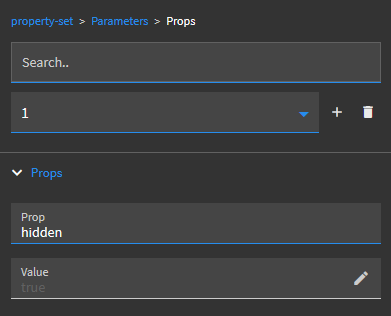
Use your DIV’s ID:
Then, in Props… add the property hidden and a value of true
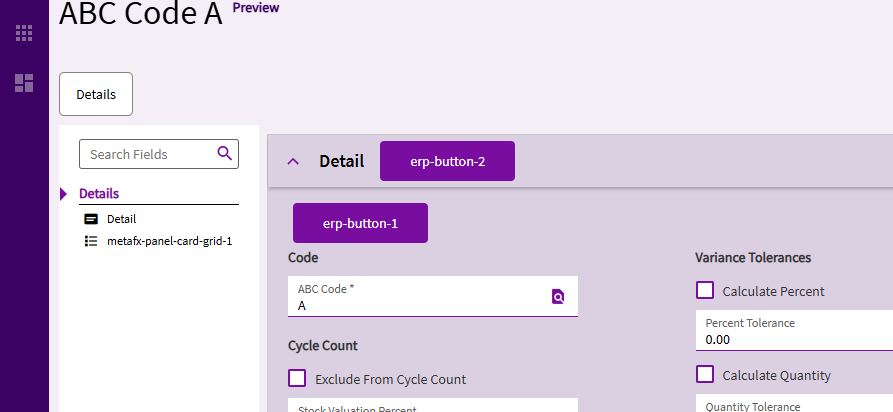
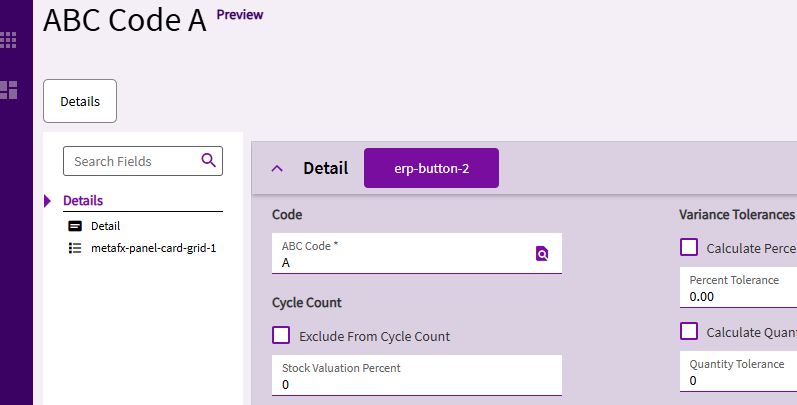
~~ My Test ~ ~
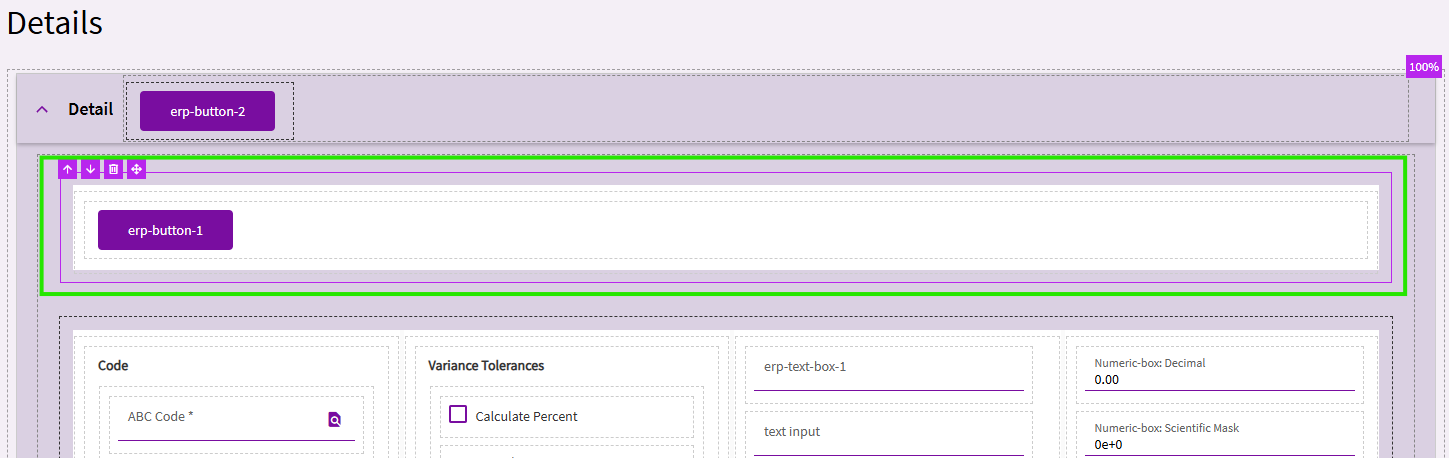
I then created an onClick event of Button no. 2 in the title bar.
I’m not checking any conditions here… but just wanted to test the hidden property.
Preview - Before:
After:
shobdy
July 15, 2026, 7:19pm
3
Hello,
That was what I have when I tried to do this myslef but it doesn’t hide it.
I want it to trigger when the screen shows the Serial Number Details screen.
I have tried a few trigger points like:
RowChanged_sysPages
Execute_GetByID
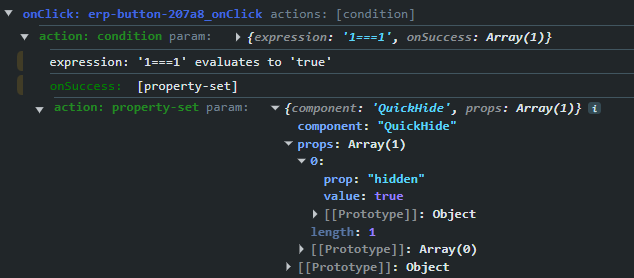
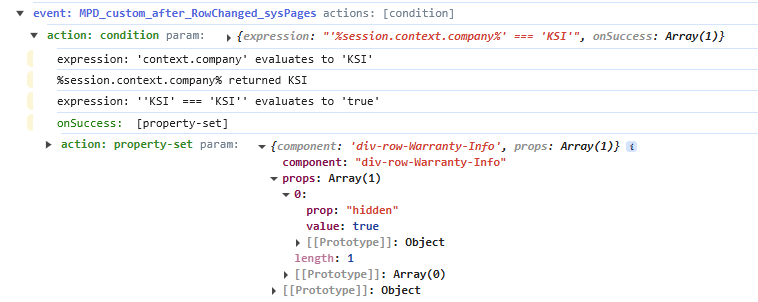
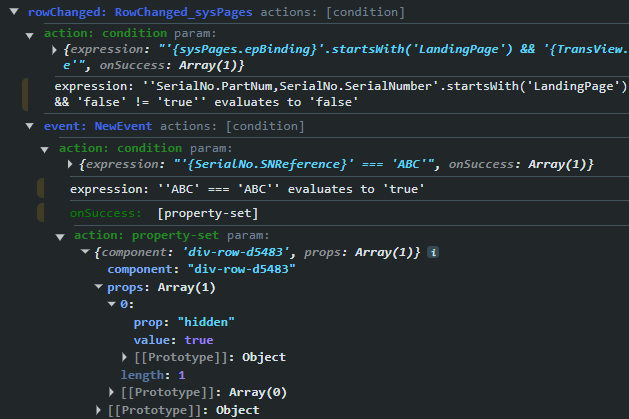
The event triggers and says it set hidden to true.
Is there a way to see an objects current settings like the hidden through the Console?
Here is a snippet from my Console Log:
rowChanged: RowChanged_sysPages actions: [condition]
dcamlin
July 15, 2026, 7:34pm
4
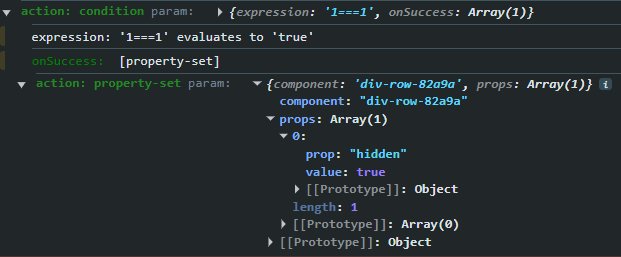
I threw a condition in my event just to verify… still worked.
Can you show your property-set params in debugger, like below?
jbooker
July 15, 2026, 7:35pm
5
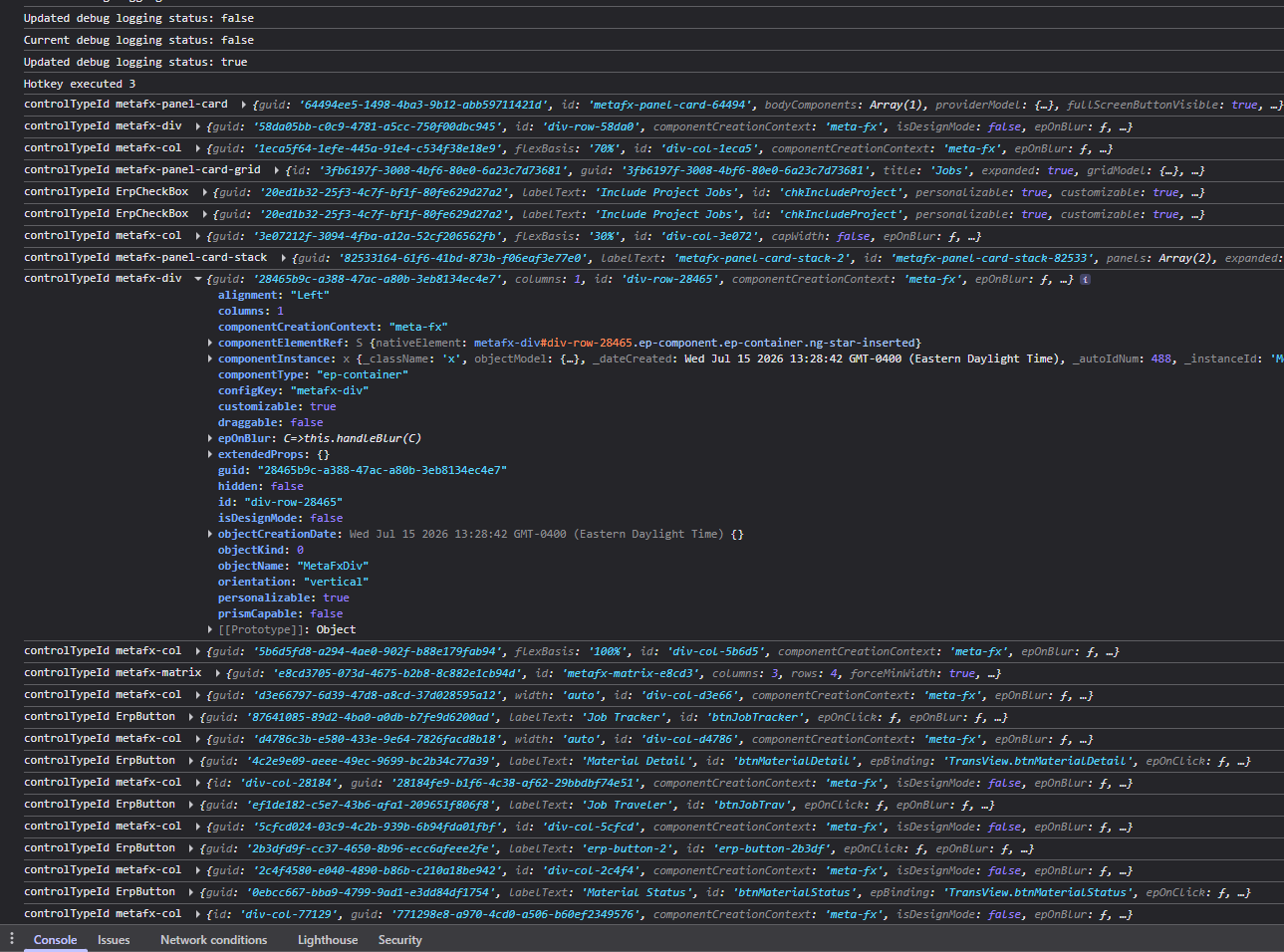
Ctrl + Shift + L will log all components to the console.
I’m doing this on a form like this
dcamlin
July 15, 2026, 7:49pm
7
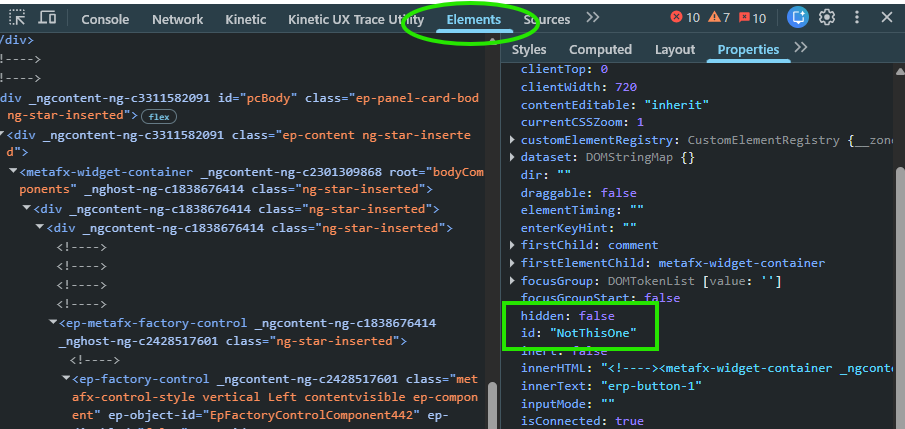
In debugger, there is an icon for looking at individual elements. You can click that icon, and then click on an element in your form.
This will switch over to the Elements tab in your dev tools… and you can see properties there:
Just keep in mind that some elements are layered on top of others. In this case the one I clicked on was NOT the one I wanted.
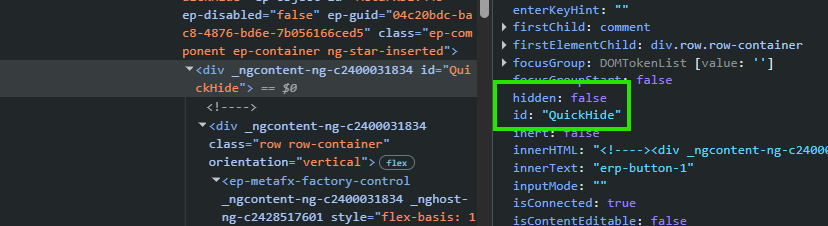
You can click around in the left hand side to move up/down the layers of elements to find the right one:
After I run my event, I can see that value update to True:
May be easier ways to do this… but, this has worked for me.
dcamlin
July 15, 2026, 7:52pm
8
This doesn’t do anything for me… maybe a hotkey I don’t have set up somewhere?
jbooker
July 15, 2026, 7:56pm
9
It’s supposed to work when epdebug is true. (ctrl + shift + 8)
It worked for me today for the first time in like forever.
Supposedly not working is caused by a competing hotkey registered locally but I never found anything on my end.
dcamlin
July 15, 2026, 8:08pm
11
Well… I’m stumped… I even switched mine to a stock div-row and it worked for me. My event response looks identical to yours.
Not sure why yours isn’t actually hiding the div-row.
shobdy
July 15, 2026, 8:12pm
12
Can you try it on the Serial Number Maintenance Detail screen and have it trigger when you open the Details screen?
That way you are doing what I am doing specifically.
dcamlin
July 15, 2026, 8:13pm
13
Where are you? We don’t use serials… but I can dabble:
Oh… never mind… I think it is just the Serial Number menu.
dcamlin
July 15, 2026, 8:29pm
14
Used a different condition… but still worked fine for me:
klincecum
July 15, 2026, 8:37pm
15
When the f*er doesn’t work, press CTRL + K, and type Lo, you should see “Log All Component Models”
FFS Epicor, make hotkeys configurable
I think I had to click in the form and not the console to get this to work. Then again, you may all tell me:
shobdy
July 15, 2026, 8:50pm
17
Well, I am baffled.
What version of Epicor are you running?
We are Gov Cloud version 2025.2.10
Maybe a version fix?
jbooker
July 15, 2026, 8:59pm
18
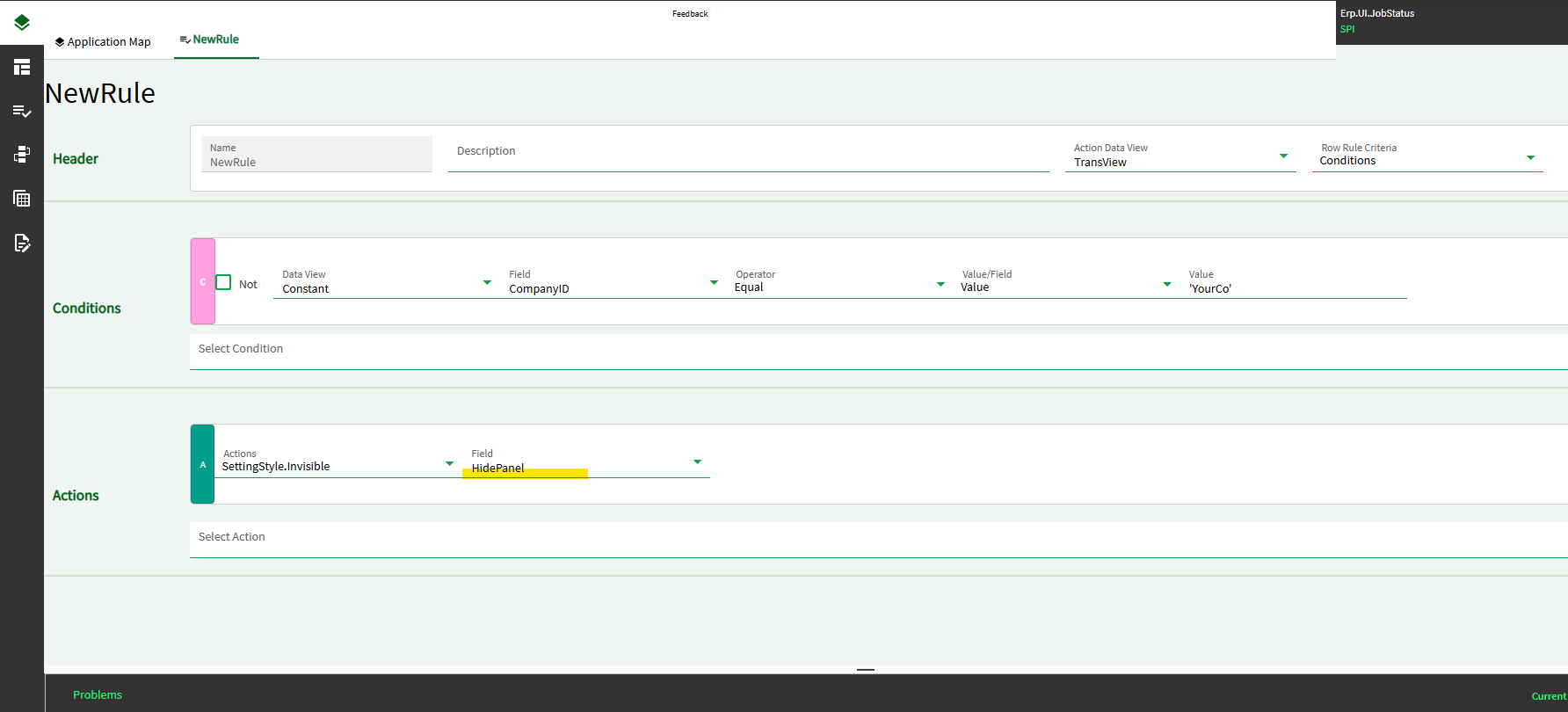
It should work for 2025.2. As a plan B you could try a row rule. You;d have to put the div inside a container having an epBinding property such as a panel-card. Then condition your rule off Constant.CompanyID = ‘YourCo’
Like this where TransView.HidePanel is the epBinding property value of the panel you’re hiding:
shobdy
July 16, 2026, 1:38pm
20
Looks like Plan B is working but a bit ugly.
I am going to poke at Plan A some more to see if there was something I was overlooking yesterday.
If you have any other thoughts/ideas, I am definately open to them.