Inspection Plan configurator not there in Kinetic

I agree, but this is a hybrid presentation - it uses a Word DOC “form” to present the user with form fields for data entry. It’s bonus is that the Doc name can be assigned to the Part/job/etc. and therefore allows for a library of data entry ‘forms’. The problem is the logic is non-existent. It allows for a page-leave event where you can pass the data to a function (and possibly get feedback), but that’s about it.

I kind of like it for the variability and simplicity - but that’s where it ends - and all data is saved in a (not great) format and can be used elsewhere.

They won’t validate your part numbers or job numbers. We use Microsoft Forms waaaaay too much here. It’s an integration nightmare.

I think something like the Epicor Connected Process Control (formerly eFlex) is a nicer interface since it is web-based already, can include photos, etc., and can read attached sensors which would be nicer than more manual entry in any method.

I’m just one of those separate data from presentation kinda girls. I can always create the document if I need it later. AI likes structured DATA. It burns tokens to try to grab it later. :person_shrugging:

completely unfamiliar with that, but also sounds like something worth looking in to.

Does seem like a quality module should include what he wants, so maybe in time it will be rectified.

Here’s their old YouTube account. It’s more integrated with Kinetic now. I think it can report labor like AdvancedMES does. Not sure if it works with Inspections Plans though… :thinking:

It’s really meant to be an MES replacement. Talking with the CPC guys at Insights, we came up with a workaround that would make it work for Quality checks within an operation. Right now, IP’s for jobs can only be done when a quantity is entered. CPC would allow any number of checks to be done for a job during the operations.

But there is a LOT of setup involved. It’s designed to be a guided manufacturing system, so it’s expecting a script (audio/visual/etc.) for each ‘type’ of process. So there will need to be an inspection script for each Part/Type/Operation inspection plan.

I think it’s a good complement, but I don’t see it replacing AMES. The talk at Insights was AMES and CPC are being merged into one group. I’ve seen the new AMES screens and they are :100: done in the new Kinetic UI. No more C++ client.

My concern with CPC from a technical POV, is that it is MongoDb in the cloud - which is fine for a standalone system, but as they want to integrate with others…that will take some work to do. And yes, there is a LOT of set up. Their first biggest users were automotive plants here right after the pandemic and companies had to train up new employees more frequently.

Last bit, @tpynepeak is totally right. We need more work done on this module. One of the nice features of 1Factory is that it reads the dimensions from SolidWorks files and displays what to measure. This would be a really impressive feature to add to Kinetic.

I don’t disagree. My biggest successes are taking user input out of the equation.
You make a lot fewer mistakes when you do not have type.

However - Inspections are a bit different, by definition they are required to have human input and can be from hundreds of different (many manual) sources.

The way that Epicor had set it up was clunky but it worked.
However now it is harder to use and requires even more manual supervision? That does not make sense.

On a practical level having a test record information directly to the right inspection plan in Epicor doesn’t work.

Laboratory devices typically don’t do that. Some of them still come with disk setups and no internet connectivity. And last I checked brooms, sprayers and polishers do not forward info over the internet either :wink:

If you get into the weirder cases like extraction rooms (where electronic devices are not allowed) automation if even possible would cost a fortune.

Extraction room usage is a day ending in Y in many processing companies.

Any food or beverage manufacturer that does onsite lab testing or CIPS is going to feel this pain. I forgot to add pharmaceuticals, this would hit them big time too.

It doesn’t matter I like or dislike how Epicor does things :wink:

To take away functionality that was the core requirement of a customer and also promised to said customer is bad business.

It absolutely would have impacted our decision to buy.

Can we find a solution - probably. Can it be done by May, maybe. Should Epicor have forced it on us. No

But it is appearing more and more likely that we will have to ditch the Quality module.

I guarantee when that happens Epicor will all of a sudden be able to answer the phones and return emails in a reasonable amount of time. Haha.

I didn’t mean AMES, only MES. Depending on your operation, it can fully replace MES’s labor related functionality.

AMES has all that PLC data and stuff that CPC doesn’t do, although it can talk to certain peripheral equipment. I didn’t dive into with the CPC guys so I could be off base here.

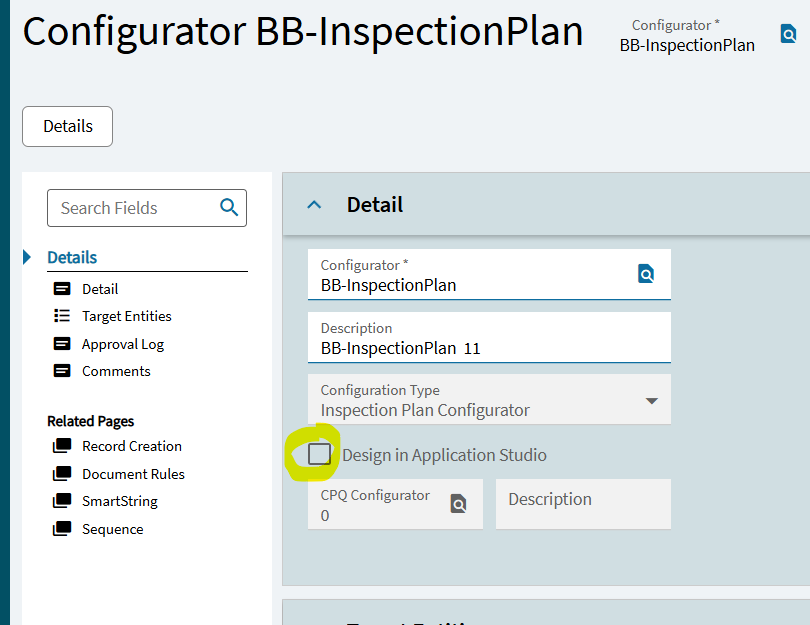
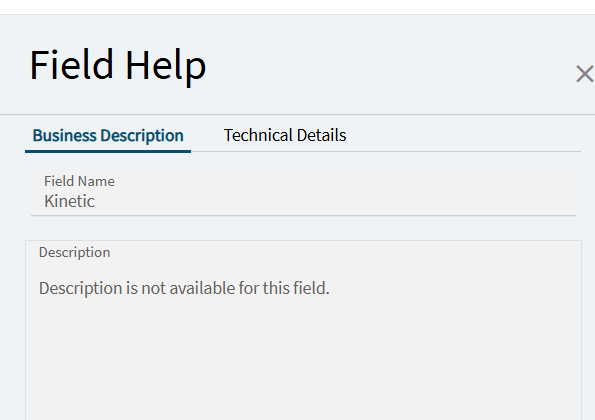
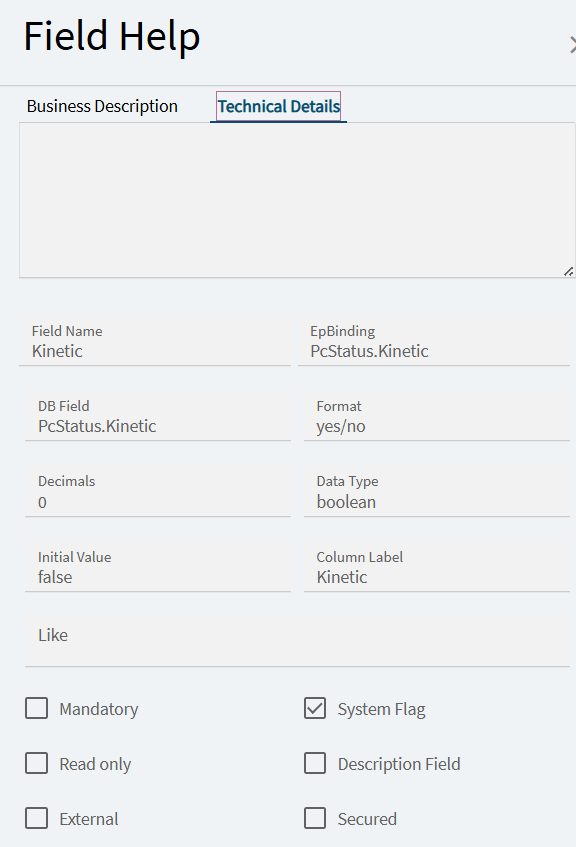
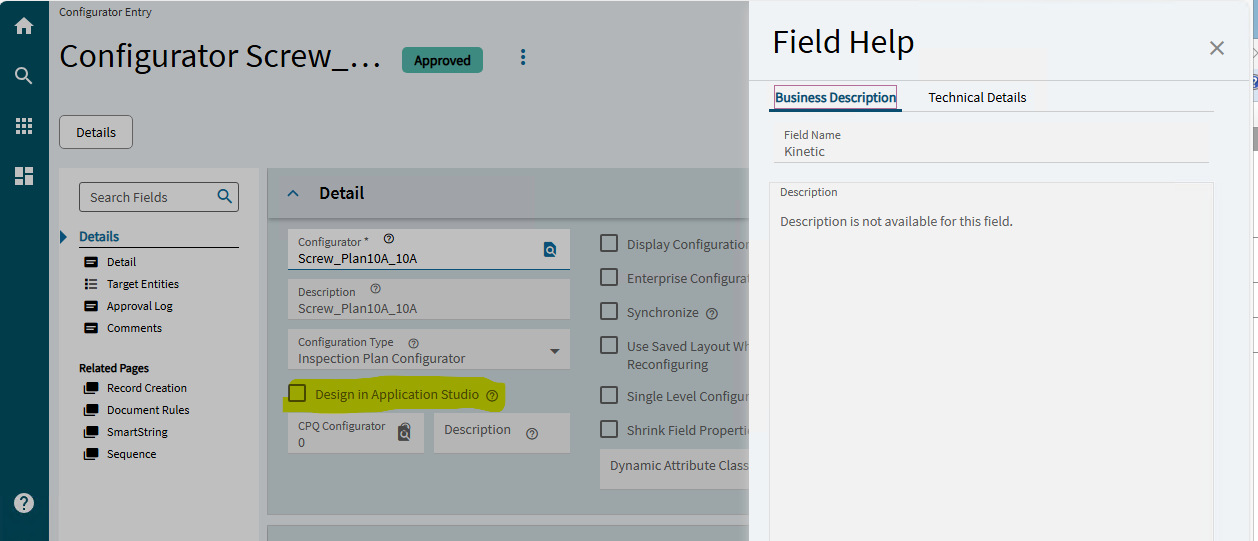
I saw the Design in Application Studio checkbox, it looks promising, but it is not clickable (even if it is approved – or not approved). Has anyone gotten it to do anything or is it for a future release? I’ve included the field help.

I ran our Quality Manager through setting up an Inspection Plan and then filling in the data. The loss of being able to set up a screen is huge as is the loss of the client side coding.

Dropping the Quality Module looks to be our only bet unless Epicor gets the functionality that we signed on for to work. I’ll keep you all posted.

Huh - I guess I’m hoping that is the new feature @timshuwy was talking about, and not something else. Probably be available in a patch soon. Now we need the documentation for it :slight_smile:

Sorry Tim but I think this is leftover from the now-depreciated process to use the product configurator for QA. I assume this screen is from 2025.1.

Trying this on my system, I found that that the “design in application studio” check box is only effective when selecting “product configurator” as the drop down type.

There is now a more detailed description of the process to modify the Inspect Results screen in Application Studio in the online help.

I just have my programmer doing a mockup of the first QA form in the new process for our QA manager to review. We still have a number of question marks to transition from the old configurator to the new application studio process.

Our QA manager has had a tough couple years of getting our plant managers onboard to the Epicor QA process and now we are going to force major changes on him.

My guess is that, given how new this process is, there will be enhancements in 2026.1 that we will need but that will mean there will be a leap of faith with the classic screens being depreciated then. I feel like the meat in a sandwich with how late Epicor left this support.

The product configurator is no longer used for Inspection plans.. you dont NEED to design a screen anymore. instead you can simply give it the test plan and it creates a list view for you to enter data into.
BUT we did find that this does not meet everyone’s needs. some companies want to display images in the inspection screen like they could with the configurator version in the smart client. We have found that you can use Application Studio to customize the automatically built screens, and add photos, illustrations, change the Q&A logic, etc. I believe that this is all documented in the help files now.

Epicor next time pretty please ask the customer first before you remove basic functionality? :wink:

I’ll be blunt the ability to create those screens is what convinced us to buy Epicor. The other ERPS in the price range scored better in other things but could not do the inspections the way we wanted.

If we had been told that 4 years later that functionality would have been lost I imagine it would have made for a more interesting meeting.

The one line data entry for an inspection plan does not work when a plan has dozens of items. I tried one with our quality manager and no one is happy about it.

Anyone who uses inspection plans as part of their core business model is going to be impacted.

I do not see my inspection plans in Application studio. That was the first place I looked when we got the news that classic was sunsetting. We have many dozens of plans.

Where do I go to edit the screens in Kinetic? Because if that functionality exists - great!
For context - I have asked several people at Epicor about this and at the last webinar I was at. One set said I would be able to do it and the other said I won’t.

One of our plans is to get rid of the advanced quality module if this is going to take too much time. We are very highly regulated and certain things have to be there or we can’t produce.

@tpynepeak We’re right there with you. I’ve been a thorn in Tim’s side since this came about and the trickle down info from Epicor hasn’t been great. We are also waiting for the answer to the question “How do I use App Studio to make QA inspection forms?”

To be fair, Tim thought they were a bit further along than they were when he offered the solution of App Studio, and with the latest release I feel like everyone at Epicor is on break-fix alert and not focused on this.

There is documentation on App Studio on how to build your own App from the ground up. Given the complexity of the Inspection Plan data sets, we are looking at simply writing our own specific QA App and consuming space in a UD table. I’d suggest you look into that as well since it seems to be a viable solution.

In 2025.2.5, I also see a box to Design in Application Studio but it is grayed out. I cannot find any documentation on how this should work.

I have zero experience with configurator, but I went poking around in Application Studio for this page.

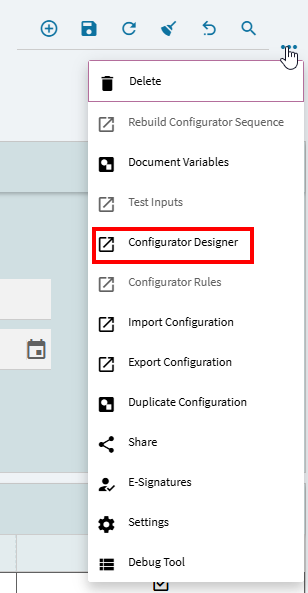
I added an event after AfterGetbyID to just set that checkbox to true, then from the overflow menu clicked on Configurator Designer

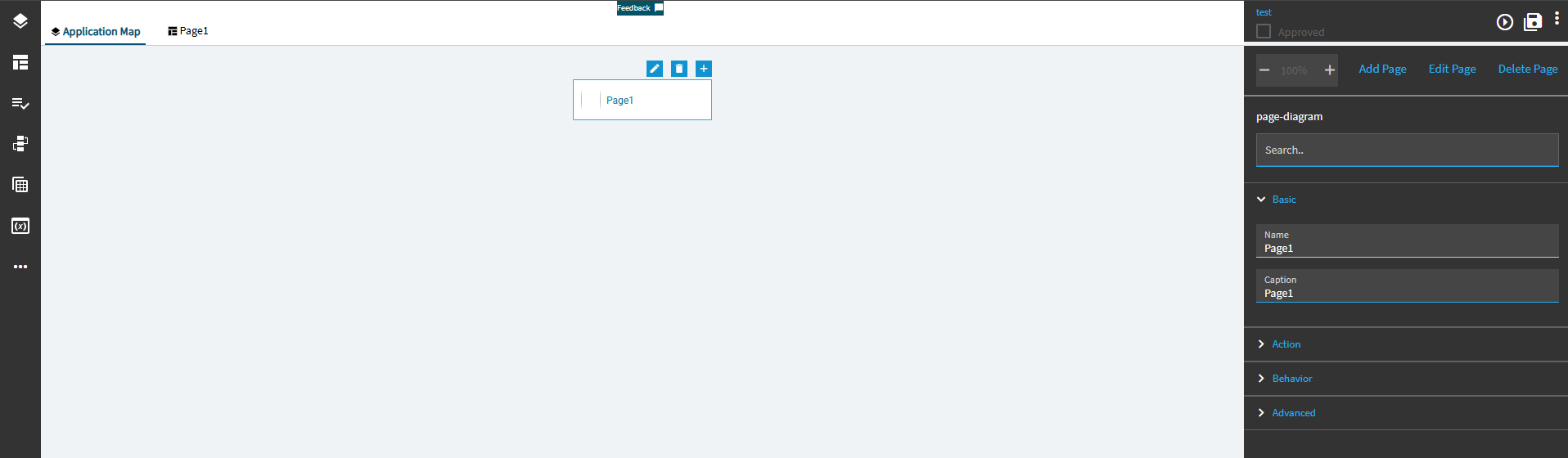
And it opened an Application Studio page to design the configurator.

I don’t really know what to do with it from here but maybe someone with configurator experience could go from here.

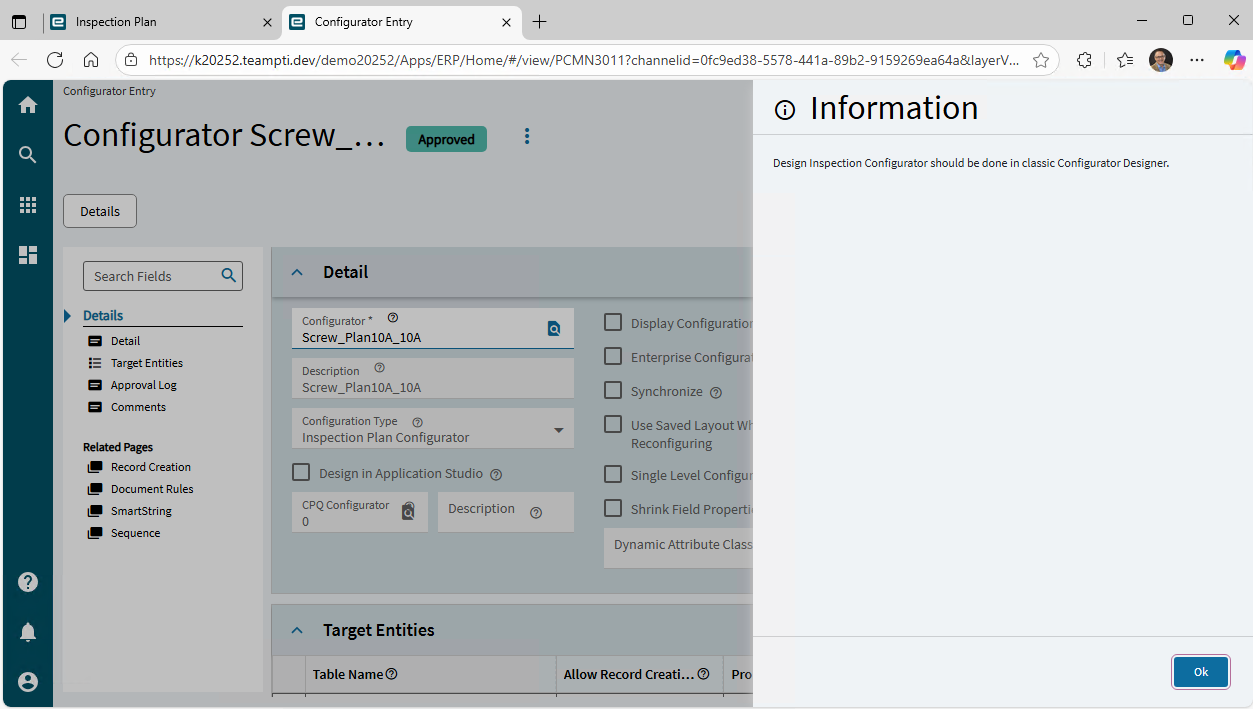
Interesting, when I click on the same menu item, I get this in 2025.2.5:

It’s supposed to build an app with all of the Inputs of the configured Inspection Plan if I understand what Tim said.