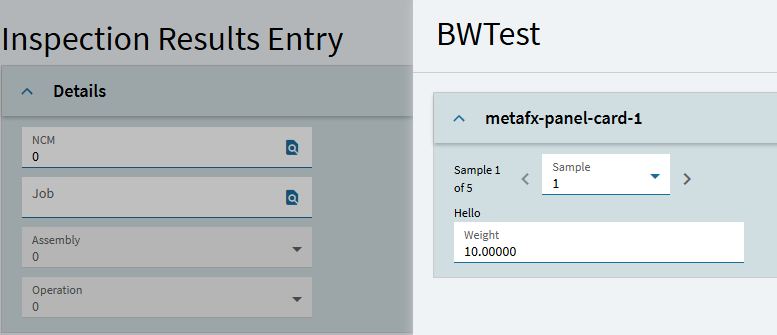
Which led me to believe if the Design in Application Studio box was checked it would open in Application Studio. I added the event to check the box even though the control is disabled with a rule.
I agree that it’s stubbed out, but I think they have to figure out a few things - especially to continue to support the ‘dynamic’ QA screens alongside the custom-built screens - all using the same data set/schema. I’d say the data set is the real problem. The CFG data set and the QA data set are very different, and although this test you guys did looks like they thought they were going to tie it to the general Configurator, that won’t work without some additional core work and data set coherence.
All Epicor has to do to make the Quality data better is add the sysrowid from the main table to all of the child tables. That one thing would make everything anyone tries to do with the data so much easier.
@mike Are you hearing that they are making some changes to this? We have our backs to wall with 2026.1 retiring classic so we are starting on trying to use application studio for the first QA form. Last thing we need is yet another radical change to the application while we are trying to live with Epicor’s poor planning.
Yeah we uncovered some breaks in the last cloud release that Epicor needs to fix.
Please keep us updated on your app.
I considered writing something to use the current datasets but their data structure is super complex.
Even pulling the proper labels to the screen would be a challenge without using custom coding. Unless I planned to make an app for each inspection - which could conceivably be requested of me. I’ve never seen anyone attempt to write to the inspection plan dataset (or at least they haven’t posted it).
Based on our staffing numbers we may just go back to not using the module and using Excel or something.
Or Epicor could allow -that- classic module to live for a few more update cycles until they figure things out.
Yes, there is a really nice demo done by our sales engineer on how this can work. Note that you do NOT need to use app studio to do inspections, but some of you prefer to have a “designed” screen rather than a simple list view for entering your data. Now you have the choice.
you let the inspection plan create the grid view
OPTIONALLY you customize the view via App Studio to add anything you want, changing the grid, adding graphics, etc.
@timshuwy -thanks as always! Now that we have the method to get it done, where is the data going? Is the App Studio screen bound by the inspection plan data set in any way?
The Help Pages have a section on how to do this. Could be better but it is there. It is in the Entering Inspection Results section about 2/3rds down the screen in a section call application studio.
In a nut shell you would
Create a layer on Inspection Results and create 1 or more Slide Out Panels that you can then design how you want with cleaver bells and whistles if needed
Apply that layer to the menu
In Specification, against the revision populate the ‘Results Entry Page ID’ to the ID of your slider.
Been lurking on here. We have EQA and looked at it but it’s too involved to make our go-live scope. Especially because it was in classic and we don’t even know how to launch classic.
But this new kinetic setup looks promising
Is this to say add each custom inspection plan form as a dedicated page to a single Inspection Results app and specify the page on the plan setup? Then it simply routes correctly so slider launches?
That’s pretty nice Was gonna suggest something similar when reading about folks creating individual apps per plan.
Even better if they’d generate a generic layer json page so maybe 80/20 theyd at least render a usable form out of the box.
Like intercept GetApp on Inspection Results app to call a function that outputs layer.jsonc from inspection plan attributes ds so the custom plan page/slider is auto-generated.
Correct. One layer with multiple pages for each inspection plan you need to be custom. Or i suppose a layer for each and add all the layers to the menu.
They kind of have. If no slider is defined it will open out the normal grid format in Kinetic UI. However now there is an Results Entry Detail button which is designed to dynamically produce a slider based on the specification
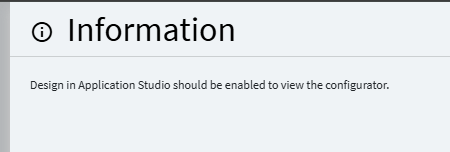
 in 2026.1