Hello,
I am trying to leverage code from an existing Classic Epicor dashboard for use in a new Kinetic Dashboard made in Application Studio.
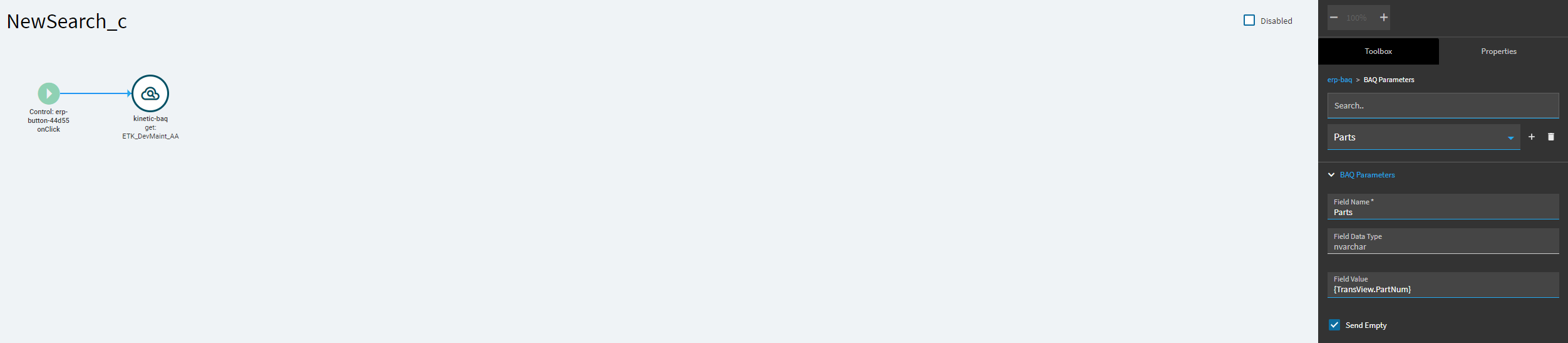
In essence, I am trying to figure out how to get Kinetic-BAQ widget parameters to work with the BAQ subquery criteria.
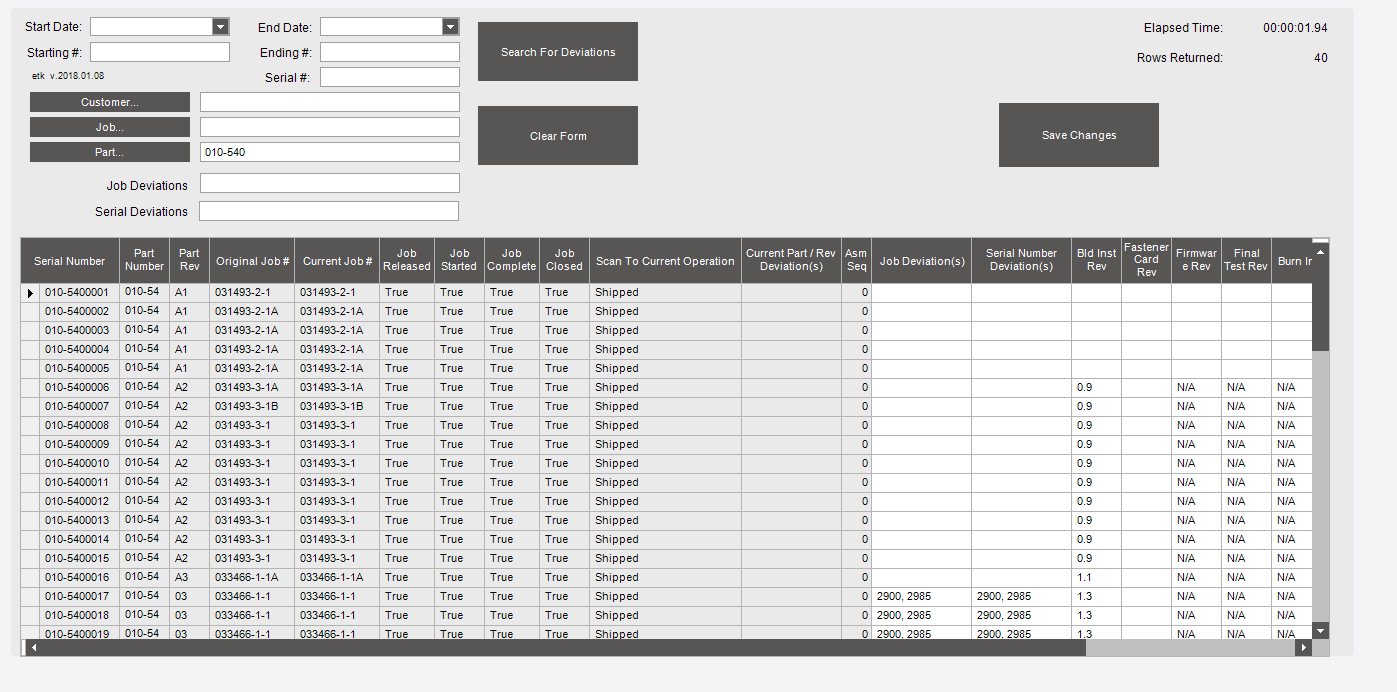
In the classic dashboard there is a grid that is being populated based on several fields that are entered above in text boxes and sent via button to an updatable BAQ for the data. The BAQ has a list of subquery criteria for the searching to keep the ability to save in the same query.
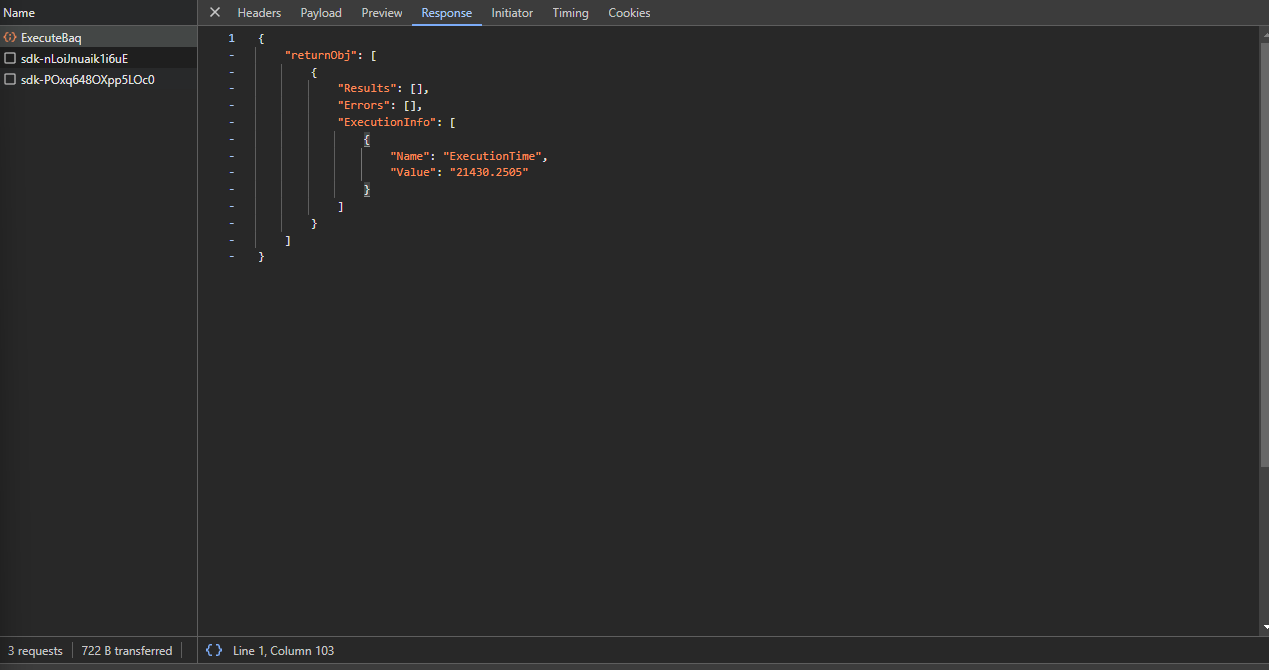
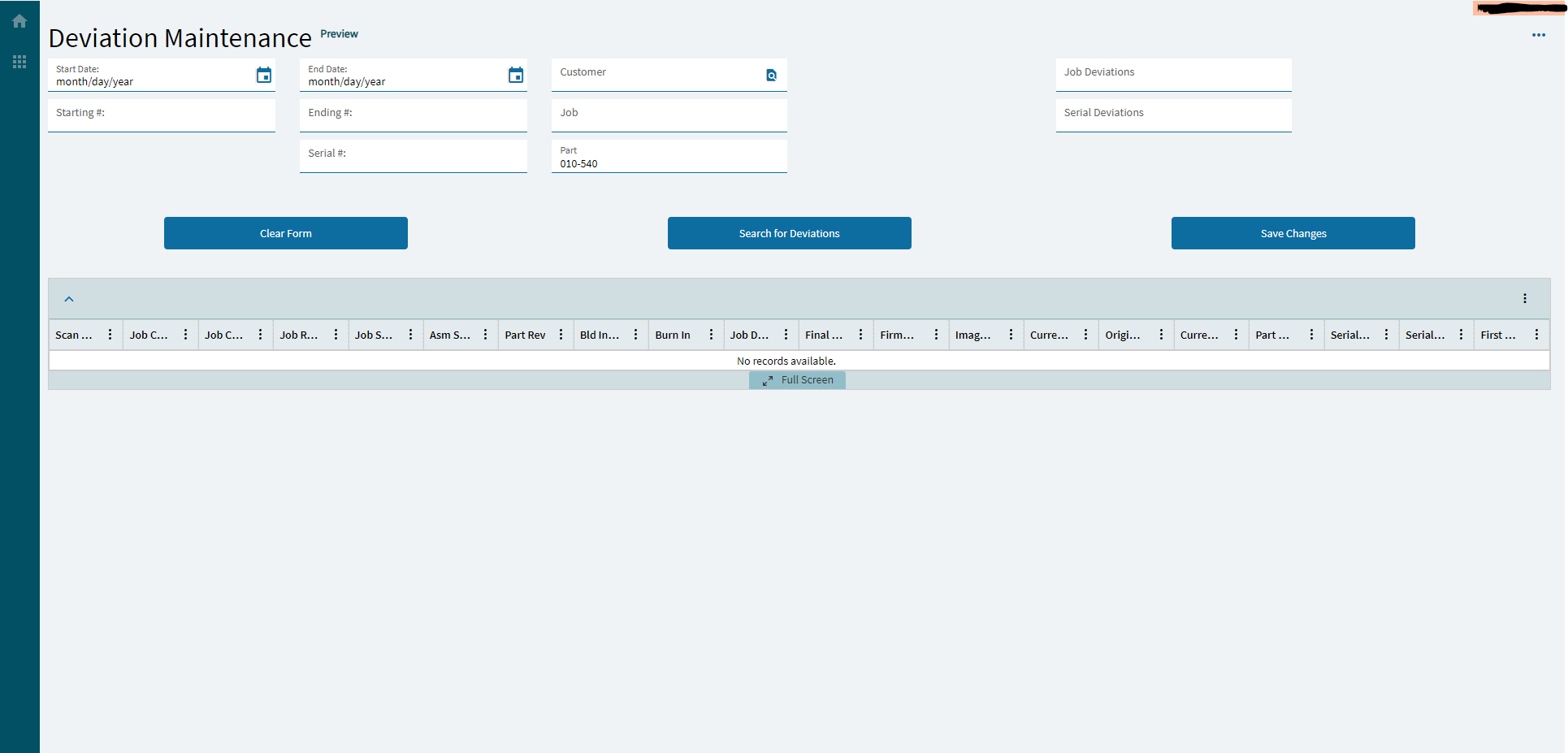
In the new Kinetic Dashboard, it has been set up to somewhat resemble the classic version. Currently only the Part number field is set up for testing purposes. When a valid part number is added and the search button is pressed, the necessary columns in the grid appear but no data is populated. This is confirmed with a check of the network calls in the dev tools when the return statement only has the execution time and number of rows returned.
This is where I am stuck, I cannot seem to figure out how to get the BAQ to return all of the rows that should be there. I suspect it may be because of the subquery criteria in the BAQ which I am not used to using. I also haven’t used the Kinetic-BAQ widget before since my business just upgraded Epicor from Kinetic_2023.1 to Kinetic_2025.1. Both of these combined are what I suspect are causing the issue since the Kinetic-BAQ widget’s parameter fields are not working properly with BAQ subquery criteria. From what I know the kinetic-BAQ parameters only work when they are used as table criteria and not subquery criteria.
Any assistance is appreciated,
Spencer
Here is the Classic Dashboard:
Here is the Kinetic Dashboard:
Here is the Kinetic-BAQ Widget:
Here are the SubQuery Criteria: