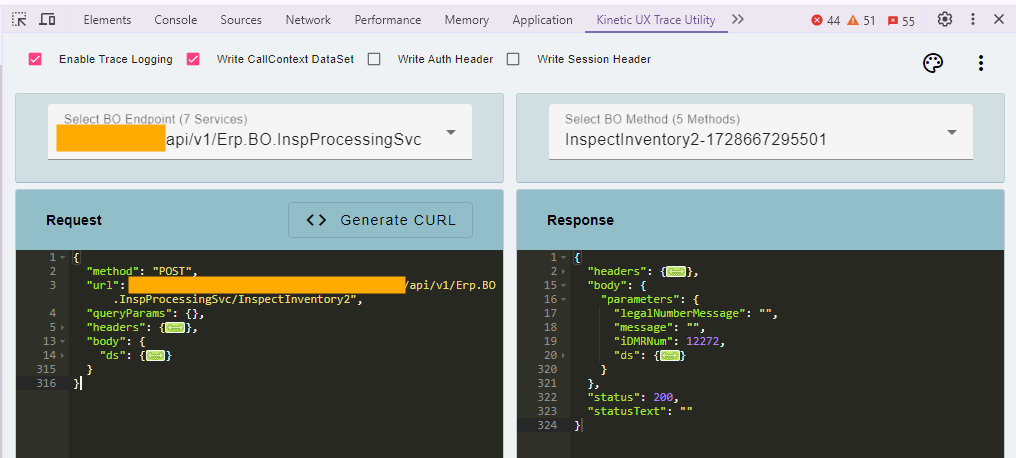
come on Mark live a little I know its a security nightmare but technically all the HAR type utilities are and it is soooooooooooooo sexy to just copy paste that sh* into postman
Let your hair down and join me in the dark side at least for a little while. I’ll consider adding client side encryption to the dump file so that you can’t accidentally save a dump and all your credentials too
Unbelievable you two were able to uplift it that quickly. LOVE the Postman functionality - that’s going to make life so much easier! Thank you, thank you, thank you!
Small suggestion - add search functionality for text/regular expressions within the Request and Response frames. I can certainly copy/paste the content into another application that supports searching, but it would be mighty convenient to have it right in the extension.
Impressive Work! I truly appreciate the fact that this extension seamlessly integrates without cluttering the DOM. It’s a valuable lesson for Epicor to consider separating certain Debug Utilities into Chrome Extensions, just like what you’ve achieved here. Kudos to your team for this brilliant approach!
Already found bugs that we don’t know how to fix yet:
Don’t click the icon in the extensions area in the top right it opens a partial panel, we never handled that menu
For this to work the dev tools have to be pinned to the active tab not floating. Not sure how to fix or if we can because of active tab detection we need to use
Need to opening pinned it seems pinning after the fact seemed hit or miss on working.
I tried a trace in classic on an ordinary process - Auto Job Close - and it led me nowhere. But I did the same in this web tool and got the business object and methods I needed.
I thought this would be more difficult, but it has been easier to use!
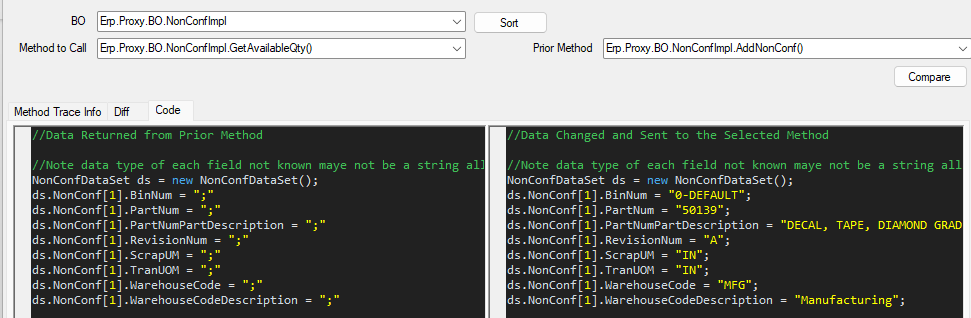
JSON Diff works well also. Just saying, even I can understand it.
Yeah I use it all the time (instead of classic trace) I think this one is more clear because the requests are a little more controlled / isolated so its easier to find.