This question likely applies to E10 too I’m sure, but we’re running Cloud 2021.
We’re trying to show a popup message to a user in Part Tracker when they enter a Part to look at. I want to evaluate an existing UD field (CheckBox04) when the PartNum changes and show a popup letting the user know if the boolean is true. We use this UD checkbox to indicate when a Part is in a particular state unique to our business and users need to know.
Initially I was going to implement the popup within the Part Tracker form itself in the Script Editor (C#), but thought maybe it should be a BPM.
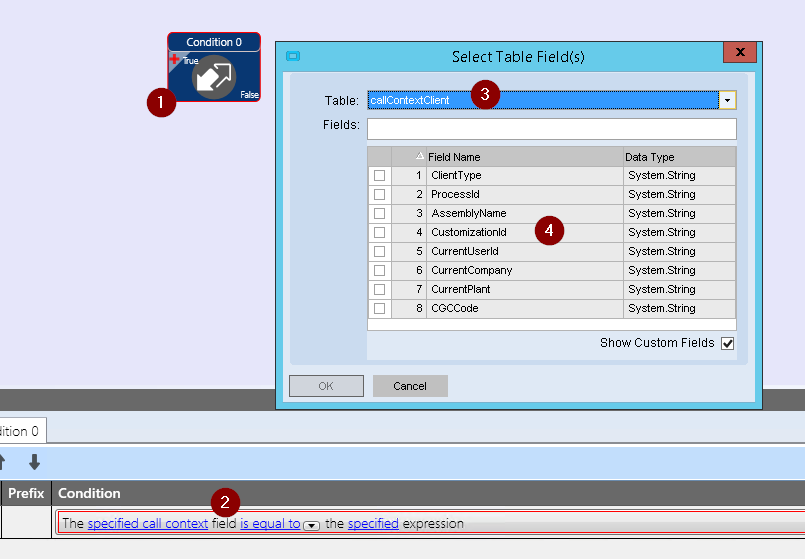
If it is better served as a BPM, how can I narrow down the Pre-Process Method Directive so that it only happens inside Part Tracker (not everywhere else the PartNum changes).
If it’s still okay to put this directly in the form on the PartNum column changed event, what is the C# code to show that popup? I wasn’t able to get that to work.
Ok, thanks. I found the Context. I have the BPM flow fleshed out but I must be missing something. Any tips?
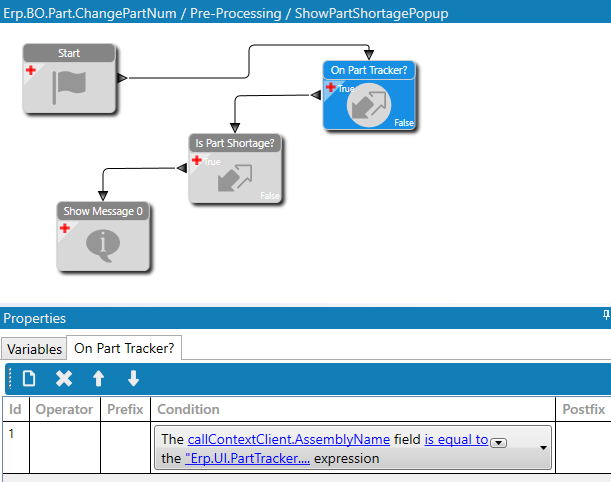
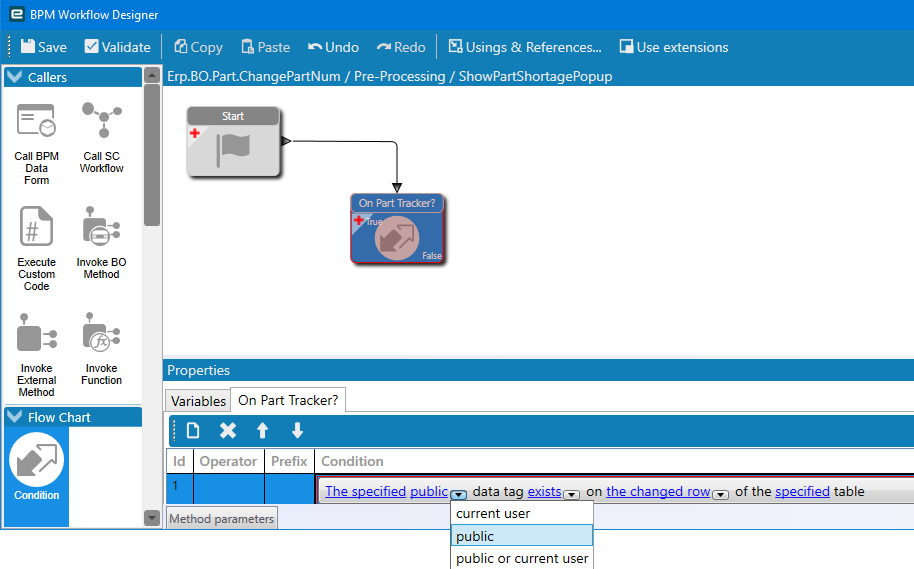
I’ve got a Method Directive firing on Erp.BO.Part.ChangePartNum as a Pre-Processing entry. Not sure if the Part Tracker fires that event, but I don’t have any documentation so let me know if that’s incorrect.
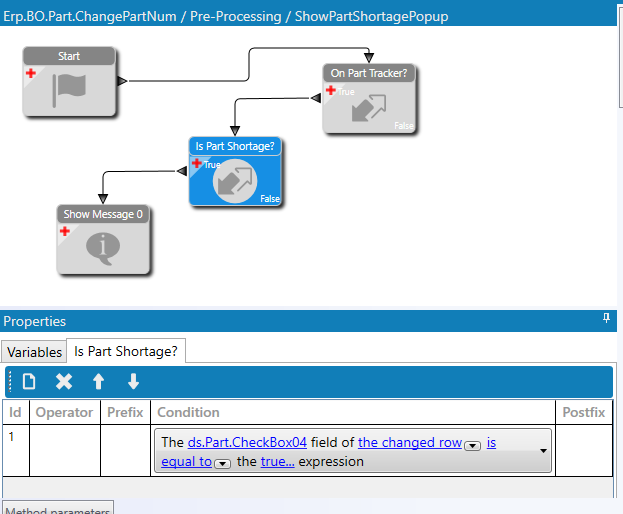
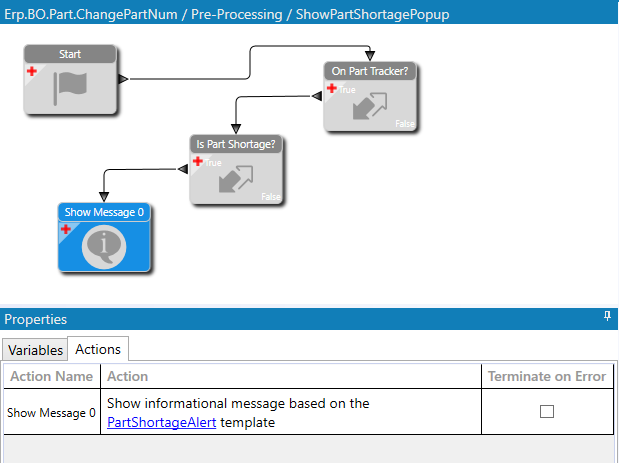
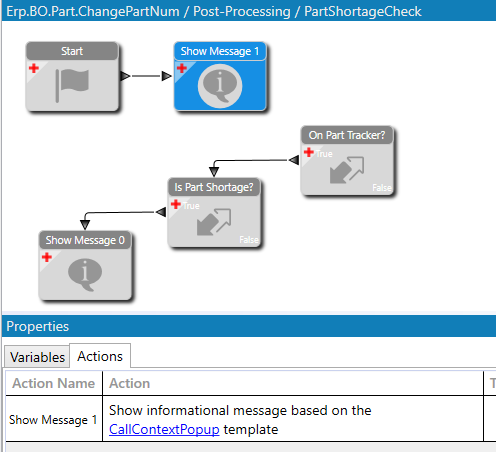
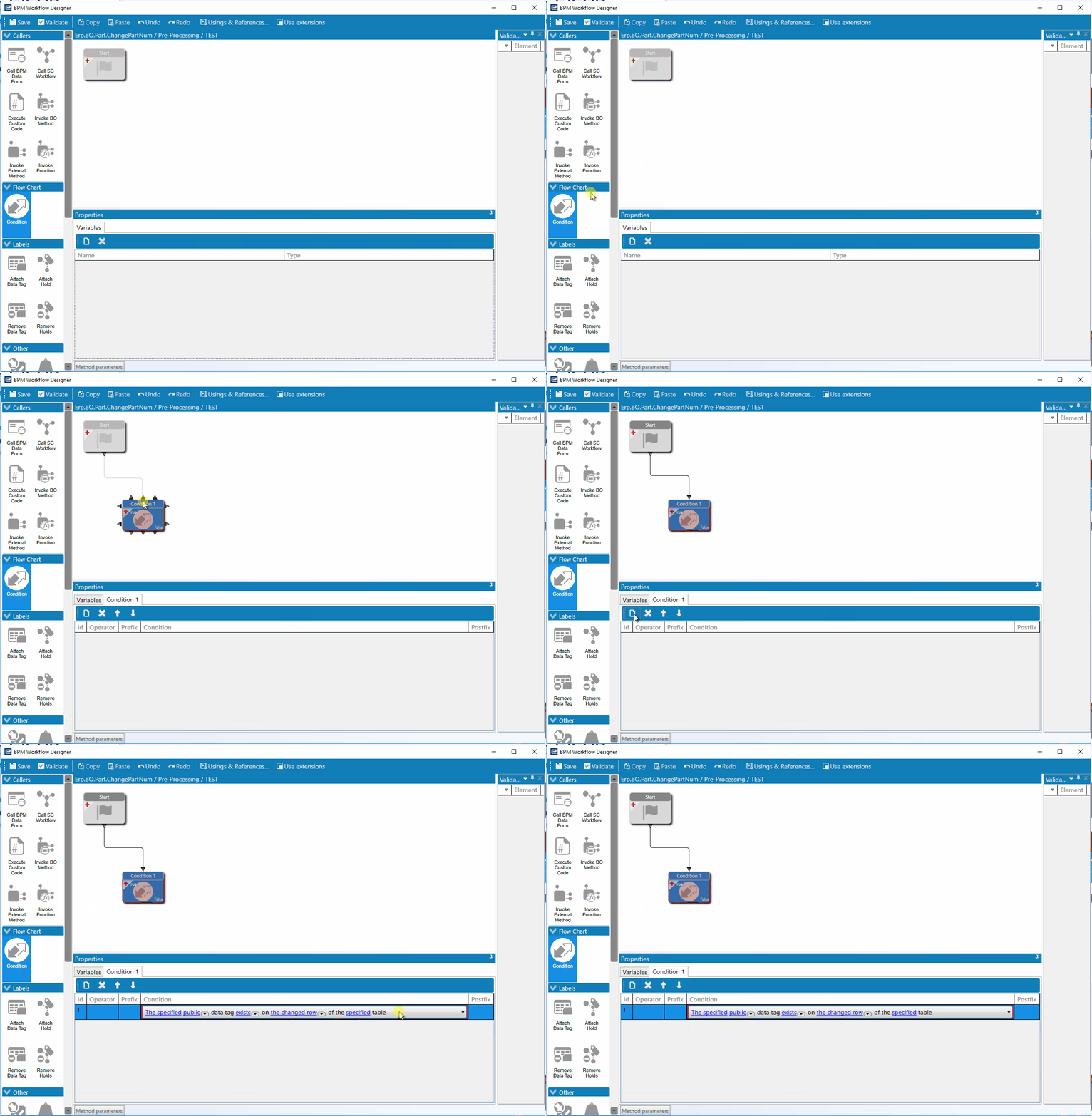
Then, the flow shown below. I thought this was going to be super easy… … but, alas. I must have an incorrect binding somewhere.
On Pre-Processing you dno’t have the data yet, either move it to Post Processing or, lookup the data yourself in the Db
only thing you’ll have in pre processing is the partnumber they typed in.
 … but, alas. I must have an incorrect binding somewhere.