How is the checkbox “Purchased direct” populated on MRP unfirm jobs? We have a part that this flag is improperly selected, and it is not consuming available material due to that.
Unsure how that data gets populated (original source) when unfirm jobs are created through MRP.
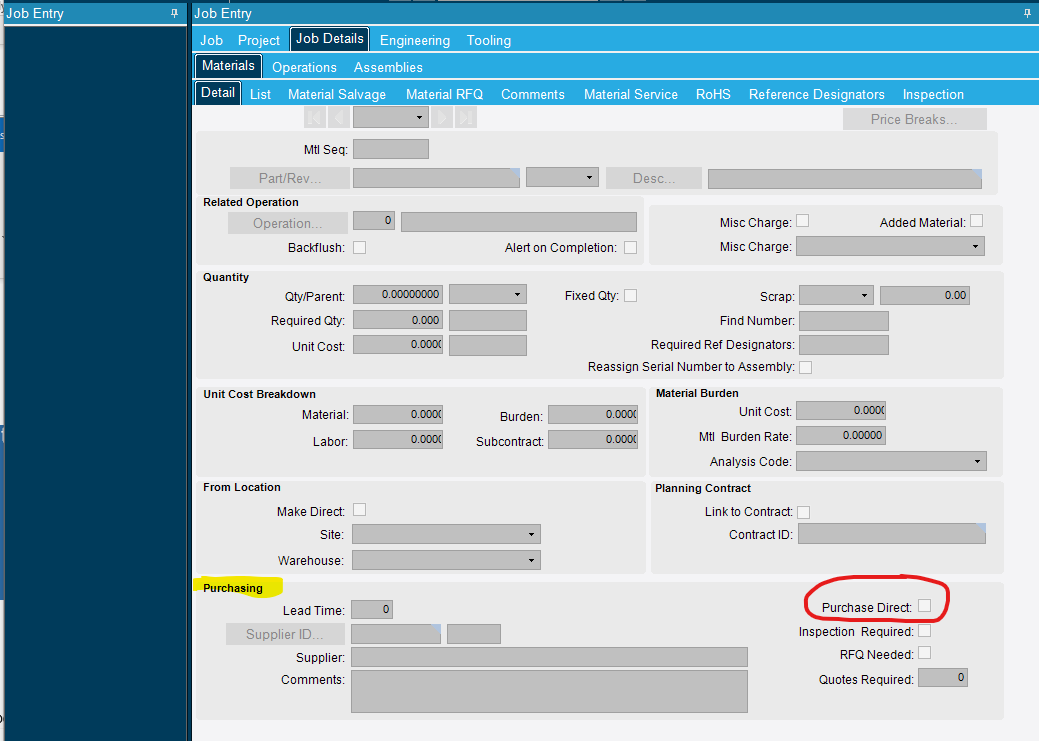
It can be set in a couple of places. Start with the jobs and look at the jobs that have this material in the BOM. You will want to look at the Purchasing section towards the bottom for the Purchase Direct checkbox to be checked:
I get that, Beth. What I am looking for is where that data is populated in Part Maintenance/Method Master. That is what drives the corresponding field in unfirm jobs, if my understanding is correct.
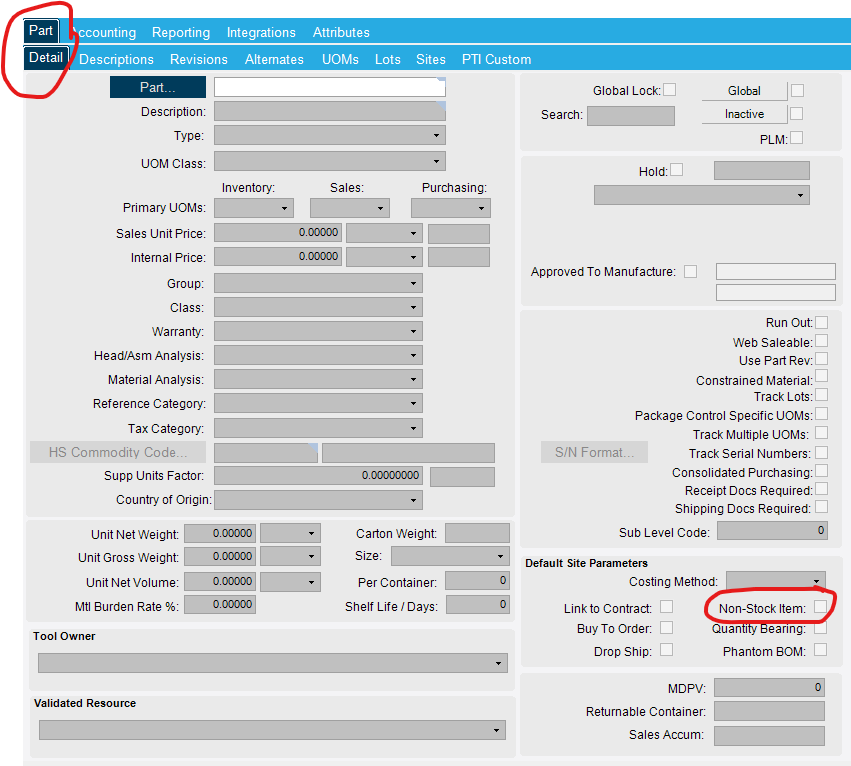
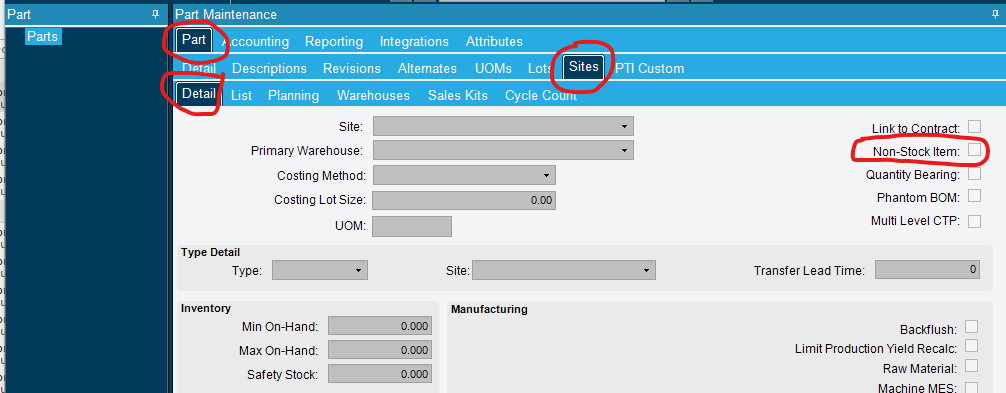
EDIT - Yay! For some reason, our item master was indicated “Non Stock Item”. I was looking for a flag in the method that defined the item as Purchased Direct, which was not successful.
Thank you, Beth, and Lacey. I originally missed Beth’s very clear snip of Part/Site/Detail.
I have this same issue but my general and site tabs are NOT marked as non-stock. What else could cause the part to automatically be checked as purchase direct in a job?