Well, I don’t know specifically for you BPM but I do know some good trouble shooting techniques, so if it was me this is what I would do.
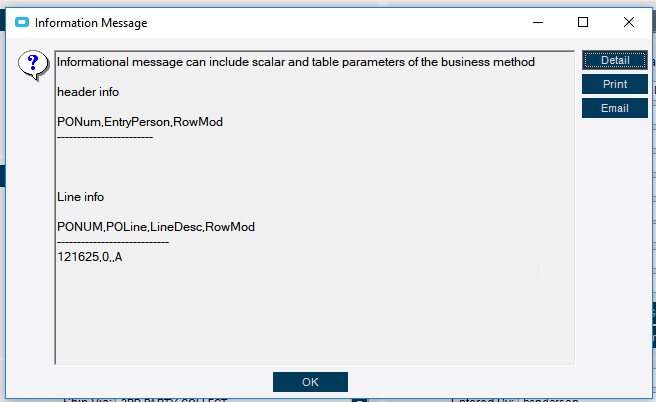
Message boxes can give you a ton on information, especially when you get things like “no rows” etc. You can do a field or table query to send back the rows and you can see what’s coming back and that will usually give you an idea. So I would do that first. My first though would be that the rows aren’t coming through as added (rowmod A) on the Post Process, since it already added the row. But I would have to check with a message box to be sure.
A couple of question about the behavior, does the BPM work as expected when you are adding a row? Does the error message only happen when you are changing/working in PO detail while not adding a row.
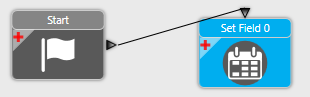
If that’s the case, I’ve always had the practice of making the first block a condition before I start doing anything like updating fields. It seems redundant, and maybe it’s not always required, but if you guide the flow of your BPM to only try and update the field when there is actually an added row, it might get rid of the error.
Just some things to try. You don’t really have enough information to get a definitive solution.
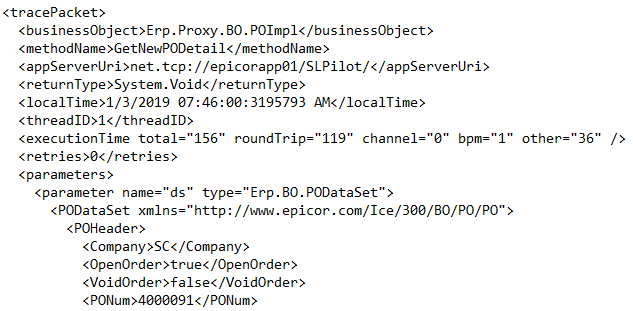
Well, the GetNew method doesn’t change anything, so I don’t think you are going to get a TT table (I could be wrong about that though), so you probably are going to need the BPM on the update method, not get new.
The users want to have he field default when they create new rows and releases. If I did an update method, the field would not populate until they saved.
If it’s an ease of use thing, it might be better to put that in a customization instead of a BPM. It’s easier to update real time there. You can use the wizard to do most of the work (it’s a data view notification) and you can default the value there.
BPM’s a really better at preventing bad information from being saved. Although it’s possible to default things, it usually involves customizing to force a save on the UI side.
That’s the data set that it uses to run the get the New PO detail line. The actual BO isn’t returning the header information, it uses it to perform the method. So it’s a parameter, not a result.
I would still recommend doing this is a customization if it truly is a “suggestion” to start with instead of something that has to be that way. (as long as you have access to customization I suppose)