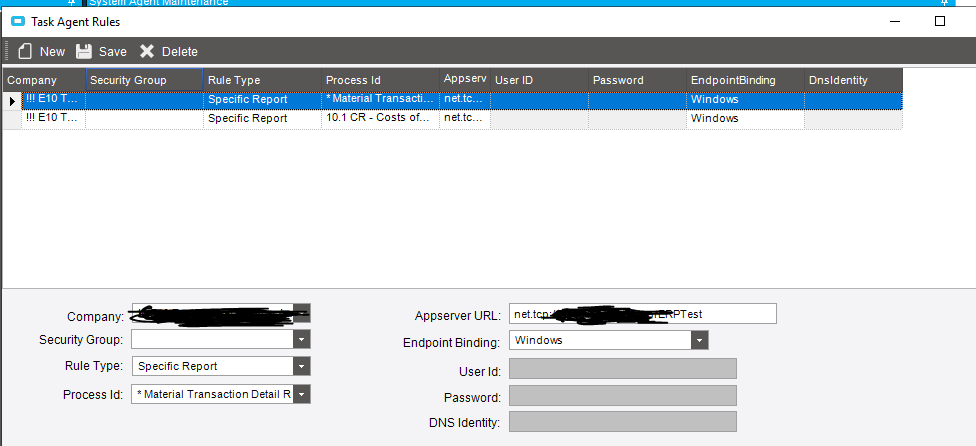
I know how to setup the task agent, but I am looking at how to get the scheduled reports to run on specific task agent. I have several of them and I want only the scheduled to run. I went to setup the Agent Rules and I saw an Schedule Epicor Function for Process ID, but not sure that is it or not.
After creating schedules in the SysAgent maintenance, they will appear on the drop down list of every report form. Item 1 in the pict below.
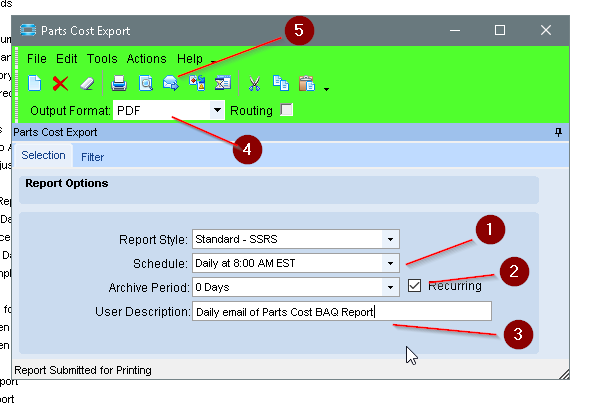
Check the Recurring box (2 in the pict above), if you want it to be reschduled after it runs.
Note that when defining a schedule in the Sys Agent, most of the controls pertain to the date. You’ll probably need to manually set the time in the Next Run field. Also, that field will control the scheduled task. So even if you have the schedule to be every Monday but the Next Run is 8/25/2020 09:00 PM (a Tuesday), it will not run until that date. Both skipping any mondays before then, and running on that Tuesday. Then after it runs, it would set the Next Run to 8/31/2020 9:00 PM
So If you have 6 different task agents, which i don’t but for sake of discussion, I can go and create eh schedule for one specific task agent, correct?
@ckrusen Basically, I have 4 app servers going toward the same Epicor DB. My goal is to split up which task agents run which report. I think Task Agent rules would do it, but something I can’t find. Also, would it be possible to put several reports into one process set? If so, this would make it easier to do overall.
You’re beyond my experience, as I’ve never had a setup with multiple Apps per DB.
The way I pictured it (which could be completely wrong), is that the Task Agents constantly scour the task queue, and if a task is found it executes it. Never really thought of the need to specify which Task Agent was allowed to do specific tasks. I think the Task Agent is assigned to a specific App. But no idea about specifying certain schedules to be managed by specific Task Agents
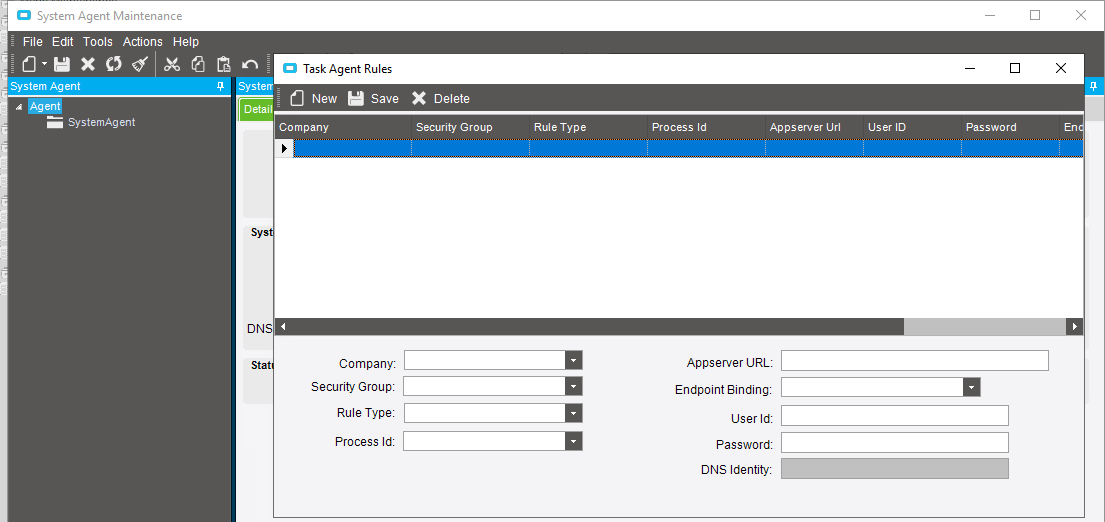
I tried doing by report and using the Rule type, once I selected the report and hit save, it reverted back to the first report. Not sure why, but it did it over and over. I’d like to be able to put several reports into one process and just schedule the process here in the task rules.