Why Doesn't Customer Shipment Entry Work?

Hey Epicor community!

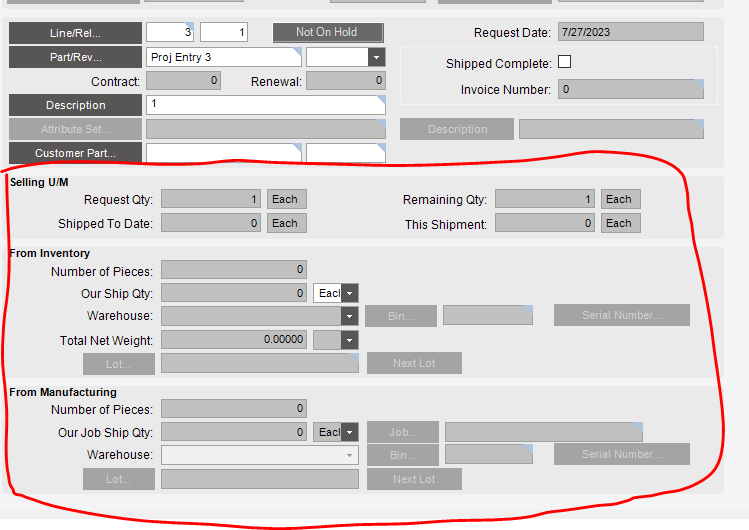
I am trying to figure out why I can’t successfully use Customer Shipment Entry to ship a line. I am using our test environment and trying to test shipping a line with quantity 1 for $0. However when I go to pass the line through, the section below is unable to be edited. I feel pretty dumb but I can’t figure out what I’m missing!

Thank you for any help you can provide :smiley:

@bbandrowski do you have access to the Epicor learning center by chance? I want to recommend a course that’s free and will help you a ton here.

Yea I took the class, I have a good grasp on the Order Entry side of things, and even after the class there’s something I’m missing that’s causing this to not be editable and I can’t figure it out! :upside_down_face:

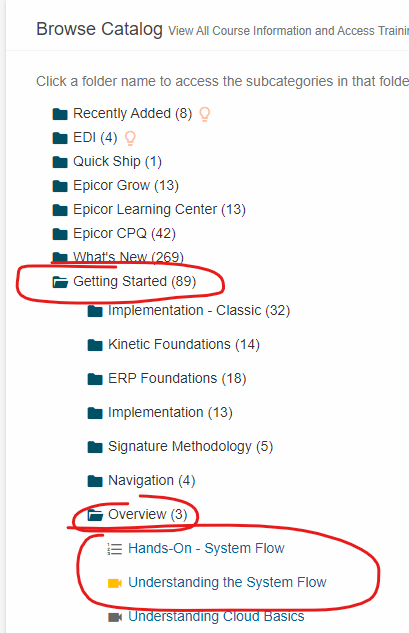
Take System Flow courses:

Is that part you have on your order a part on the fly?

Yes! It is on the fly, I’m curious if that has something to do with it

Okay, so what’s the process to go from sales order to shipment for a part on the fly?

You created the order line and now you want to ship it… what else did you do (or not do) in-between those steps?

These have to be Buy to Order or Make to Order. So you’ll need a linked Job or PO in order to fulfill this line.

Otherwise, you could use a miscellaneous charge on another line.

Doug, stealing the thunder… just kidding, but I was hoping to guide @bbandrowski to this realization by walking through the process and having @bbandrowski realize that there’s probably no link to this so there’s nothing to ship “from.”

I appreciate the teaching strategy! I realized I need to just go through all the ELC classes that are relevant

Season 4 Showtime GIF by Dexter

System flow is something I always recommend after you take a few single classes on individual subjects such as “Order Entry” or “Quote Entry.”