Hello Team,
The KB0068759 article states that it is possible to add a SSRS subreports in the cloud by using a different report writing tool (e.g.Visual Studio).
Has anyone added a custom subreport in the cloud successfully?
I would think that all you have to do is add the report in your folder, add it in the report, and then upload.
@jkane,
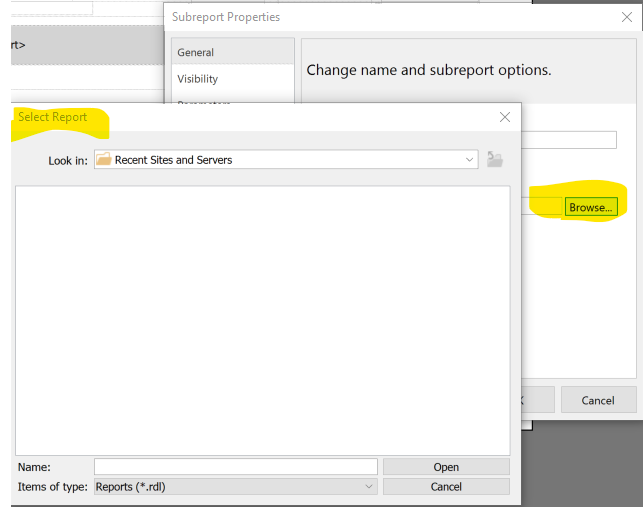
After clicking on the Browse button, the Select Report screen is empty. There is no way to select the subreport on the server.
How are you accessing the server if you are in the cloud? Is it an on prem cloud?
It’s on cloud. i am not able to access the server. The KB0068759 article indicates that it can be done by using Visual Studio. I was wondering if anyone had luck with adding a subreport in the cloud using Visual Studio.
You don’t need VS.
In the Cloud, you need to upload/download the reports. You should have a folder somewhere on your computer that you store them in. All you have to do is create the rdl in the folder of the parent rdl and reference the report in the parent. Then when you go upload the report, the sub-report goes with it.
@jkane, I did that. It did not upload the subreport. It only uploaded the files which were downloaded originally.
I can confirm this works. When you download your SSRS RDL file to your PC, it will create a folder, probably a CustomReports folder. You can place your subreports in the same folder as the main report, and then reference it in the RDL subreport properties. You only need to include the name of the report without the .rdl extension in the ReportName field. You only need to include a directory in this field, if your subreport is in a subdirectory of the main report folder.
I am wondering if the Pilot running in the cloud has different access rights than the production.
Even on-prem, I do it the same way as @jkane. Why? I can keep versions if I screw up. I’m not as brave working directly on the sole version as others do.

(How often do I get to use the same GIF more than once in a day?  )
)
@Mike_Tonoyan , let’s start at the beginning. What are you trying to do? We should be able to figure it out if we step through it.
- Downloaded the standard APCheck to my PC
- I copied the standard APCheck style in the reports/CustomReports/ProcessPayments folder
- Renamed the ChkPrint-1.rdl
- Created a very simple SUB_ChkPrint-1.rdl in the same folder as the ChkPrint-1.rdl file was. At his point was not able to add the subreport to the report.
5 Uploaded the new check print style using the Style Maintenance
The tech support just confirmed that the only way to create custom SSRS subreports was thru the professional services.
Here is how I do it.
- Open the base report in Report Style Maintenance
- Use the Actions menu to Copy Report Style
- This creates a new Report Style for the report
- Download the new Report Style I just created (this automatically puts it in the Custom Folder on my computer)
- Take the new report rdl and save it in the same folder with a different name
- Create the sub-report
- Add the sub-report to the main report
- Upload the folder
I’m Kinetic Cloud, have been able to do this without professional services. I do basically what John said, I use Report Style Maintenance, download to my computer, and I use Report Builder and edit the report on my system.
I use the classic version of Report Style, the kinetic version is still a bit buggy IMO. When you upload the report, if it’s not attempting to upload the sub-report, I’d check your links to the subreport in your main report. I would imagine it’s not pointing to the report. Also, make sure the access to the subreport is relative (just the name of the subreport), as any path on your downloaded report is not going to be there on the server.
If you’re still having issues, do a screen shot of the properties from the main report where you have the subreport defined.
Running into the same error.
Are you using Cloud Kinetic? If so, on the report Subreport Properties dialog “Use this report as subreport” field just type the subreport name without “.rdl”. Make sure the subreport exists in the same folder where the report is. When you upload the report, it will upload the subreport also.
I should of specified. Its not related to a sub-report. I am getting a similar error when trying to upload the report I just modified.
A similar error to what? It might be better to start your own thread with all the relevant details . . .