I was attempting to clean up some mismatched customizations that didn’t get set properly on our Part Tracker screen. We had two different customizations on the menu and wanted to consolidated. I was unable to find where it was in Menu Maintenance but was able to see it existed in Customization Maintenance. After giving up and using a BAQ to find the parent menu id, it appeared I had hit a dead end for the parent most menu id “BMMN0000”. No record existed in the Ice.Menu table. I first tried to use a UBAQ to update the customization, which it wouldn’t let me. As a genius would do, I created the parent menu id with the missing parent, and a bunch of sub screens populated in menu maintenance! Yay! Now I can’t delete it.
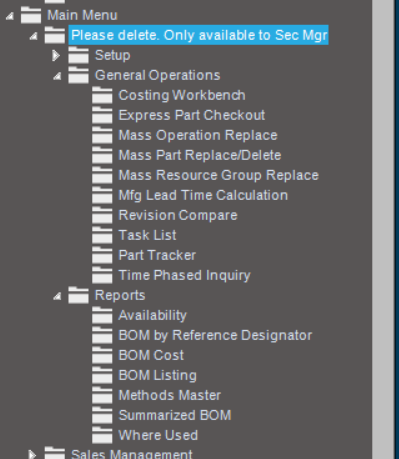
Was this a disabled/missing module? How do I get rid of it now so it doesn’t show to my users? I currently have it set to Security Managers only, but want to finish the cleanup job.