We activated Avalara, and we’ve gotten through most of the bumps, we think.
However, we have an issue: suddenly, our currencies are no longer formatting with the $ as a prefix, but instead, as a suffix.
$1,234.56 <== what we want
1,234.56 $ <== what we get
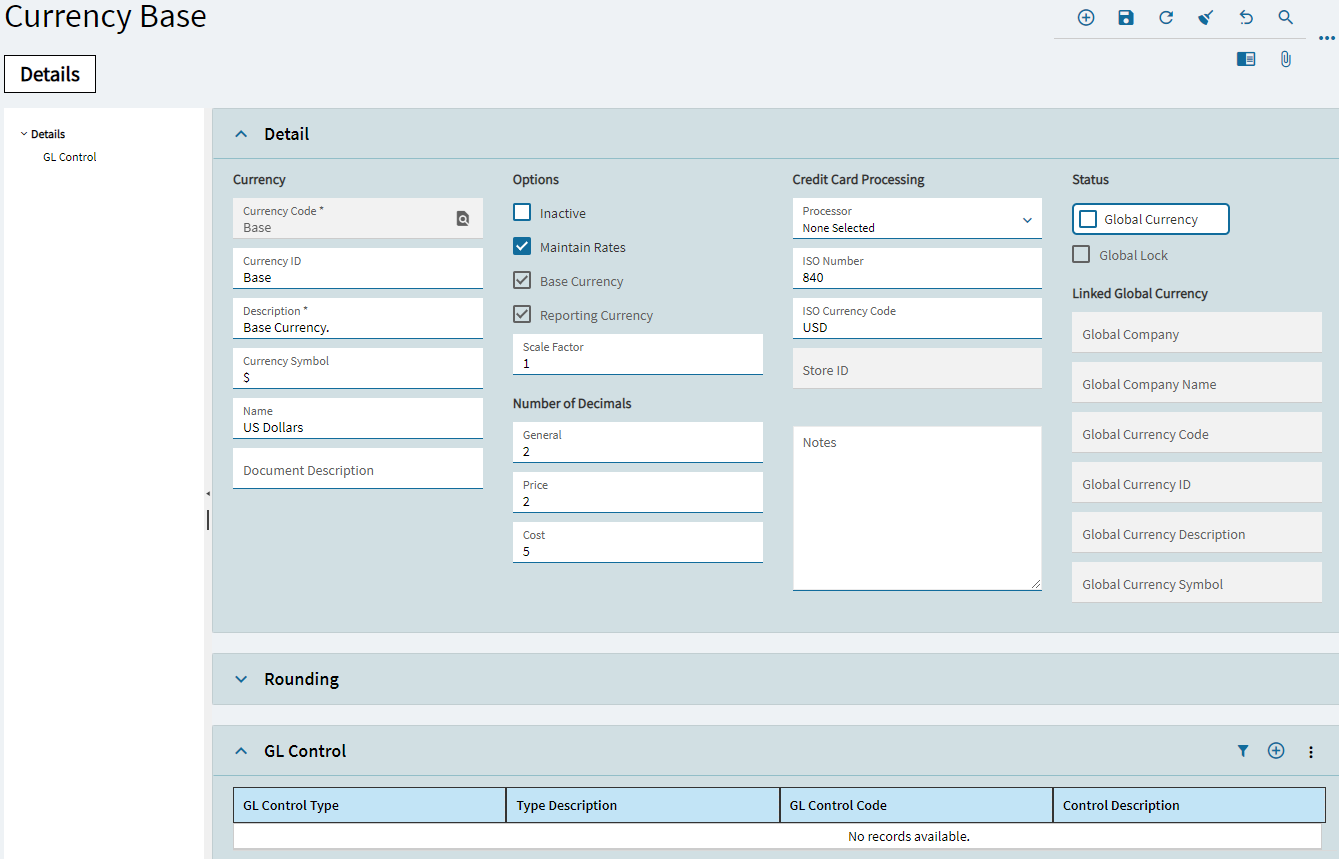
According to Gemini, the problem is that we have a single currency in our currency master, and it is named “Base”, instead of USD. Gemini says Avalara is looking for USD as the currency, and when it can’t find it, it defaults to … something else. We don’t have the paid currency module, so we cannot create a new currency called USD.
Gemini’s suggestion is to modify the .rdl of the reports, which would mean every report with dollars. Right now, the most urgent are invoices and check printing.
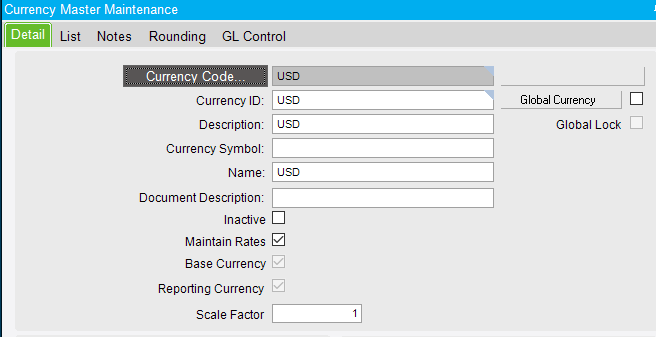
did you try simply changing the Currency ID field from “Base” to “USD”? (The second field on the screen)?
I believe you can change that without negative ramifications… but try it out in your Pilot/Test account first.
Printing invoices. Printing checks. It may be other places as well that we haven’t found yet. It relates to Avalara only in that it began happening when we activated Avalara.
I will definitely try changing the ID of the BASE currency to USD and see what affect, if any, that has.
Did it actually print the currency symbol as a prefix before Avalara? I’m going to bet that it didn’t print anything. You probably didn’t have a currency symbol until you integrated Avalara, since it’s a requirement. I’m not sure about checks, but I know invoices are printed with it as a suffix. I’ve never seen our controller twitch as bad as when I turned on Avalara and the dollar sign was after the total.
To be clear - for me this wasn’t an issue of turning on or off Avalara. It was from adding the currency symbol, which is required by Avalara.
The Invoice has this stupid border that’s 3 sided on the total, and 3 sided on the currency symbol (the missing border is between the 2). Changing the Currency Symbol’s text to white is a quick solution to hiding the symbol without having to remake the borders.
I’m going to push back on the implementation guy from Epicor/Avalara to see if he will agree that it’s not required.
Using a UBAQ to reset the Currency Master symbol to blank is a whole lot faster than tracking down every report that we have that may “suddenly” be showing the $.
[BTW, the implementation of currency printing, if done properly, should adjust by the Country, Culture, Locale, etc., settings, and should print the $ at the beginning for USD and at the end for whatever places put it at the end. But… the AR Invoice report has the label hard-coded AFTER the total amount. I suspect the check printing has the same thing.]
And once again, my deepest gratitude for each nugget of wisdom and experience that you all have shared. It is truly appreciated.
[I guess I should have said this at the beginning, but we are on-prem.]
In the end, we are going with a data fix to blank out the currency symbol.
We are very cautious: we will first test the data fix in Pilot. Then we will backup the prod db and apply the data fix over the weekend when no users are in Kinetic.
Until then, I also created a copy of the two SSRS reports (Invoice report and Check printing), with the currency symbol set to a white font, to give an interim solution until we can apply the data fix.
And thank you for the guidance. It was pulling teeth to get them to acknowledge that the currency symbol is NOT, in fact, required for Avalara to work.
If you are on-prem then of course SQL the field out. Thats what I did. Otherwise the other option is creating a BPM on ABCCode or an EFX and update via LINQ Db.Currency