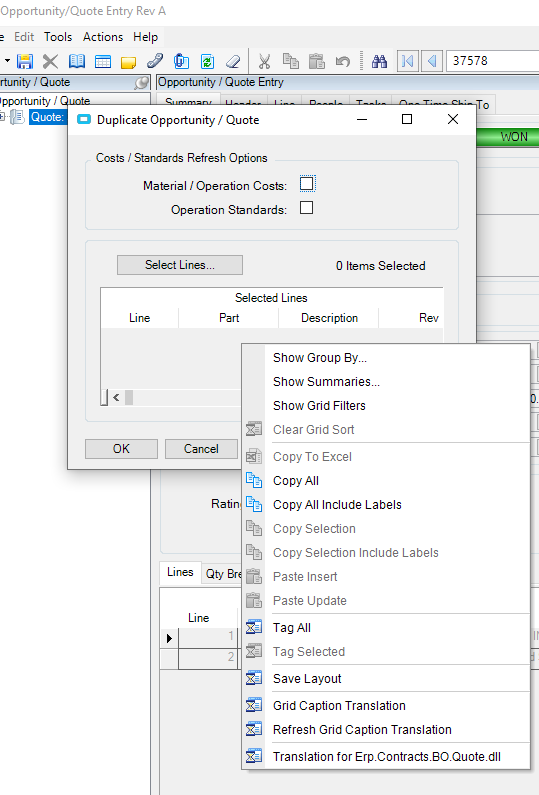
How do you launch customization tools for a pop-up window? For example, I am trying to hide one of the options on the Duplicate Quote screen from Opportunity/Quote Entry.
I have developer mode turned on and can open customization options for Quote Entry.
When you select Duplicate Quote with Developer mode active, you will get a prompt for the customization. Select Base Only to create a new one. The trick is the name of the customization of the popup window must have the same name as the Quote Entry customization to work.
Nothing shows up by right clicking. I can only get the grid right click options to pop up developer mode is definitely on because I can launch customization window from Quote Entry.
@Aaron_Moreng@bmgarver@dr_dan Okay I figured it out! The right click was in a very small spot on the screen (like a tiny little section on the top right). Clicked around enough to find it lol
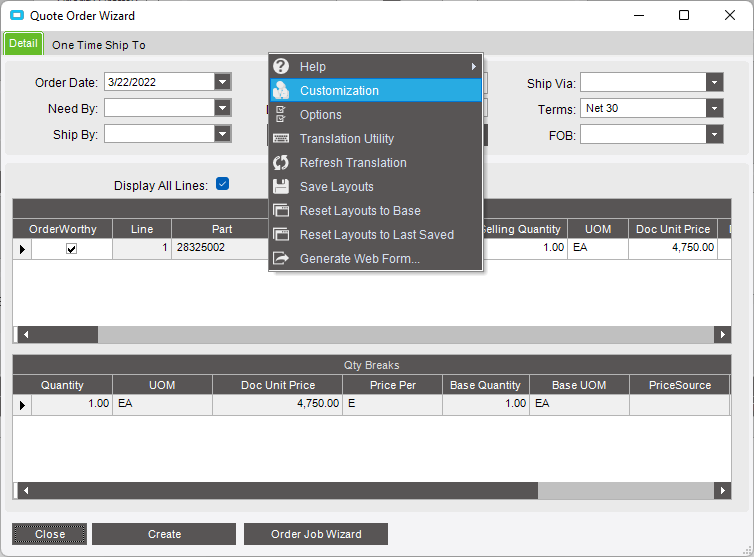
 developer mode is definitely on because I can launch customization window from Quote Entry.