When you say multi user PC’s, are you saying the users use the switch user functionality without logging the first session out?
Simon - Correct. The system may lock before the next user logs in or returns to the same system, with their own epicor sessions open in the browser. I would really like to move toward a more secure kiosk-oriented data gathering approach at each of these resource centers. That would enable them to focus on production data entry and less on what printers are available and PC system oriented tasks.
Diagnostics page looks correct, so now check if this is default browser - open command line or terminal or Run dialog, and type some address like https://google.com, it should open the Edge browser page without any additional questions or setup.
If it happens go to Kinetic page, open Developer tools and refresh page after that. What is written in the console message?
Hi Alisa, Interesting and good catch, that screen, which I regenerated for the purposes of capture, is somewhat different than the other one we’ve been getting. With the scrunching of windows to compose that screen grab in the PILOT system, I did not recognise that change. Also, I am working with our outsource IT rep and perhaps something has changed in the meantime between PILOT and PROD - I’ll check on that regardless. I cannot regenerate that exact message at this time. The other message from PROD is more blunt. Perhaps that prior message was because a windows or Kinetic session timed out for the user with the lock on the port ?? I’ll try to verify and recreate that set of conditions, if I can - kinda tricky to do in the production instance.
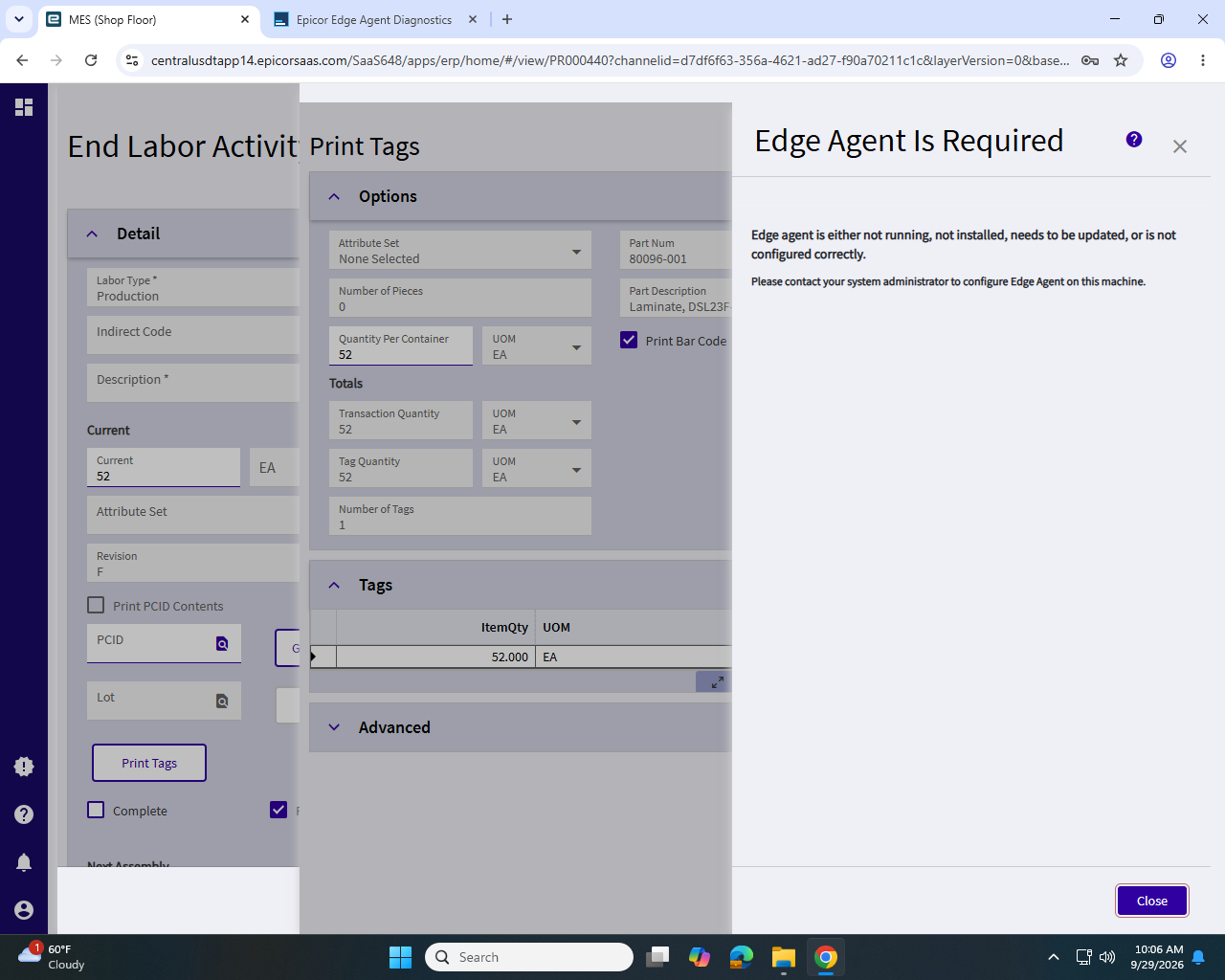
The issue is that the local client of the edge agent uses the same websocket for every login /use session and switching users the previous session still exists connected to the socket. You need some way to either:
Have the virtual/rds client installed or log the previous user out of the user windows session when the timout occurs. The latter being rather user inconvenient.
I still find the edge agent install process is a bit confusing network, virtual, sillent/local
The last time I played with it after I was testing the USB functionality for a weighbridge simulator I built. I could not get the virtual install to work on a standard pc and had to use the silent install to install the local version… Maybe the issue is that virtual should be renamed as multi session and allowed to be installed on stand alone PCs as well as rds
nothing prevents you from doing this. But you lose autoupdate and the overall architecture is more complicated than necessary - service + tray app + default browser to communicate the port instread of simple tray app that will use default port and silently autoupdate without admin mode required.
Olga, Thanks for mentioning that auto-update would be lost. Our users do not have any administrative rights.
Auto-update does not require admin rights. That is why local EA installer is a separate file that can run both as admin for the first installation and without admin right for subsequent silent auto-updates.
But anything related to service, which includes Local EA for virtual desktops requires admin rights and there is no way around, Administrator installs it and upgrades it manually too
We got the silent installer script and are going to try and use that on both the basic LEA installer and on the NEA installer, hoping the switch for a virt desktop is shown in the cmd /? switch listing.
I also noticed a while back that there is a new Printer maintenance tool specific to pairing Resources and printers and this may be something I can leverage in a customization, looking up the associated printer for the MES End Activity at Op and its primary resource’s printer, for each of the operations. Then, for any Print Tags actions, just send it to found resource printer. Just a concept so far.
switches are automatically set by installer so you should see it there.
Possibly using workstation functionality to do the printing?
I explored that as well a bit and thought it would be a good solution because I could assign each user to a workstation and if they needed to change to a different workstation, that could be taught easily.
That idea was met with squirt guns & lead balloons. The issue being that shop staff and leads are often logged into jobs and operations across wide areas of the building (it’s a big building!) so they might be ‘switching’ workstations as they help in various areas and with different resources - hence my new interest in the Resource Printer Maintenance app and table. At least Resource Printer app links the Resource to a PC station/printer nearby (Or a person ‘resource’ - where the person is in a office with a barcode printer nearby). Chances are that they would walk to that area when they are about to End Activity, report quantity and print tags. And if they are not reporting quantity, then no tag is needed yet. I think that is the route to go for these types of tags that do not present the user with a printer selection dialog. I need to reduce the choices down to either where they are doing the transaction or a very limited list if I am going to create a custom button/dropdown feature.
Regardless, Thanks @Hally! If you think I am overlooking something that would be easier, more robust, dare I say elegant, let me know. I borrow solutions and code without much shame.(Apparently so do all the AI agents from the EpiUsers.help attributions I see constantly) I am not proper developer. So, “I get by with a little help from my (epi) friends, gonna try with a little help from my (epi) friends”