Just ran into the exact same issue.
This is how I solved it.
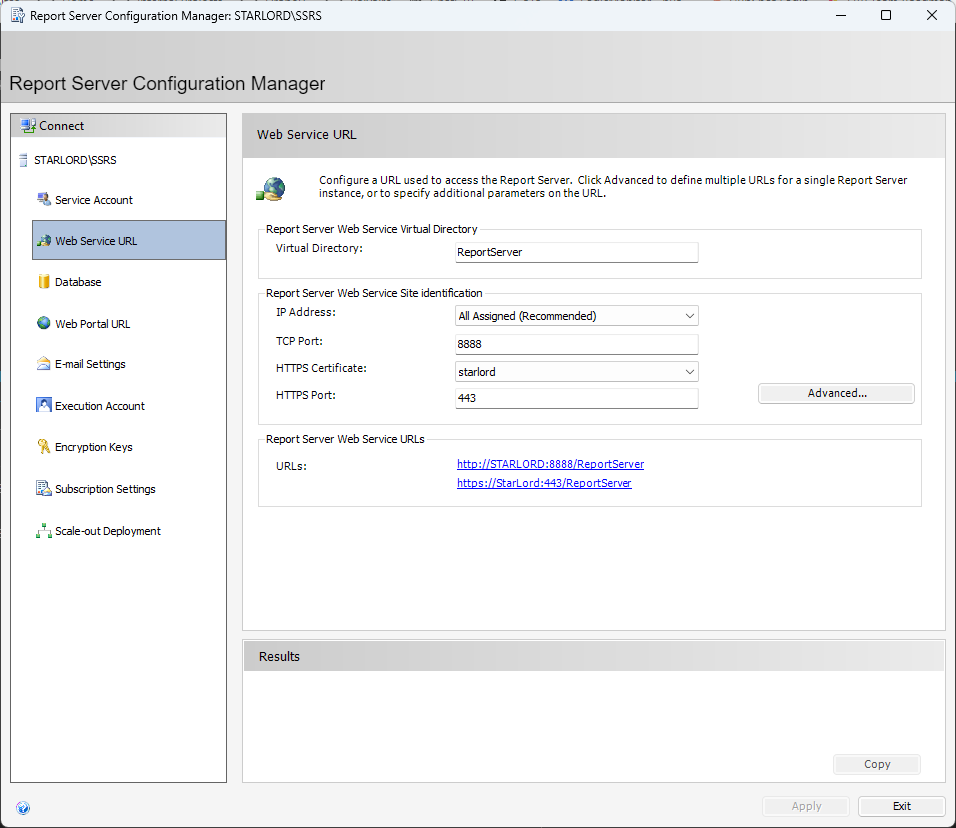
Checked my report server config and confirmed the URL. Note in this instance it’s using port 8888
I then took that information and updated the app server config and deployed.
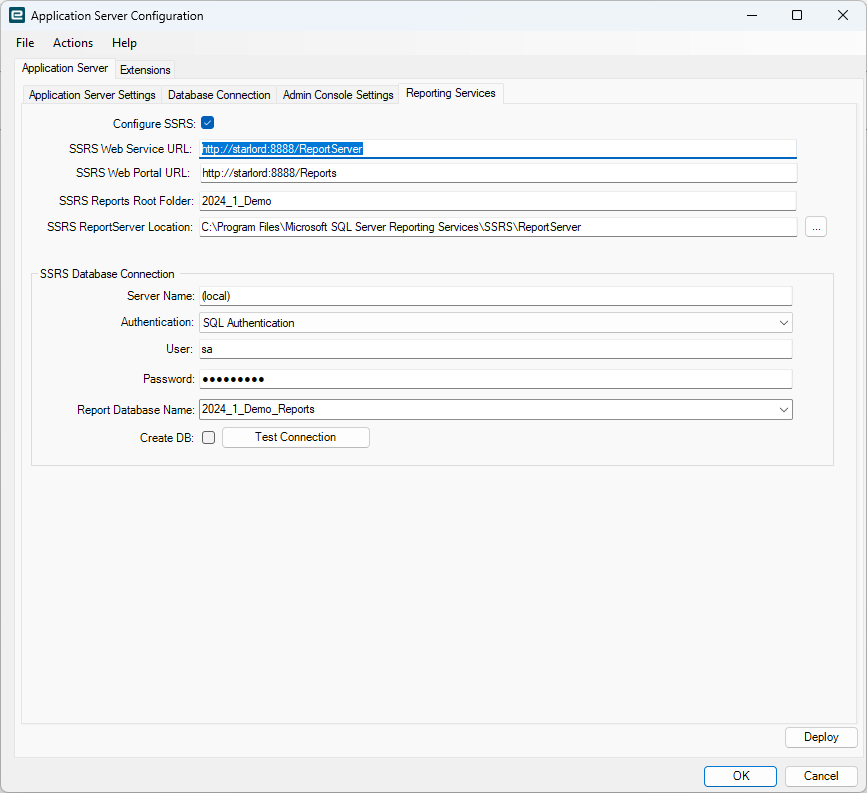
One thing that is a bit concerning is the Import Reports Checkbox is missing…
This is unusual… Not sure how I’m going to generate all the reports on SSRS without it…Ticket time I guess. The help clearly mentions that it should be there. The application install guide has a different image for the reporting services tab also. Yikes! I have logged a case on that.
EDIT
I have got feedback from Epicor on this. Will post to another thread. and link back here.
Here’s my other post