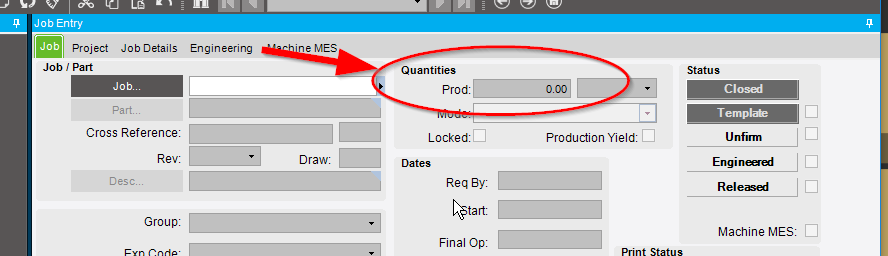
I had a user that claimed when they clicked Control-Delete-PrintScreen on Job Entry that all Material got issued and all Opersations completed. I have never seen this before. My first thought was a Hot Key. Also now when they enter a new operation on the job it Auto Completes as soon as we add it. Why would it do that? I am at a loss on this one.
Is there any other way to Auto Issue or Auto Complete the Operations on a job?
We do not have Job Completion process set up and the Job is not marked completed.
You have to (or should) make labor entry records to complete operations. I would never expect to be able to do this in the job entry screen. The only possible way I can think this would work would be if there was a very advanced customization done.
If your prod qty 0? As in, do you have no demand links? If it’s run qty is 0 and then it matches when it’s created because 0=0. If you add some demand, they should not show complete.
I’m guessing there is no JobProd/Demand record, so it’s showing a production quantity of 0 on the job. In that case all the operations/materials will show green checkboxes as complete.
check the PartTran table and look for who and when the parts were issued. I suspect that someone may be telling a fib. Also look at the LaborDtl table.
There is no way that I know of to do any issueing, receiving, charging labor, or closing of jobs from Job entry…
I see in my change logs on 1/29 the changed Prod qty to 0
and all Required Qty changed to 0
and all Run Qty changed to 0
IT all happened at the same time.