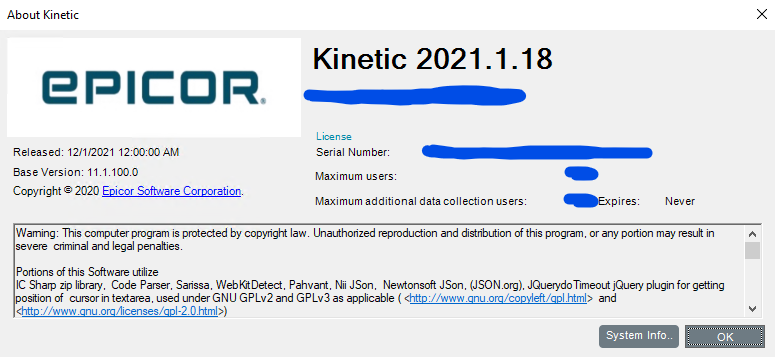
This is using Epicor Kinetic 2020.1.18 which has a few roadblocks / quirks with application studio that seem to be fixed in other versions.
I very new to Epicor Kinetic customization but have worked with other systems.
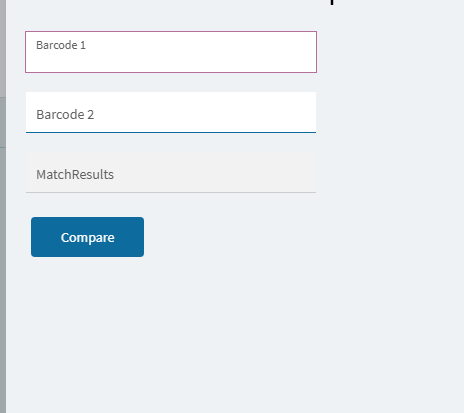
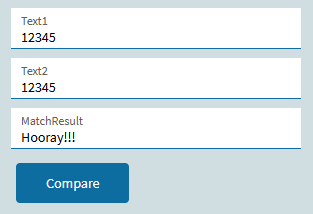
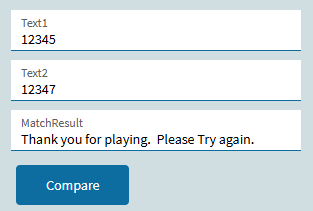
We are attempting to build a slide out screen which has two text fields that the user fills in by using a scan gun to scan two bar codes. We would like the two barcodes/text fields to be compared to verify that they match and then somehow notify the user that they match or that they don’t match.
Ideally this comparison would happen ‘automatically’ once the 2nd barcode is scanned.
Currently, I have a 3rd text box which I’m changing the labelText to show MATCH! or MISMATCH! but I’m open to other alternatives / suggestions.
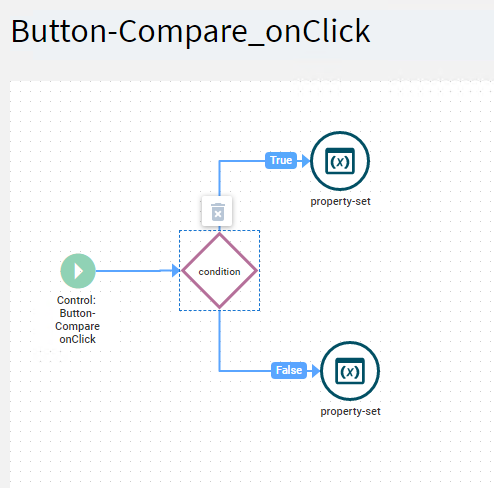
The problem I’m having is the comparison logic isn’t working. I have it set to run when you click the ‘Compare’ button but it doesn’t change the labelText. However, if it just expression for the condition paramaters to true or false then the lable will change so I know my problem is with the condition parameter expression. I’m not sure how to compare the two fields.
The fields are not ‘bound’ to anything in the system , they’re just temporary input values.
I’ve tried various expressions for the condition such as:
TextBox-Barcode1 == TextBox-Barcode2
TextBox-Barcode1.Text == TextBox-Barcode2.Text
TextBox-Barcode1.value == TextBox-Barcode2.value
Appreciate any help the community can provide or any other suggestions of how to do this differently.
So… I don’t think there is a Kinetic 2020; it started at 2021.1. Maybe this is 10.2.700 or whatever the last 10 release was?
But regardless, if you do mean anything before ~2023.2, then there is simply no hope for using App Studio. Nothing is reliable in the early versions of Kinetic.
I like App Studio a lot - I’m not trying to bash Epicor here - but the cold hard reality is that it’s not you; the software was just not usable in the early years of Kinetic.
Unless I’m reading that wrong is looks like its telling me that the version is Kinetic 2021.1.18. I think i mistyped when I put 2020.1 my eyes are going crossed at this point..
I asked Epicor for any component definitions so that I could know exactly the property and how to refer to it to make changes and their response was
"I do not believe our Education Department even had any Application Studio Documentation for the Kinetic Version you are running. However, the on=line help is current, as our on-line help is updated, as needed. "
they recommended I post here in hopes someone else would know how to do it so I was hoping some other users would have a suggestion
Just use whatever dataview.column(s) your two two textboxes are bound to.
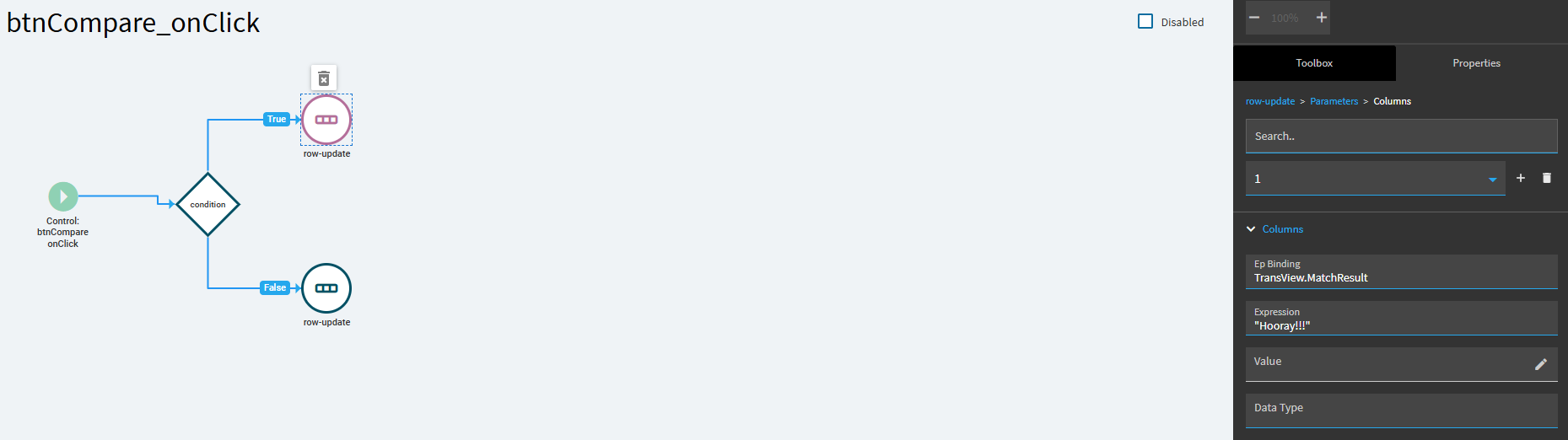
Also… instead of a property-set… just set your MatchResult text box to another generic binding. I used TransView.MatchResult. Then you can just do a simple row-update on that binding to present whatever feedback you want.
Perhaps I’m not fully understanding how ‘binding’ works. At the moment these text fields aren’t bound to anything, it’s temporary data on a slide out panel and not anything stored in the db. What it sounds like you’re saying is that I can ‘bind’ these text boxes, even temporarily so that the program can access what values are stored in them more easily is that right?
In your condition example you have ‘{TransView.Text1}’ I’m assuming Text1 would be the object name of the text box? In this case mine would be Textbox-Barcode1 and Textbox-Barcode2
Also we’ve now ‘upgraded’ the test system to 2025.1.1 does that change any way that I’m doing this?
Yeah, “TransView” is the typical dataview name used by Epicor. it is a temporary dataview that is only active in that current form session. But you could put any data binding you want on those textboxes. They key is to use the dataview.column format.
For example, you could use: tempview.Barcode1 and tempview.Barcode2
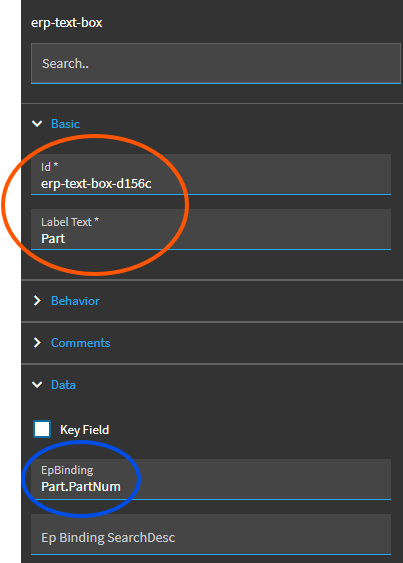
The ID and label text really aren’t that important in this context. What matters is the EpBinding. This is where the VALUE of this textbox is going to be stored. In this case, whatever I type into this textbox is going to be stored in the “Part” dataview, in the “PartNum” column.
And you can create temporary dataviews on the fly. So, if you set up your textbox bound to tempview.Barcode1 (for example)… it is going to create a temporary dataview called “tempview”, and store whatever you type (or scan) into that textbox in a column called Barcode1.
You would do the same thing for the second barcode.
Then your button click event is going to compare the values stored in those two bindings. They are temporary. You’re not writing anything to the database… in this case they are just a runtime dataview.column references you use during the current session.
Thanks so much for the help. I was able to get something going.
Do you know if there is any decent training for Application Studio available? I took some of Epicor’s courses online but what I did was very rudimentary at best. I’ve used other ERP systems like FourthShift and even SAP and didn’t seem to have as many issues with those as I have had customizing this system. Granted, I’m new to it and also 2021 version apparently was pretty bad..
Take as many Application Studio courses in Epicor’s learning center as you can stomach (to get an understanding of some basics, and even just get a feel for the structure and navigating around Application Studio).
Then, invest in some paid training. One of the best things I did early on was pay for some consulting hours. I’m sure they have some canned paid training courses you can take, but, like you said, I was afraid of them being rudimentary and I also didn’t want to spend time and money building some canned customization that I really didn’t need.
So, I tried a different approach. I had a decently complex dashboard/customization project in hand that my company required prior to our Go Live. I paid for Epicor development/consultants to build it. BUT, I requested upfront to use the hours as training. I’m sure I paid for additional hours, as me tagging along slowed them down… and may have paid a premium (not sure if they charge different rates based on training vs development consultants) but the value was huge. We scheduled time to work on the dashboard, and they built the customization while I watched, followed along and took notes… and after a couple sessions, they had me drive and walked/talked me through it.
Yes, that option costs money, but I learned a lot of tips and tricks… got a project completed that was needed by my organization… and I had an Epicor developer personally training me as we went, answering questions, etc.
After that, my best advice is to become a regular HERE! I would say my time with that consultant early on provided me with the basics… but the experience, community, and willingness to help from the people on this forum is invaluable!