What version are you on?
Do you get errors?
Send me a screenshot of the ones that don’t delete.
What version are you on?
Do you get errors?
Send me a screenshot of the ones that don’t delete.
Version: Kinetic 2023.2.3
there is no error from what I can see. I have tested with several user and they do not get deleted as well
I haven’t tested this in the latest; I can take a look.
Have they really not added this natively yet? @aosemwengie1 go attack them. Get 'em!
I would say shockingly they have not, but its not really that shocking is it? It says its “in development” so maybe some day.
No, no they haven’t 
They also haven’t fixed the disabling for Personalization for users in Kinetic. Epiccare came back to me with disabling it in Application Studio. The thing is I cannot find the option to disable it for the Grid Layout. Only the Overviews for Kinetic that they had. 
Main post with most recent updates: Need votes for a program to remove kinetic personalizations - #17 by hmwillett
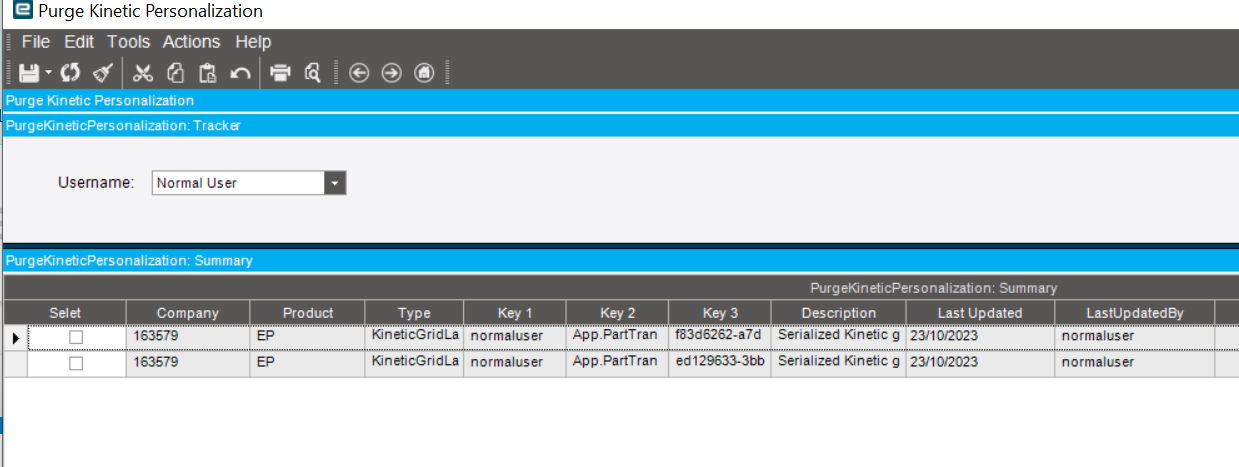
Try this:
PurgeKinetic_Customer Solution_4.2.400.0_102423.cab (55.9 KB)
Great it works now! 
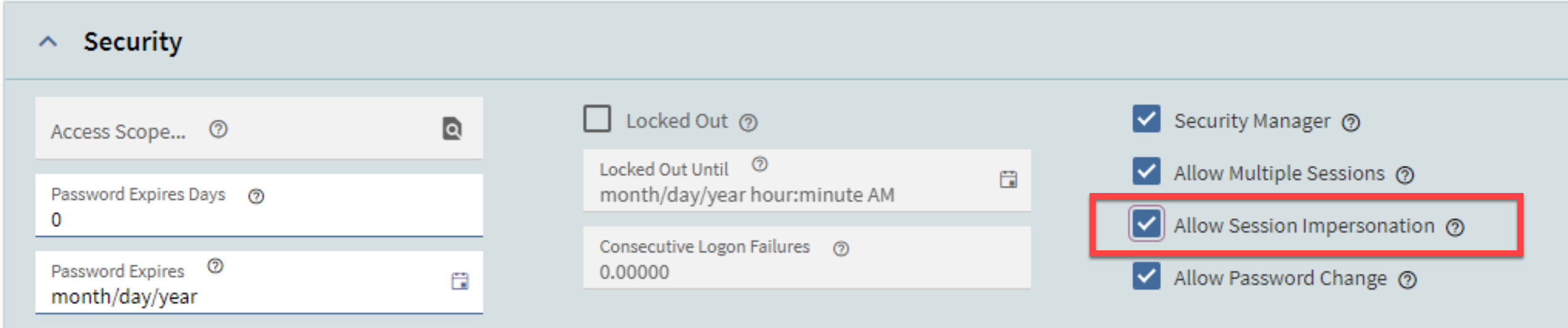
When I did run it the first time it didn’t work but I found an error when I hit multi-thread save. My user account didn’t have the impersonation enabled and after I enabled it it works fine. Just FYI incase anyone has the same issue. 
Thanks for the help @hmwillett
This is a life saver. Had a user experiencing the same issues as stated and this worked perfect. Thanks!
Hannah,
Great fix!
We have had a ticket open with Epicor for a couple months - they couldn’t figure this out.
This solution works.
Also found that if you sort and save layouts on the grid it will break the process again.

Need to bump this post! This is the answer to all of my problems for the last few weeks!
Just read this post (below) and I am thinking, “You can’t delete user personalizations in Kinetic!” Oh yes you can!
Can you believe this issue that has been known about since around Oct 2022 is still going out in releases unresolved? I am shocked and extremely frustrated.
Not to mention, why do we have to delete the personalizations in the first place? Because the “feature” is breaking users forms left and right.
Hell I had the Kinetic BAQ designer corrupt a large query… thank god I had a backup.
Really regretting moving to Kinetic forms…
Perhaps development of new features\additions should be halted so they can focus on the core product. Dont build a house on the sand.
Here’s to getting poisoned next week at the official dinner by unknown assailants 
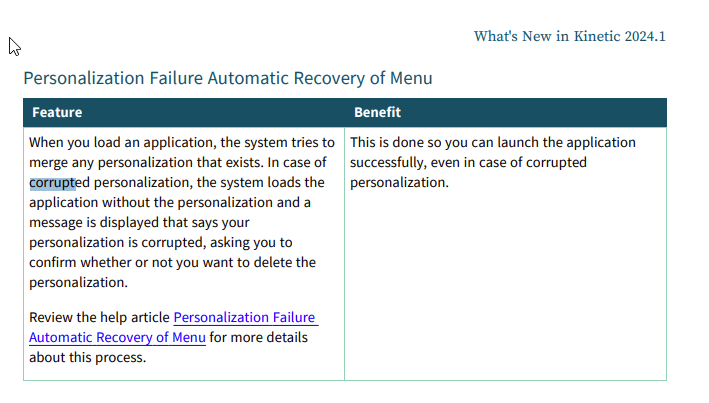
To be fair, they ARE addressing the issue. I am really hopeful this leads to a significant improvement once we are upgraded:
Right, I really love the browser idea, but nothing has made me look like such a failure at work as this. No one says this to me - I am hard on myself - but I take it personally.
I can’t tell you how ironic it is that I thought that by moving to the browser that my software issues would go away, since there was nothing to install anymore. Instead, I feel nearly powerless to resolve the issues because there is no software to reinstall, nor does restarting the computer magically help, etc.
Even me, Mr. Cloud, doesn’t have those expectations. We’re trading one set of problems for another. I still think in the big picture, we’ll have more opportunities (and some problems) by moving to cloud native technologies. Not all solutions will work for everyone. We have to take what we like and work around the others.
@JasonMcD
I identify with what you are saying.
It seems like Kinetic has these little bugs that Epicor support have just come to accept. I am working with a new customer and I have run into this issue with Personalizations and not being able to use an Epicor solution to resolve it. Hannah’s solution has come to the rescue now a few times for me.
It’s in the top drawer of my tool box.
Here’s to hoping Epicor does improve this UX soon.
I’m not sure if this has been resolved somewhere else in Epicor directly at this point, but we are going live this weekend with the 2023.2.11 Epicor hosted cloud and I tried to use this to fix an issue with one of our users so they could complete some testing, but it didn’t work. I doubt you’ll have a fix before the end of the day today, but just wanted to throw it out there that this doesn’t appear to work for either cloud-hosted or 2023.2.11. Maybe I did something wrong and would be happy to have someone correct me, but not sure I did.
Thanks in advance!
When you run the solution from Hannah - make sure that your user is setup to allow impersonation.
In classic the field is call User.CanImpersonate
Does this solution allow for the deletion of another users’ personalization’s? I thought the allow session impersonation was my issue, but that doesn’t seem to be the case. Am I missing something here? Really like and appreciate the solution!
I just used this literally 5 minutes ago. Yes, it does work on another user’s personalization.
This is the only way to have fixed the issue.
Well despite me responding to this thread immediately after this post, I somehow missed this.
But now that it has been a few months, how is this working? Does it eliminate the need for the updatable dashboard from this thread? And it sounds like any user can use it?
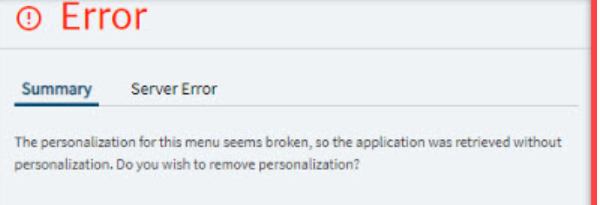
For others’ sake, this is allegedly what the error will look like (you click “Yes” to remove the bad personalization):