Well Clive came through this morning and did get it submitted.
PRB0299457
13 Likes
For me it’s more often PEBKAC testing. “Surely some field and its relationship to another is distinct within my query” is an easy assumption to test with a count(*) over(partition by my assumed distinct data) then filter or sort by that column in results. That kind of thing, often requiring filters rather than sorting if it’s more complicated.
Totally not normally an option in text query editors, but in that case it’s just too easy to sub-execute portions or prepend/append select * / where whatever and F5. It’s possible to BAQ that but takes eleventy times as much work and it’s easy to break something in the process.
3 Likes
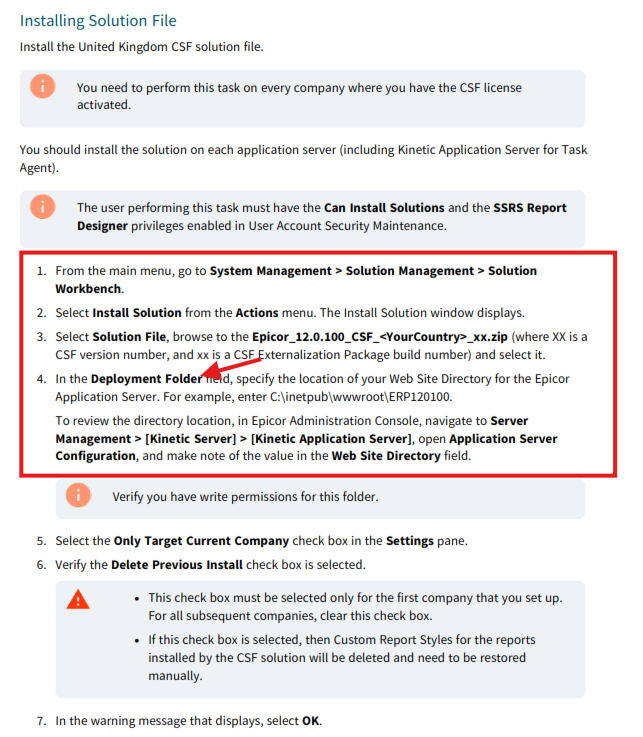
For those that have to install a CSF , it would seem that someone has copy and pasted from an old obsolete version of the installation documentation and just updated it for 2025. The below marked section is from the 2025.1 documentation which is incorrect as ‘Deployment Folder’ does not exist.
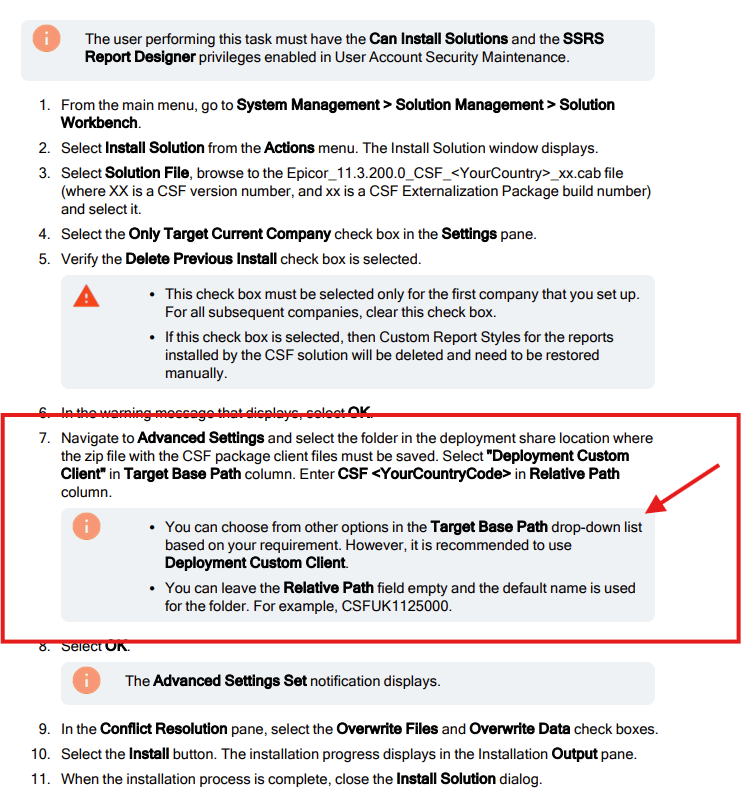
The below is from the 2024.2 documentation that is correct and works.
5 Likes
I’m following the On-Prem Installation guide for Kinetic 2025.1 and noticed that it hasn’t been fully revised either. 
2 Likes
I just realized that we haven’t done much testing in 2025.1 at all. What sections should we focus on for testing? Reading through the thread makes me pretty nervous for this release.
So it seems the browser is working fine after installing the CSF as per 2024.2 instructions but the client i am getting
1 Like
In all honesty, test it all against your daily processes. Look at any customisations you already have and make sure that they are working fine. A lot of testing has already been done by those of us that were on the Controlled Release BUT none of us are perfect (well @josecgomez may be as close as can be  ) and as can be seen when others start to test things it can show up other issues.
Internally, i always test first, then pass to a developer to test and then we pass to our ‘Super Users’ to test. Inevitably we will still miss something in the testing BUT we pick up a lot of any issues that there may be.
4 Likes
An easy way to check what tests are getting done
Do a BAQ on the PartTran filtered to when the the update was done
It will show you who’s doing testing in the system
Or just run the inventory reconciliation report with filters for the dates of testing
3 Likes
Everything from Quote to Cash. Make sure the upgrade will not break your business.
7 Likes

10 Likes
Have never used that before. Going to be using it a lot in the future. Thank you.
2 Likes
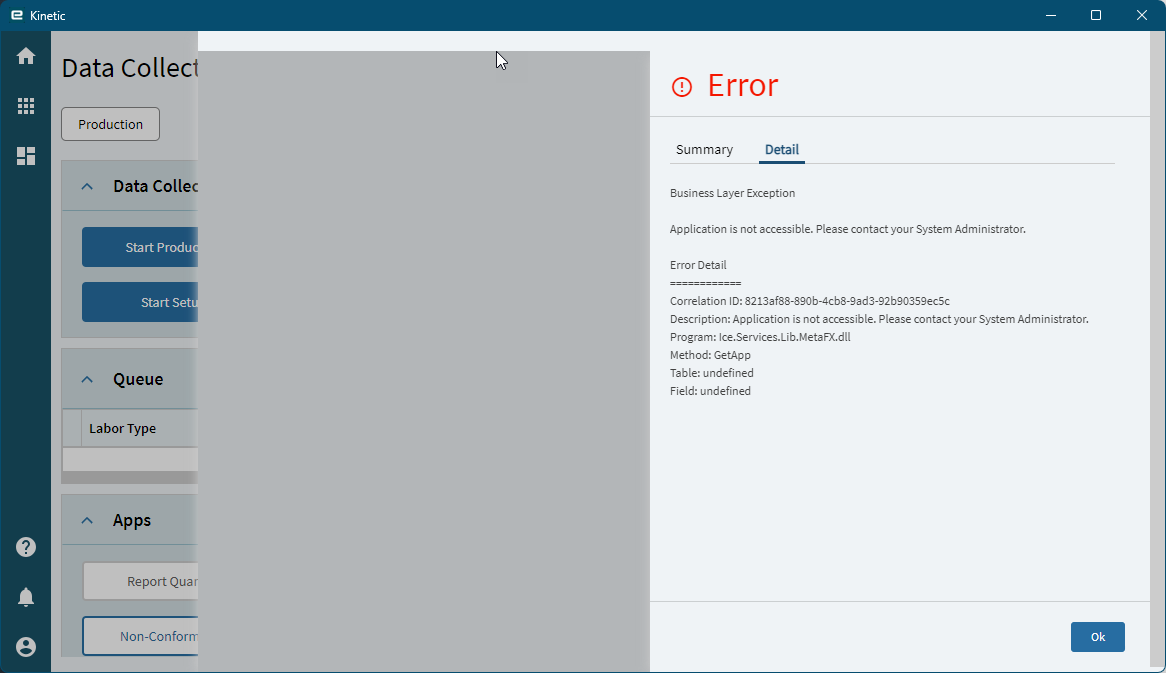
For now 2025.1 WILL break our business as we will not be able to use smart client Data Collection (MES) with the grey screen issue it’s presenting. Epicor has a PRB open PRB0299360 but if we don’t get a resolution by next Monday I’m going to be screaming that we need to be granted a delay in upgrading.
6 Likes
You’re in a lot better shape than we are. MES in 2025.1 won’t load ANY apps, and we can’t even log in using a browser. sigh Going to bring our factory to a stand still if support can’t get through this by the June 20 (ish) Live update.
2 Likes
I went into MES - Pilot and had no issues launching Job Tracker and Start Production.
Could it be server dependent?
This is on Public Cloud - not multi-tenant or government.

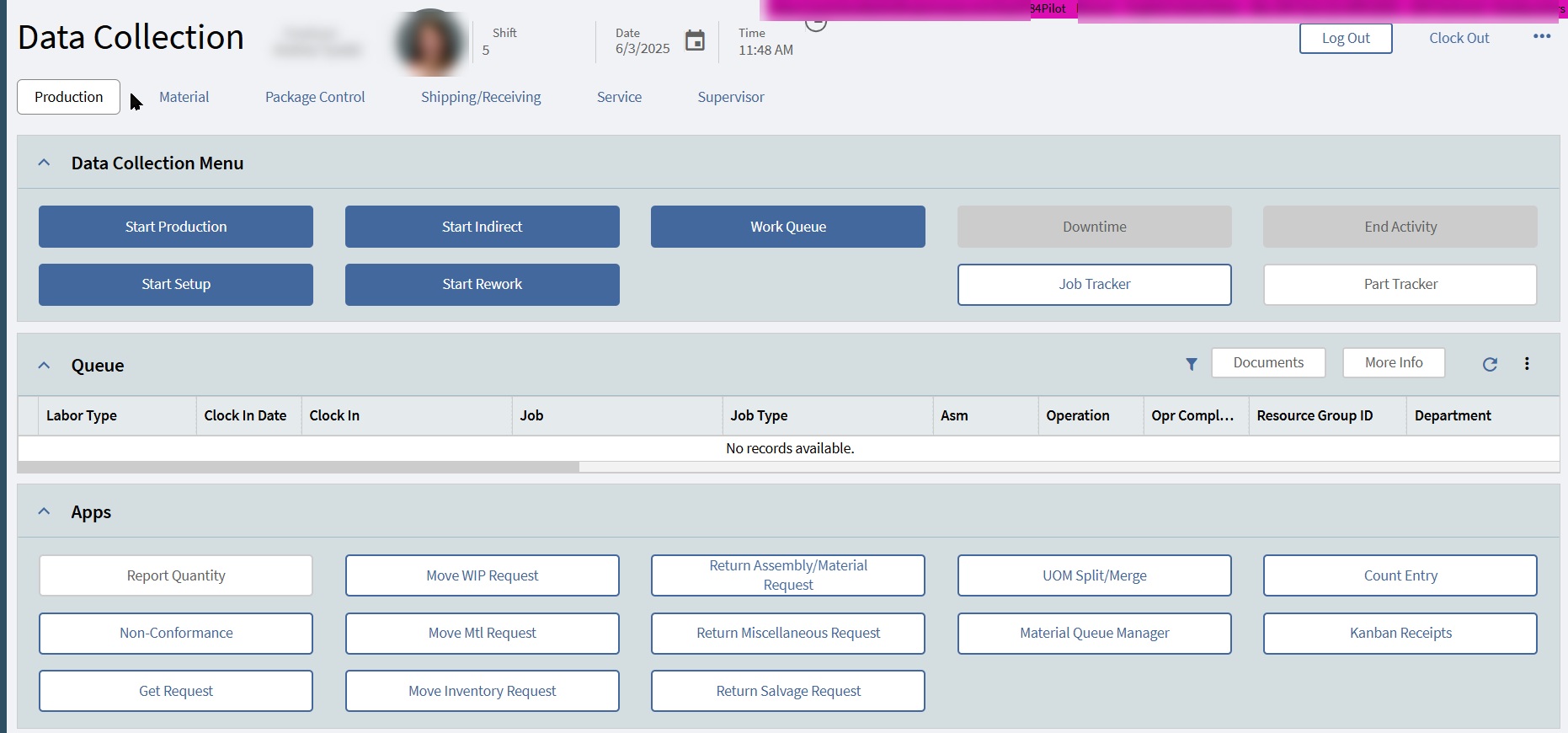
Are your MES “apps” customized? Start Production, Start Rework, etc? Ours are.
Like I said:
First, I went back to base versions of those forms (Start Production Activity, etc.). They would load.
I then went back to the stock events and reviewed all the settings. I found in the App-Open widgets that I needed to add the two settings highlighted below. I did NOT need these settings previously (2024) but, after adding them in 2025.1, I was able to get my custom forms to load:
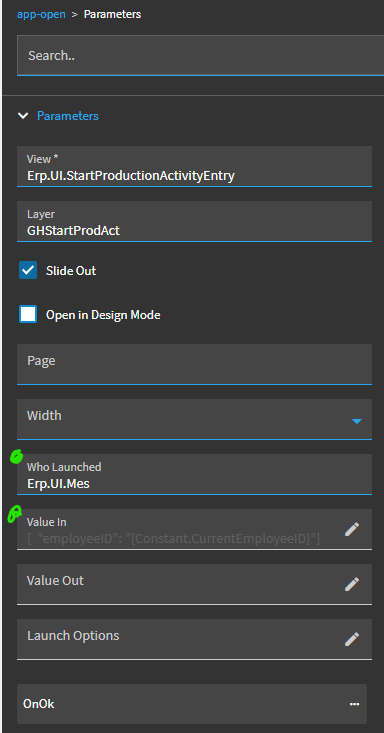
Here’s the JSON text:
{"employeeID": "{Constant.CurrentEmployeeID}"}
Without those, the forms would fail.
2 Likes
We can’t use Browse UI as we have classic customizations on tracers and screens still.
Are you using browser or the smart client MES? The PRB doesn’t really say what the issue is.
Ours are NOT and it’s always been the Kinetic UI since we upgraded to E11 (Kinetic). We do have other forms that launch via MES that have Classic customizations.
It is interesting that you did not have those in 2024 and things worked because the base layer in my instance has those filled in.
2024.1:
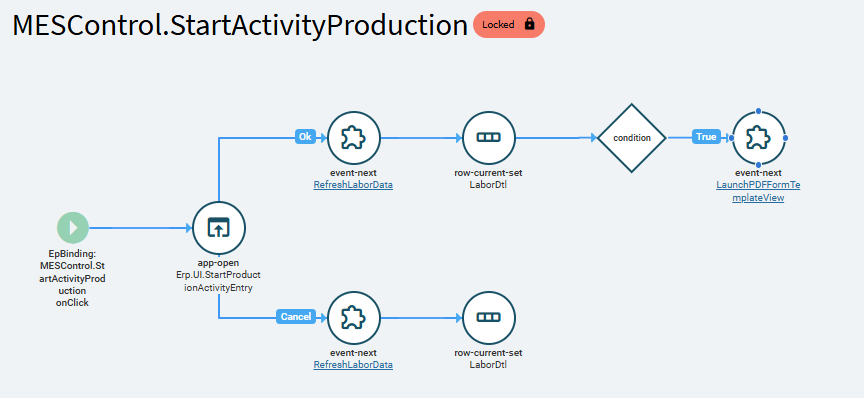
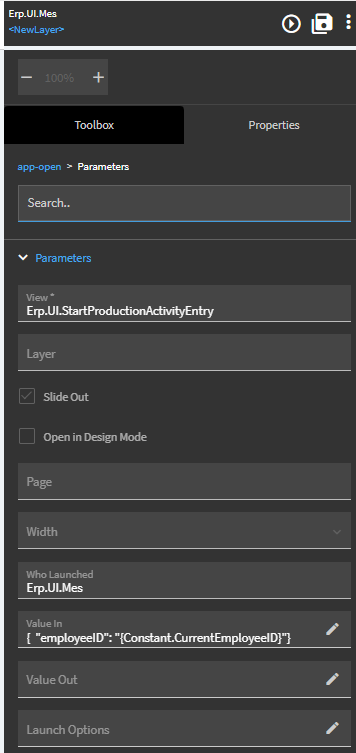
I also know that for my customized version I had to include them to get my customized Start, End, etc buttons to work.
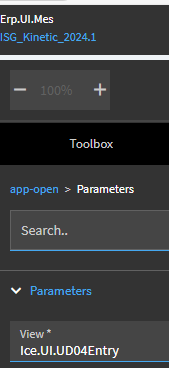
What I also do know is that in 2024.1 in the ‘View’ box I am able to put in a Menu ID for something and it works but in 2025.1 I had to change that to the Application ‘path’ (not really sure what to call it off the top of my head) “Erp.UI.Start…”
2024.1:
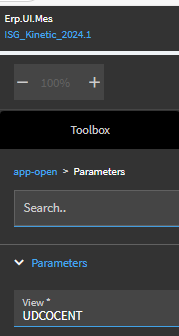
2025.1:
2 Likes
Nothing customized, but I will happily check to ensure those settings are in place. Many thanks for the tip.
Thanks very much, going to check this now.
I am very sad at the loss of filters on the BAQ 
7 Likes