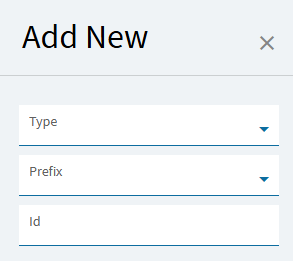
I’ve seen it intermittently. Dev Team at Insights seemed to know about it and were interested in repro steps but after a couple attempts I could not reliably repro the issue.
For me, it seems like it depends on if I just “Open” Application Studio vs. “Open in new tab”. I had to change the Application Studio widget on my home screen to where “Click to open in a new browser tab” was not checked (unlike the rest of the widgets I have).
EDIT: This applies to opening it from home page, the main search, or the recents tab in the search
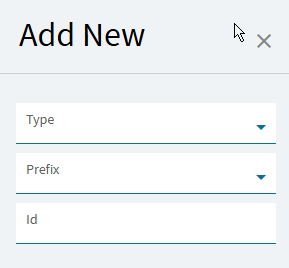
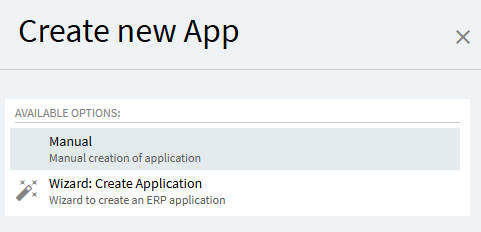
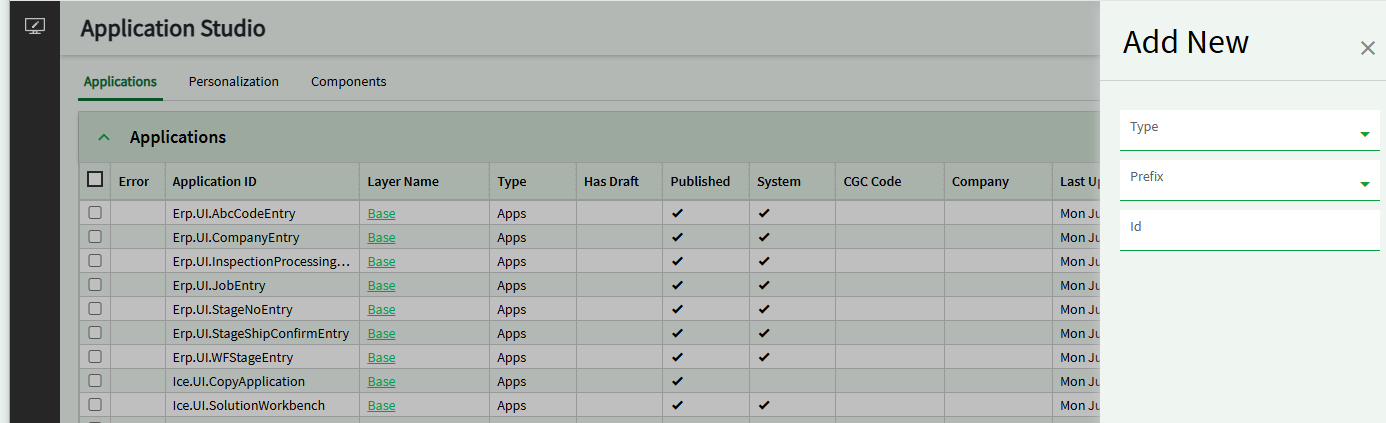
I can confirm @mgordon 's findings about using “Open in new tab” vs. not clicking “Open in new tab”. I was not seeing the wizard and was only getting the “Add New”. Which one is the recommended method?
I’ve personally been using the wizard when creating new dashboards, but that’s mostly because I don’t know what I don’t know. Figured it was safer to have the wizard get things started for me and then I fill in the more specific things.
If you are a programmer and understand the nuances of App Studio, “Add New” all the way. That option gives you full flexibility and complete control over the entire creation process.
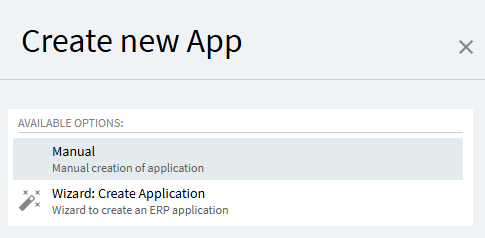
If you are NOT a programmer and are comfortable working within the guardrails and following the standardized process, use “Create new App”. Since this option makes a LOT of assumptions and creates its own foundations, the resulting program MAY OR MAY NOT be as easy to further customize later as one you built from scratch to begin with. Caveat Emptor.
EDIT: If you are in between those two, follow your heart… BUT DO IT IN PILOT!
I guess I was forced to learn how to have full flexibility and complete control over the entire creation process. I was never able to see the wizard as I ALWAYS use the “Open in new tab” …LOL! Score one for having to learn the “hard” way. I might try the wizard to see if my updatable dashboards work with the current status of updatable dashboards not entirely working as a result of the 2026.100.7 upgrade, mostly out of curiosity than anything. I’ll report back my findings on using the wizard.
@EpsilonMaximus68Olds you are a braver man than I… but we have a Development team for stuff that’s too hard for me. I haven’t created an updateable dashboard in Kinetic yet (haven’t had a requirement for it, but that day is certainly coming), and the only pub/sub one I’ve done (full disclosure) I created in classic (2025.1) and let the system create the Kinetic app. It has upgraded fine (so far, working in 2026.100.7). Good luck!
Thanks! I am by no means a programmer, but I have some of the understanding of one and have taken a few courses on programming. I’m the only IT person at my company who works with Epicor (we have 2 other full-time guys who handle most of the PCs and whatnot and our manager who handles most of the servers and network) and I have handled everything related to Epicor for the past 10 years. We were on 9.05.702A when I started, migrated to 10.2.100 on prem, upgraded to 10.2.200 on prem, then went to cloud 2.5 years ago. We utilized the cloud team for the 9.05.702A to 10.2.100 upgrade as we had to convert from Progress to SQL and then again for the migration from 10.2.200 to cloud, but I handled all the conversion of reports, dashboards, screen customizations, etc. We have a lot of dashboards, so I’m fairly fluent with Application Studio (nowhere near what @hmwillett , @klincecum , and @josecgomez are, but I can make my way through most of our requirements) , but when things like these upgrade break stuff, I feel like a fish out of water because I don’t know enough of the inner workings to feel confident about what I need to investigate. That’s why I’ve been on here trying to see if anyone has any suggestions on how to improve my dashboards.
Biggest issue we are currently facing is when I use the kinetic-baq action, I have been using the “Send All Rows” option, but that is currently causing our updatable dashboards to take around 5 minutes to finish “updating”, but then almost none of the changes stay. If I take off the “Send All Rows”, it will only update the currently selected row, but only takes about 3 to 5 seconds to update. That is our current workaround until either Epicor fixes the “Send All Rows” option back to how it was working before, or someone can show me how to use the kinetic-baq without the “Send All Rows” and have it update all changed rows.