If you’re on-prem the smart client death with 26.1 won’t affect you until you upgrade to 26.1+. The method Greg posted above could be your solution as well.
As SaaS we’ve moved out of the Smart Client in preparation for it going away.
If you’re on-prem the smart client death with 26.1 won’t affect you until you upgrade to 26.1+. The method Greg posted above could be your solution as well.
As SaaS we’ve moved out of the Smart Client in preparation for it going away.
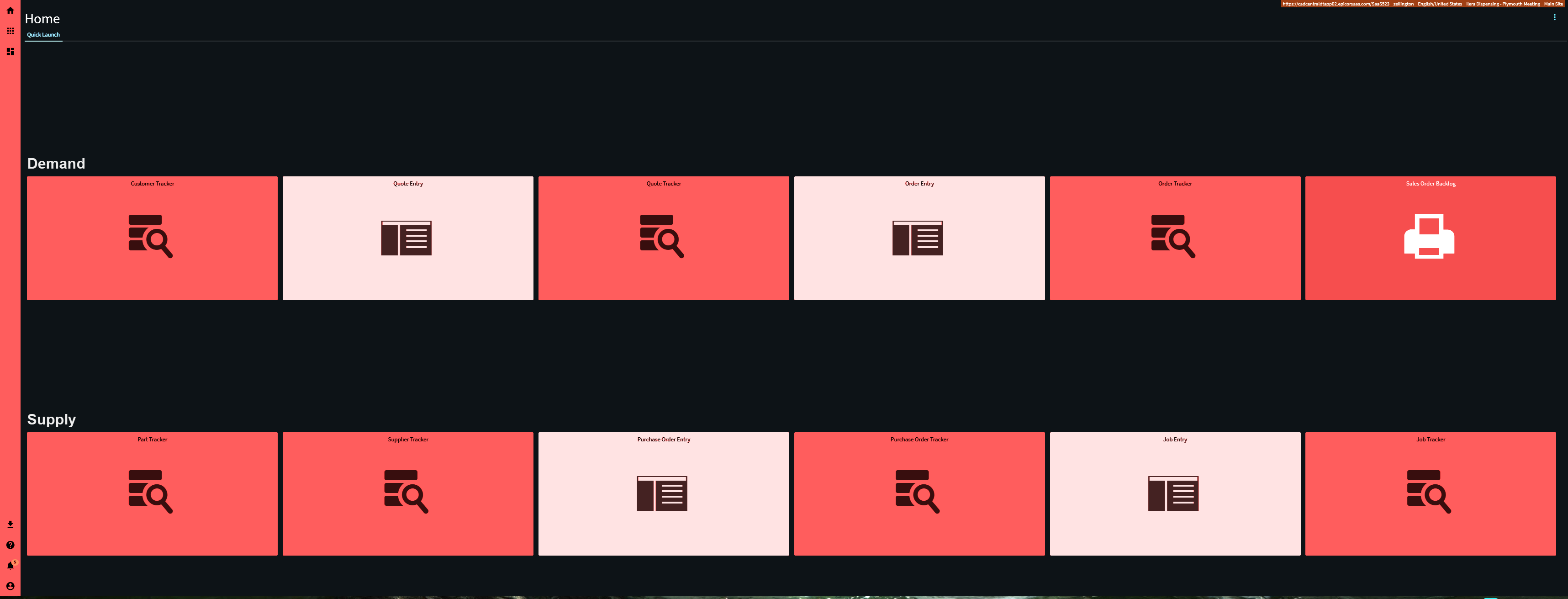
I have a color set in company and site maintenance and have themes turned on for myself and the company as a whole and there is no change on the client.
You can try clearing the client cache I guess. If that doesn’t work you can try opening a case with support I suppose.
Theming bugged out again, so I took a very quick peek for obvious causes. Enabling the Themes feature during client loading depends on growthbook.io telemetry. If it fails or times out or whatever, theming doesn’t exist.
Did this get removed in the new deployment? Our pilot changed color and we cant find this settings area to change it back.
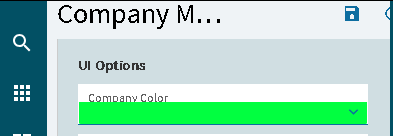
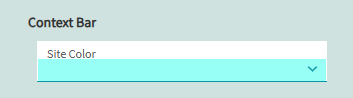
Company Color in Company Maintenance
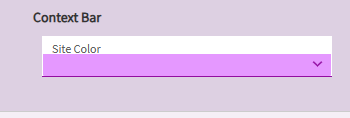
Or Site Maintenance > Site Color
We are single company and don’t have a company color. The Theme (for us at least is driven by the Site color).
Switching colors here switches the theme.
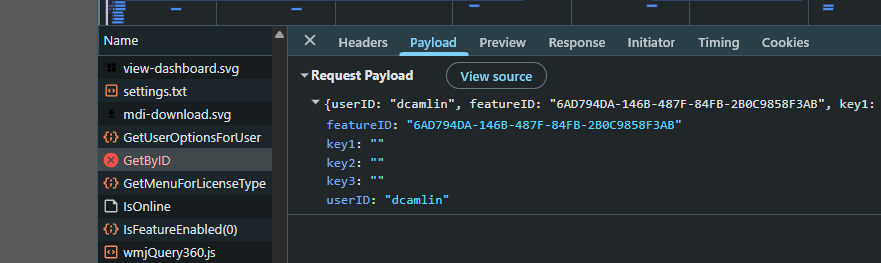
I’m having some issues though. If I change the color on my site… all my forms seem to crash.
Every form has a GetByID error which seems to be tied to a “featureID”? So, I’m not sure if its still trying to ping my old setting of using the Theme “Feature”… but now in 2026.100 its not a feature anymore??
If I refresh my screen enough, sometimes it loads… right now it is STRUGGLING on every form! 
Yeah it now seems to be active and can’t be disabled.
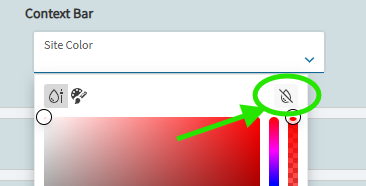
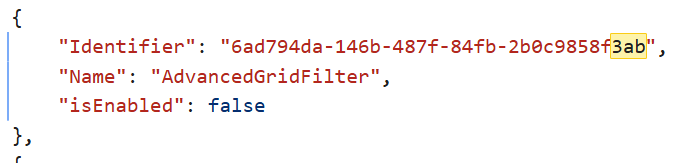
The only way I’ve found to kill the “Theme” coloring is to remove the color from your site/company all together:
Would have been enough if they just colored the sidebar on the left. Its called a Theme but all you can change is the color, no font style, font-sizes, no granular control, no shape colors…
Wordpress, PHP-Nuke, e107 etc all had themes since like 2003 I mean full granular control with ability for custom css.
The infragistics theme editor was nice.
Epicor’s default styling isn’t great, but if you’re using the browser version you can re-theme the whole interface with the Stylus extension (available on the Chrome Web Store).
In Stylus, set the rule to “URLs starting with” and enter the base URL for your environment so the theme only applies to that site.
I’ve set this up across my environments so it’s obvious which one I’m logged into at a glance: Production/Live is red, Pilot is yellow, and Third is green. Below is the CSS I’m using for Third. I also run the Dark Reader extension to darken the background, which pairs well with this, though you can also handle dark mode manually in Stylus if you prefer. Here is an example of what I did for third in Stylus (Its Green for Third):
:root {
–primary: #0fbf0f !important;
–secondary: #00FF00 !important;
–interactive-44: #ADFF2F !important;
–manufacturing: #00bd29 !important;
–tertiary: #35d028 !important;
–success-9532: hsl(122, 63%, 62%) !important;
–neutral-52: hsl(113, 17%, 15%) !important;
}
Note that if you want Dark Reader and Stylus to be used at the same time Dark Reader must be set to Filter+ mode:
Nice first post! Welcome!
For sure there are many extensions. But from an Enterprise perspective where you want to control it for 600+ users without having to deploy chrome extensions, edge extensions and figuring out how to deploy pre-configured settings.
I wonder if this is still a thing, havent used dark mode in a while.
I knew there had to be something! Thanks! Can the styles set be export/imported so we could distribute it to all our computers?
Yes, Stylus styles can be exported and imported, so sharing the theme is easy. Full disclosure, I just built this for myself and the dev team, so I wasn’t thinking about scale at all. Rolling it out to a large userbase is another story. Everyone would need the Stylus extension plus a couple steps to import the style, so doable but not a one-click org-wide deploy. It still should be manageable if you don’t have a ton of users.
We have a “template” our guys do for Windows so maybe it could still work.
Should be able to setup that extension to be auto installed in either Edge or Chrome as they are both Chromium based browsers.